

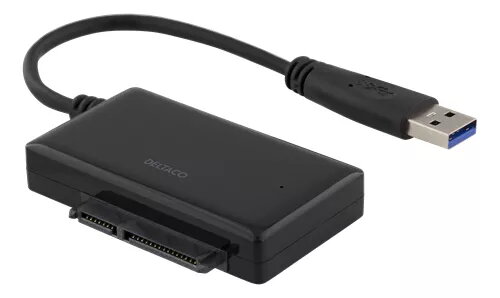
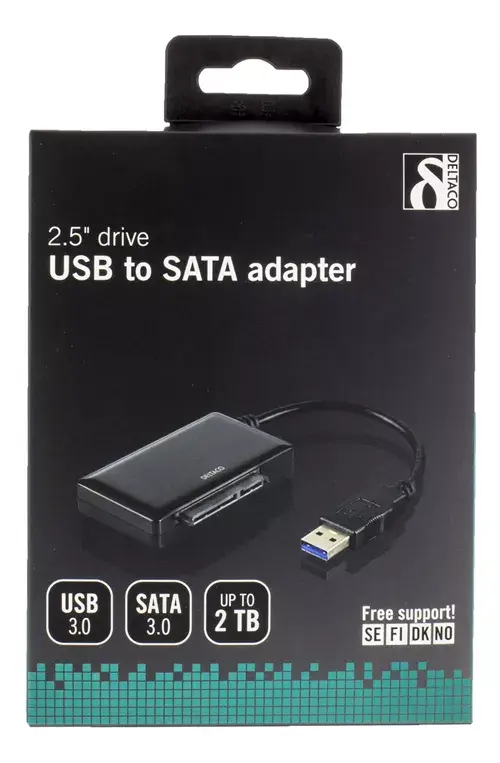
Interface Card Deltaco USB3-SATA6G2
16.99 €
{{selectedOffer && selectedOffer.price | formatAmount}}
Short description
The Deltaco USB3-SATA6G2 is a high-performance interface card that connects SATA devices via USB Type-A. Featuring the JMS567 chipset, it supports data transfer rates up to 6 Gbit/s, ensuring fast and efficient data transfer. Ideal for connecting SSDs and HDDs, this adapter is perfect for expanding storage capabilities with ease and reliability.
Cheapest delivery:
Unisend LV
Pick-up points
Unisend LV
Cost
1.79 €
Deliver
{{selectedOffer.parcelStationDeliveryString}}
Customer service center
2b. Kengaraga str., Riga, Latvia, LV-1063
03.08.2026
{{selectedOffer.officeDeliveryString}}
free
Courier Delivery
Please note that in case of a large parcel additional delivery costs may apply!
From 4.99 € (Weight: 0.06 kg)
Parcel couriers
Unisend LV / Venipak Pickup LV / Venipak Locker LV / Latvijas Pasts pakomāts / DPD Paku skapis / Omniva LV / Latvijas Pasts nodaļa
06.08.2026
{{selectedOffer.parcelStationDeliveryString}}
From 1.79 €

Payment Methods:
Bank transfer, Bank cards on-line, Apple Pay, Google Pay


