Hurry and order now – up to 50% off!
In cart {{totalProductsCount}} item(s)
Your cart is empty
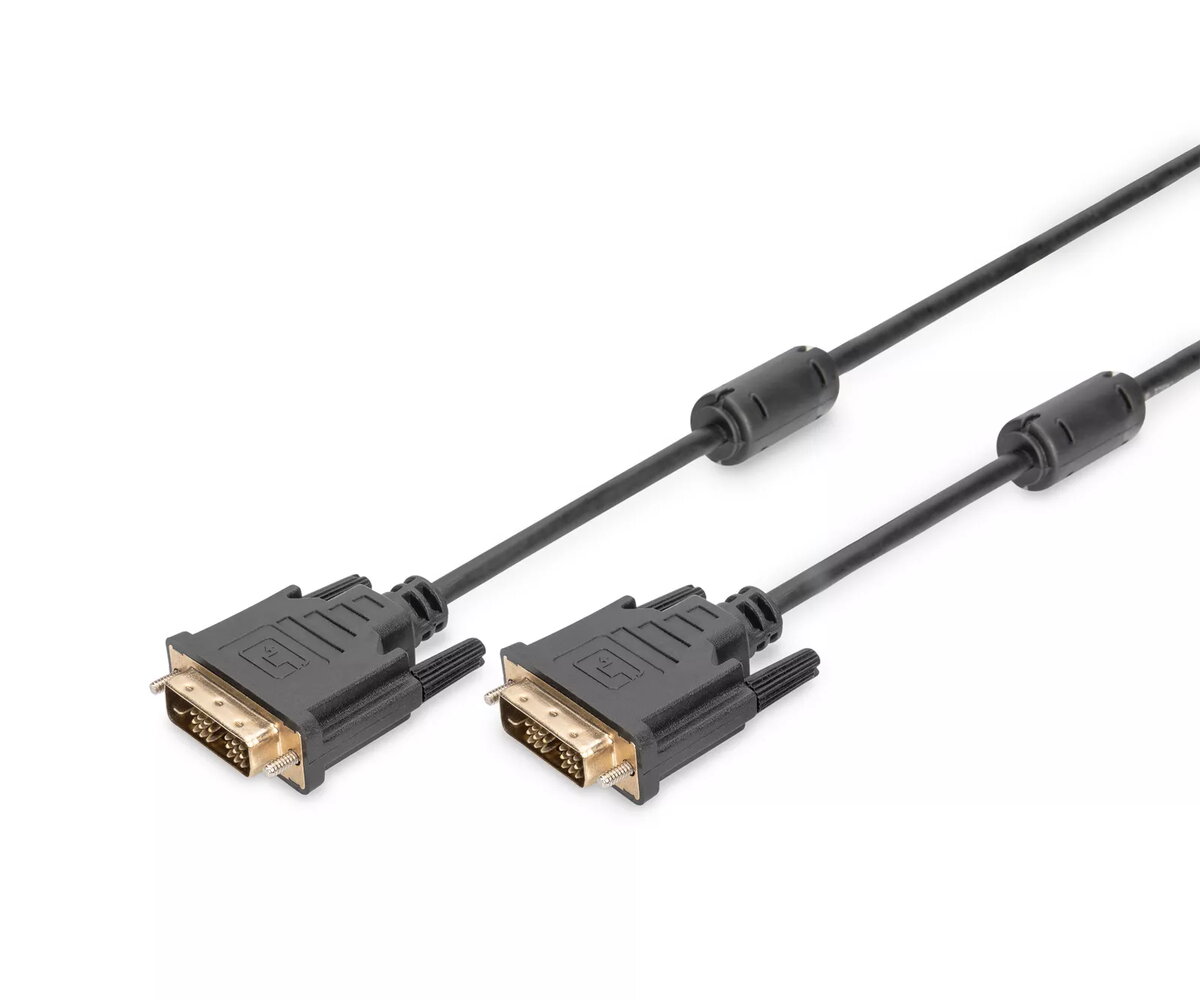
Digitus DVI-D to DVI-D Connection Cable, 2 meters, Black
The Digitus DVI-D to DVI-D connection cable is a reliable solution for transmitting digital video signals between your computer and display devices. Measuring 2 meters in length, this cable provides sufficient reach for standard office and home workstation setups. It is specifically engineered to support HD-Ready resolutions, ensuring that your visual content is displayed with clarity and stability through a standard DVI interface.
This cable offers a robust connection that minimizes signal interference, which is critical for maintaining high image quality on digital monitors. The DVI-D Single Link design is optimized for digital-only transmission, providing a direct path for video data without the need for analog conversion. Its durable construction ensures a long service life, while the 2-meter length offers flexibility in positioning your hardware without excessive cable clutter.
This cable is not compatible with devices that require analog VGA signals, as it is strictly a digital DVI-D cable. Furthermore, it may not support ultra-high resolutions or refresh rates that require Dual Link DVI specifications, as this is a Single Link cable.
To use the cable, ensure that both your source device, such as a computer, and your display device, such as a monitor or projector, are powered off. Insert one end of the DVI-D connector into the DVI port on your computer and the other end into the corresponding port on your display. Tighten the thumb screws on both connectors to ensure a secure physical connection. Once connected, power on your devices and configure the display settings in your operating system to recognize the external monitor.
Usage recommendations: To maintain optimal signal integrity, avoid bending the cable at sharp angles or placing heavy objects on top of it. Always hold the connector housing when plugging or unplugging the cable rather than pulling on the cord itself.
{{highlightedFeature.featureTitle}}:
{{getProductFeatureValueById(product, highlightedFeature.featureId)}}
{{ productComparisonGenerationError }}