Leave your address - as soon as the price of the product goes down, you'll know about it right away
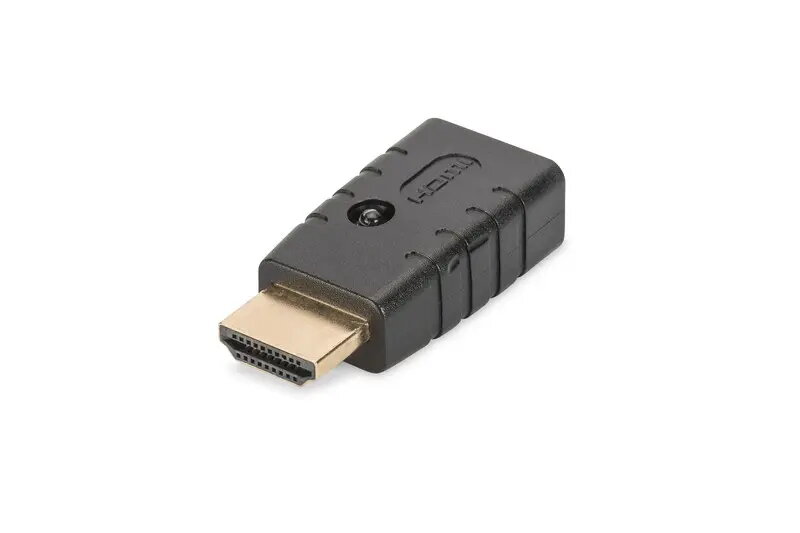
DIGITUS HDMI EDID Emulator DA-70466 BOX — 4K 60Hz UHD, HDCP 2.2
In cart {{totalProductsCount}} item(s)
Your cart is empty
DIGITUS HDMI EDID Emulator DA-70466 BOX — 4K 60Hz UHD, HDCP 2.2
Leave your address - as soon as the price of the product goes down, you'll know about it right away
DIGITUS HDMI EDID Emulator DA-70466 BOX — 4K 60Hz UHD, HDCP 2.2
DIGITUS HDMI EDID Emulator DA-70466 BOX maintains stable communication between HDMI source devices and displays by capturing and emulating Extended Display Identification Data (EDID). Engineered for 4K UHD at 60 Hz with HDCP 2.2 support, this compact inline device preserves resolution and copy-protection compatibility during AV handshakes, preventing unexpected downscaling or HDCP negotiation failures. It is suitable for professional AV installations, digital signage, conference rooms and any environment where consistent HDMI performance is required.
The DIGITUS DA-70466 BOX stores and emulates EDID information to ensure continuous recognition of preferred display modes and HDCP capabilities. Its support for 4K@60Hz and HDCP 2.2 preserves high-resolution video and protected content streams. The emulator reduces signal dropouts and resolution changes that can occur when displays are reconnected or switched, improving reliability in multi-display and signal-distribution setups. The unit is compact and simple to integrate inline without altering source or display hardware.
Install the DIGITUS DA-70466 BOX inline between the HDMI source (such as a media player, computer or set-top box) and the display or distribution system. Connect the source to the emulator input and the emulator output to the display or downstream device using standard HDMI cables. Power is typically provided via the HDMI connection or an included adapter if required; follow the manufacturer’s supplied instructions for any external power. After connection, allow the emulator to capture the display EDID; once stored, it will present the emulated EDID to the source to maintain consistent output modes and HDCP compatibility.
Place the emulator close to the display or distribution endpoint you want to emulate to capture the correct EDID profile. Use quality HDMI cables rated for 4K@60Hz and HDCP 2.2 to minimize signal loss. If encountering handshake issues, power-cycle the source and display after inserting the emulator so the device can capture and lock the EDID information.
{{highlightedFeature.featureTitle}}:
{{getProductFeatureValueById(product, highlightedFeature.featureId)}}