Powerful EcoFlow stations for energy anywhere!
In cart {{totalProductsCount}} item(s)
Your cart is empty
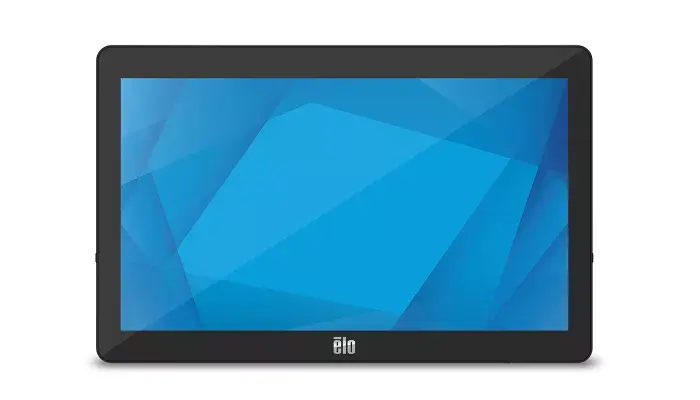
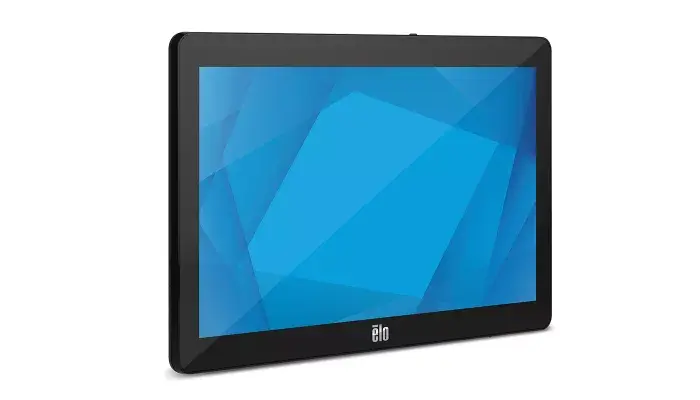
Elo Touch Solutions E262258 POS System with 15.6 Inch Touchscreen, Intel Core i3-8100T, 4 GB RAM, 128 GB SSD, and Windows 10 IoT Enterprise
The Elo Touch Solutions E262258 POS system is designed to provide reliable, professional performance for commercial and retail environments. Featuring a 15.6-inch LED touchscreen with a resolution of 1366 x 768 pixels, this device combines modern aesthetics with commercial-grade durability. It is powered by an Intel Core i3-8100T processor, 4 GB of DDR4 RAM, and a 128 GB solid-state drive, ensuring smooth operation for everyday business tasks. Operating on Windows 10 IoT Enterprise, the system also includes built-in Wi-Fi, Bluetooth, and Ethernet LAN connectivity to integrate effortlessly into existing networks and peripheral setups.
This point-of-sale terminal offers a robust retail-hardened design built to withstand continuous public use in demanding commercial settings. Its responsive capacitive touchscreen supports multi-touch interaction for quick and accurate navigation by staff or customers. The inclusion of versatile wired and wireless connectivity options, such as Ethernet, Wi-Fi, and Bluetooth, ensures seamless communication with other hardware components. Furthermore, the modular architecture allows businesses to connect various peripherals, supporting flexible installation configurations ranging from traditional checkout counters to self-service kiosks.
This POS system may not be suitable for heavy computing tasks that require advanced graphical rendering, intensive video editing, or high-end gaming. Additionally, the pre-installed 4 GB RAM capacity and 128 GB storage configuration might require hardware upgrades if deployed for data-intensive enterprise applications.
Set up the POS system on a stable, flat surface or mount it securely using the compatible VESA interface according to your workspace requirements. Connect the power supply and attach any necessary peripherals such as receipt printers, barcode scanners, or cash drawers using the available ports. Power on the device and follow the initial Windows 10 IoT Enterprise setup prompts to configure your user settings and network connections. Use the interactive touchscreen to navigate your point-of-sale software and manage daily transactions.
Ensure the device is placed in a well-ventilated area to maintain optimal operating temperatures, and regularly clean the touchscreen surface with a soft, dry cloth designed for electronic displays.
{{highlightedFeature.featureTitle}}:
{{getProductFeatureValueById(product, highlightedFeature.featureId)}}
{{ productComparisonGenerationError }}