-
Viewing angle, horizontal:
Maximum horizontal angle at which a display can be viewed with acceptable visual performance.
-
170 °
-
Viewing angle, vertical:
Maximum vertical angle at which a display can be viewed with acceptable visual performance.
-
170 °
-
Mean time between failures (MTBF):
Statistical model used to indicate product/mechanism reliability; expressed in hours and percentage of duty cycle. This number (in hours) does not indicate the mean time before failure for a single unit/mechanism.
-
50000 h
-
Response time:
The response time is the time difference between the moment that a source (for example a video card) sends a signal and that equipment (for example a monitor) receives or display the signal. (Used abbreviations: R/F = Rise and Fall.)
-
25 ms
-
Wall mountable:
The product can be mounted on (attached to ) a wall.
-
Yes
-
RMS rated power:
RMS (Root mean square) is a measure of the continuous power required by a device, in particular audio amplifiers and loudspeakers.
-
4 W
-
Headphone outputs:
Number of sockets /ports where headphones are connected.
-
1
-
Width (with stand):
-
384.1 mm
-
Height (with stand):
-
197.5 mm
-
Depth (with stand):
-
338.4 mm
-
Number of SSDs installed:
-
1
-
Memory form factor:
Design of the memory e.g. 240-pin DIMM, SO-DIMM.
-
DIMM/SO-DIMM
-
Discrete graphics card model:
A graphics adapter (often known as a video card) generates images for a display. A discrete graphics adapter plugs into the motherboard, and usually produces much better graphics than an integrated graphics adapter. There are various models of discrete graphics adapters.
-
Not available
-
Market positioning:
Under which category can the device be positioned in the market, e.g. camera phone.
-
Business
-
Number of storage drives supported:
How many storage drives can be fit into the product at once.
-
1
-
Memory slots type:
A memory slot, also known as a memory socket or RAM slot, is what allows computer memory (RAM) to be inserted into the computer. Depending on the motherboard, there will usually be 2 to 4 memory slots (sometimes more on high-end motherboards). The most common types of RAM are SDRAM and DDR for desktop computers and SODIMM for laptop computers, each having various types and speeds.
-
SO-DIMM
-
Number of speakers:
The quantity of speakers included in/with the product.
-
2
-
Trusted Platform Module (TPM) version:
-
2.0
-
Weight (without stand):
-
3600 g
-
Height (without stand):
-
37.2 mm
-
Width (without stand):
-
384.1 mm
-
Depth (without stand):
-
247.7 mm
-
Product type:
The sub-category of the product.
-
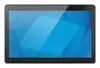
All-in-One PC
-
Number of storage drives installed:
Amount of storage drives built into the device.
-
1
-
Screen shape:
-
Flat
-
Weight (with stand):
-
6400 g
-
Discrete graphics card:
-
No
-
On-board graphics card family:
-
Intel Iris Xe Graphics
-
Total SSDs capacity:
-
256 GB
-
Processor base power:
-
15 W
-
Maximum turbo power:
-
28 W
-
On-board GPU manufacturer:
-
Intel