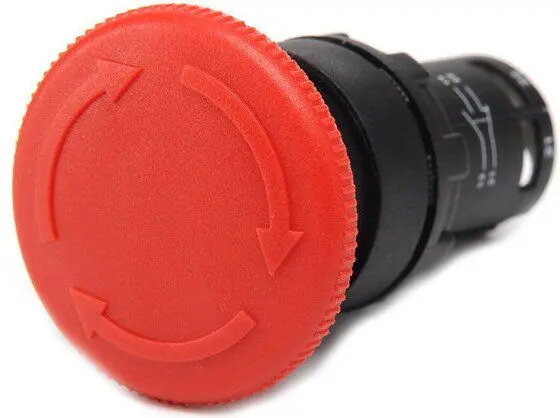
The Emas T0-MB200E is a robust monoblock push button engineered for reliable performance in industrial control panels and automation systems. This red, non-spring return switch is designed for maintained operation, meaning it stays in the activated position until manually reset. Equipped with one normally closed (NC) contact, it serves as a dependable component for manual control circuits, offering high durability and straightforward integration into various electrical configurations.
Advantages
The primary advantage of this monoblock push button is its integrated design, which simplifies the installation process by combining the actuator and contact block into a single, compact unit. The non-spring return mechanism is ideal for applications requiring a sustained state change, reducing the need for complex latching circuitry. Its industrial-grade construction ensures long-term reliability in demanding environments, while the high-visibility red color allows for quick identification during operation.
Suitable for
- Industrial control panels and machinery consoles
- Emergency stop or system shutdown circuits
- Manual control of electrical automation systems
- Maintained state switching in control cabinets
This push button may not be suitable for applications requiring momentary switching, where the device must automatically return to its original state upon release. It is also not intended for high-power switching applications directly; it should be used within control circuits to manage contactors or relays.
Key specifications
- Type: Monoblock push button
- Operation: Non-spring return (maintained)
- Color: Red
- Contact configuration: 1 NC (Normally Closed)
- Mounting style: Panel mount
To use the Emas T0-MB200E, mount the device into a standard panel cutout and secure it firmly using the provided hardware. Connect the control wires to the normally closed contact terminals according to your circuit diagram. Once installed, press the button to open the circuit; the button will remain in the pressed position until it is manually pulled or turned back to the original state, depending on the specific mechanical reset action of the unit.
What to consider before purchase
- Verify that the panel cutout size matches the device requirements
- Ensure the 1 NC contact configuration is compatible with your control logic
- Confirm that a maintained (non-spring return) action is required for your specific application
- Check the environmental conditions to ensure the IP rating meets your installation needs
Usage recommendations
For optimal longevity and safety, ensure that all electrical connections are tightened to the manufacturer's specified torque and that the device is protected from excessive vibration or extreme environmental contaminants.