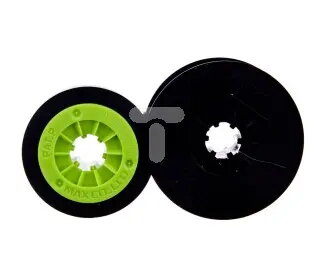
The Ergom LM-IR300B black ink ribbon is a professional-grade consumable engineered for high-precision labeling and industrial marking applications. Measuring 50 meters in length, this ribbon provides a reliable solution for creating clear, durable, and legible prints on various surfaces. It is designed to integrate seamlessly with compatible printing systems, ensuring consistent output quality even in demanding operational environments.
Advantages
This ink ribbon offers exceptional print clarity and adhesion, which is essential for maintaining readability in industrial settings. Its robust construction minimizes the risk of smudging or fading, ensuring that labels remain functional over extended periods. The 50-meter length provides a sufficient supply for high-volume printing tasks, reducing the frequency of replacements and enhancing overall workflow efficiency. Furthermore, the ribbon is specifically formulated to work in harmony with designated hardware, which helps prevent mechanical wear and ensures optimal performance during every print cycle.
Suitable for
- Industrial labeling and marking
- Creating durable identification tags
- Professional cable and component marking
- High-volume printing environments
When it may not be suitable
This ink ribbon is not intended for use with printers that are not specifically compatible with the Ergom LM-IR300B system. Attempting to use it with incompatible hardware may result in poor print quality or damage to the printing mechanism.
Key specifications
- Color: Black
- Length: 50 meters
- Application: Industrial labeling
- Compatibility: Designed for specific Ergom printing systems
How to use
To install the ribbon, ensure the printer is powered off and the print head is cool. Open the printer housing according to the manufacturer's instructions and remove the empty ribbon cartridge if present. Insert the new Ergom LM-IR300B ribbon, ensuring that the ribbon is properly aligned with the print head and that there is no slack in the material. Close the housing securely and perform a test print to verify that the ribbon is feeding correctly and the print quality meets your requirements.
What to consider before purchase
- Verify compatibility with your specific printer model
- Assess the volume of your printing needs to ensure the 50-meter length is sufficient
- Check the storage conditions to maintain ribbon quality
Usage recommendations
For optimal results, store the ink ribbon in a cool, dry place away from direct sunlight and extreme temperatures. Always ensure the print head is clean before installing a new ribbon to maintain consistent print quality and extend the lifespan of your printing equipment.