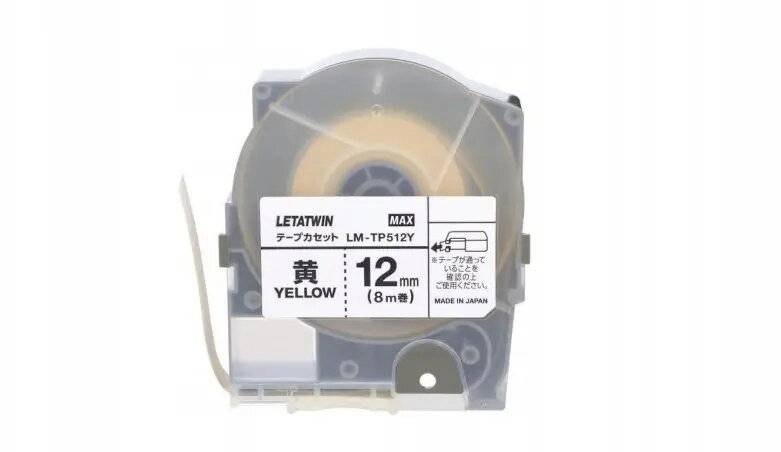
The Ergom LM-TP512Y is a high-quality self-adhesive tape specifically engineered for seamless integration with the LM-550A label printer. This durable consumable provides a reliable solution for creating professional-grade labels that maintain clarity and adhesion over time. With a total length of 8 meters, it offers sufficient capacity for extensive labeling projects in both industrial environments and office settings.
Advantages
This self-adhesive tape is characterized by its excellent print quality, ensuring that text and symbols remain legible even after prolonged exposure. The adhesive backing is formulated to bond securely to a wide variety of surfaces, providing versatility for different labeling needs. Its robust construction resists common environmental stressors, making it a dependable choice for long-term identification tasks where durability is a primary requirement.
Suitable for
- Professional cable and wire marking
- Organizing electrical panels and components
- Creating clear identification labels for office equipment
- Industrial asset labeling and inventory management
When it may not be suitable
This tape is specifically designed for use with the LM-550A printer model and may not be compatible with other printing devices. It is intended for standard labeling applications and may not be suitable for extreme environments involving high heat, chemical exposure, or heavy abrasion.
Key specifications
- Tape length: 8 meters
- Compatibility: LM-550A label printer
- Adhesive type: Self-adhesive
- Application: Industrial and office labeling
How to use
To use the Ergom LM-TP512Y tape, insert the cartridge into the designated slot of your LM-550A printer according to the manufacturer's instructions. Ensure the tape is properly aligned with the print head to prevent jams. Once installed, input your desired text or symbols into the printer interface and initiate the printing process. After the label is printed, use the printer's integrated cutting mechanism to trim the tape to the required length before peeling the backing and applying it to the clean, dry surface.
What to consider before purchase
- Verify that your printer model is the LM-550A
- Ensure the surface where the label will be applied is clean and free of dust or oil
- Consider the required label width for your specific application
Usage recommendations
For optimal adhesion and print longevity, always apply the tape to surfaces that have been thoroughly cleaned and degreased. Avoid touching the adhesive side during application to maintain maximum bonding strength.