


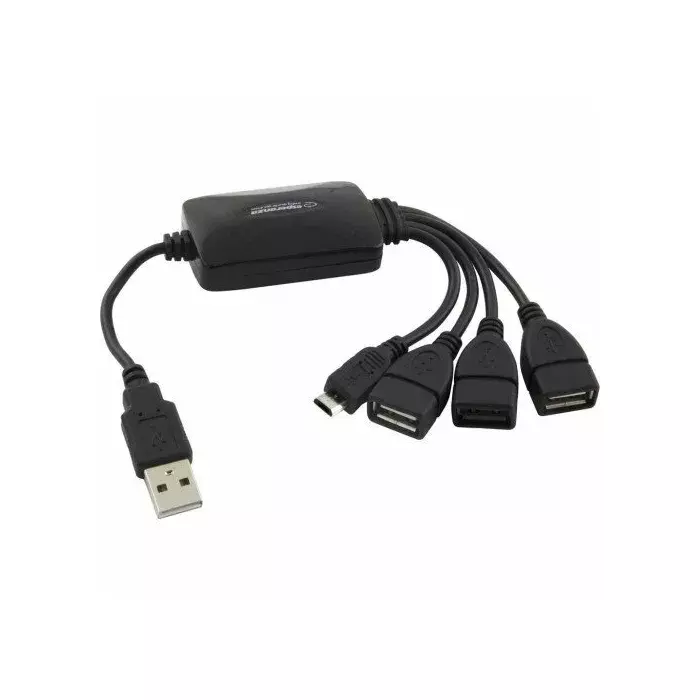
USB hub ESPERANZA EA158 with 3 USB-A ports and 1 microUSB power port, USB 2.0
Short description

Cheapest delivery:
Unisend LV
Product information
Description
ESPERANZA EA158 is a compact USB 2.0 hub that adds three USB-A ports and one microUSB port to laptops, desktops and other compatible hosts. The hub extends a single USB connection into multiple downstream ports suitable for low-bandwidth peripherals such as mice, keyboards and flash drives. Its small footprint and lightweight construction make it suitable for travel and constrained workspaces while maintaining plug-and-play operation without additional drivers on most operating systems.
Advantages
The hub provides three additional USB-A ports in a single, compact unit, enabling quick connection of several peripherals simultaneously. The microUSB port can be used for upstream connection or for additional power when peripheral devices require it. Using the USB 2.0 standard ensures broad compatibility with older and current devices while keeping power consumption and cost low. The device’s simple design and plug-and-play functionality reduce setup time and eliminate the need for software installation.
Suitable for
- Connecting mice and keyboards to laptops or desktops
- Expanding USB ports for flash drives and external storage (low-bandwidth use)
- Attaching peripherals in home office or travel setups
- Temporary connections for printers, scanners or USB accessories that do not require high data throughput
Key specifications
- Interface: USB 2.0 downstream ports (three USB-A)
- Upstream/Power port: microUSB
- Power: bus-powered with optional external power via microUSB when needed
- Compatibility: compatible with standard USB hosts supporting USB 2.0/1.1
- Form factor: compact, lightweight housing suitable for portable use
- Data transfer: USB 2.0 speeds (up to 480 Mbps theoretical maximum)
How to use
Connect the hub to a host device using the microUSB port for upstream connection, or plug the host cable into a free USB-A port if provided by your cable configuration. Insert peripherals into the available USB-A downstream ports. If connected devices draw more power than the host can supply, connect an external microUSB power source to the hub to provide additional current. No driver installation is typically required; the host operating system should recognize connected devices automatically.
Usage recommendations
Use the hub for low- to moderate-power peripherals such as mice, keyboards and flash drives. Avoid connecting high-draw devices like multiple external hard drives without external power. For stable operation with several power-hungry accessories, connect an appropriate external microUSB power supply. Keep cables untangled and avoid placing heavy objects on the hub to preserve connector integrity.


