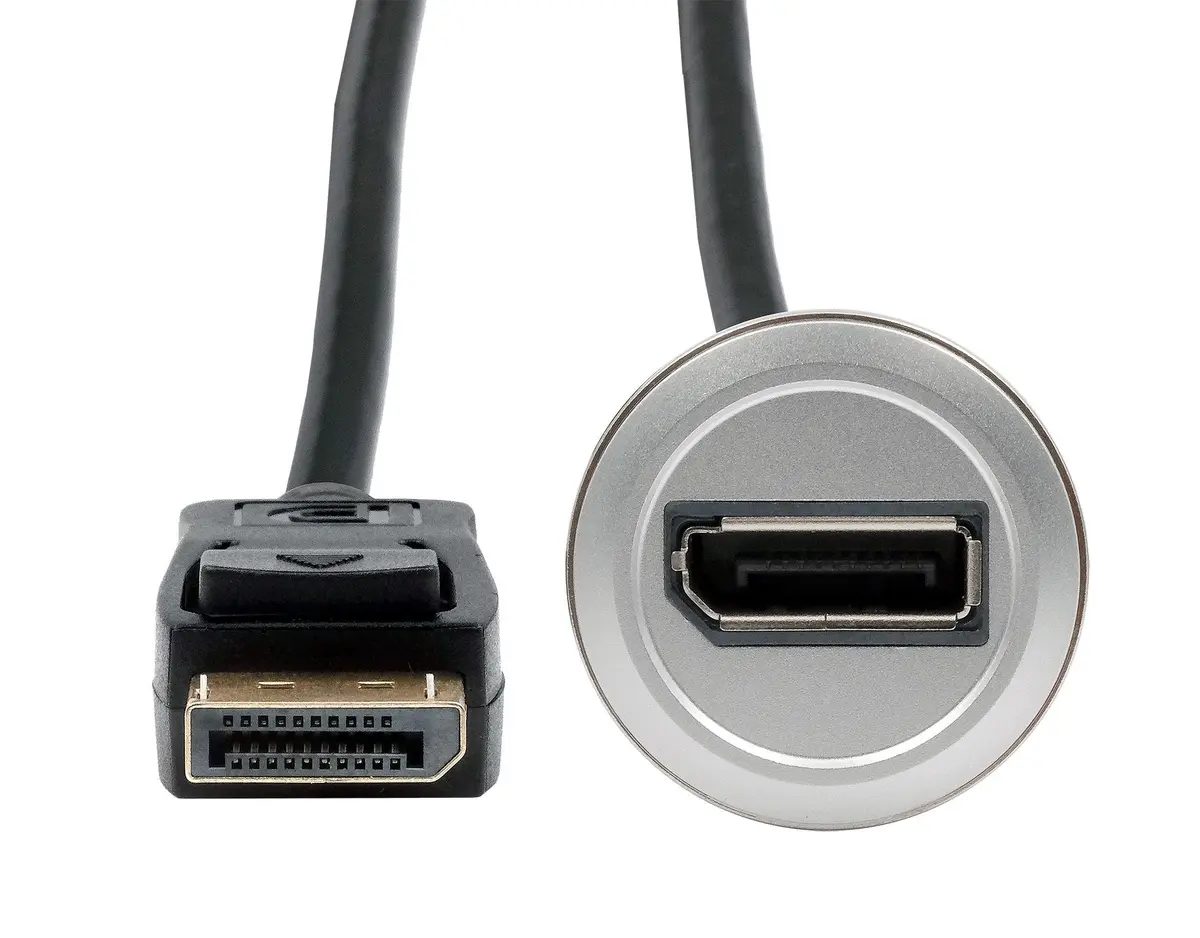
This comparison evaluates the metal panel mount adapter Exsys EX-49185 Metal DisplayPort Female to Male Panel Mount Adapter, 30 cm alongside alternative connectivity solutions from the same brand: the DisplayPort D-Type Female-to-Female Adapter Exsys EX-49151, passive interface converters Adapter Exsys D-Type DisplayPort female to Mini DisplayPort female EX-49170 and Adapter Exsys D-Type Mini DisplayPort female to DisplayPort female EX-49169, video adapter Adapter Exsys EX-49172 USB-C (female) to DisplayPort (female) supporting 4K, and the HDMI solution HDMI adapter Exsys EX-49180 metal housing, 30 cm cable length. All listed items belong to the Exsys accessory category, but they serve different extension, coupling, or interface conversion purposes.
⚙️ The specifications table below compares connector types, cable inclusion, mounting characteristics, and the practical purpose of each adapter to help assess physical compatibility with your setup.
| Parameter | Exsys EX-49185 | Exsys EX-49151 | Exsys EX-49170 | Exsys EX-49169 | Exsys EX-49172 | Exsys EX-49180 | Practical significance of differences |
|---|
| Connection type | DisplayPort (female) to DisplayPort (male) | DisplayPort (female) to DisplayPort (female) | DisplayPort (female) to Mini DisplayPort (female) | Mini DisplayPort (female) to DisplayPort (female) | USB-C (female) to DisplayPort (female) | HDMI to HDMI | Determines which cables and device ports can be directly linked without requiring extra conversion cables. |
| Design and length | 30 cm cable, panel mount design | Compact inline adapter without cable (D-Type) | Compact inline adapter without cable (D-Type) | Compact inline adapter without cable (D-Type) | Adapter without built-in cable | 30 cm cable, metal housing | The presence of a cable provides mounting flexibility and reduces physical strain on ports, while D-Type form factors suit fixed enclosure installations. |
| Housing material | Metal | Not specified | Not specified | Not specified | Not specified | Metal | Metal housing enhances structural durability and reliability under demanding operating conditions. |
| Purpose | Extension and mounting in professional and IT environments | Directly joining two DisplayPort cables | Bridging DP and Mini DP interfaces | Bridging Mini DP and DP interfaces | Connecting USB-C devices to DP displays | Audio and video transmission via HDMI | Each device addresses a specific bridging requirement between different interface standards or panel layouts. |
◎ The table below evaluates product suitability for various use cases, installation conditions, and equipment types.
| Use case | Recommended product | Why |
|---|
| Extending a DisplayPort connection to a housing wall or professional rack panel | Exsys EX-49185 | Features a 30 cm cable length and is specifically designed for secure and reliable panel mounting. |
| Joining two existing DisplayPort cables into a single run | Exsys EX-49151 | Compact D-Type inline form factor allows quick and convenient coupling of two cables. |
| Interfacing a Mini DisplayPort graphics card with a standard DisplayPort monitor | Exsys EX-49169 | Provides the physical transition from a mini format to a full-size DisplayPort connector. |
| Connecting a USB-C laptop to a DisplayPort monitor requiring high-resolution output | Exsys EX-49172 | A specialized adapter that converts a USB-C video output signal to DisplayPort with 4K support. |
The Exsys EX-49185 Metal DisplayPort Female to Male Panel Mount Adapter, 30 cm differs from other alternatives through its integrated 30 cm cable and panel-mounting orientation, making it the ideal choice for professional, industrial, and IT installations requiring a secure port extension on an enclosure. Unlike compact cable-free couplers (such as EX-49151, EX-49170, or EX-49169) or adapters built for different interfaces (EX-49172 and EX-49180), this product is best suited when you need a flexible standard DisplayPort connection combined with durable metal hardware mounting.