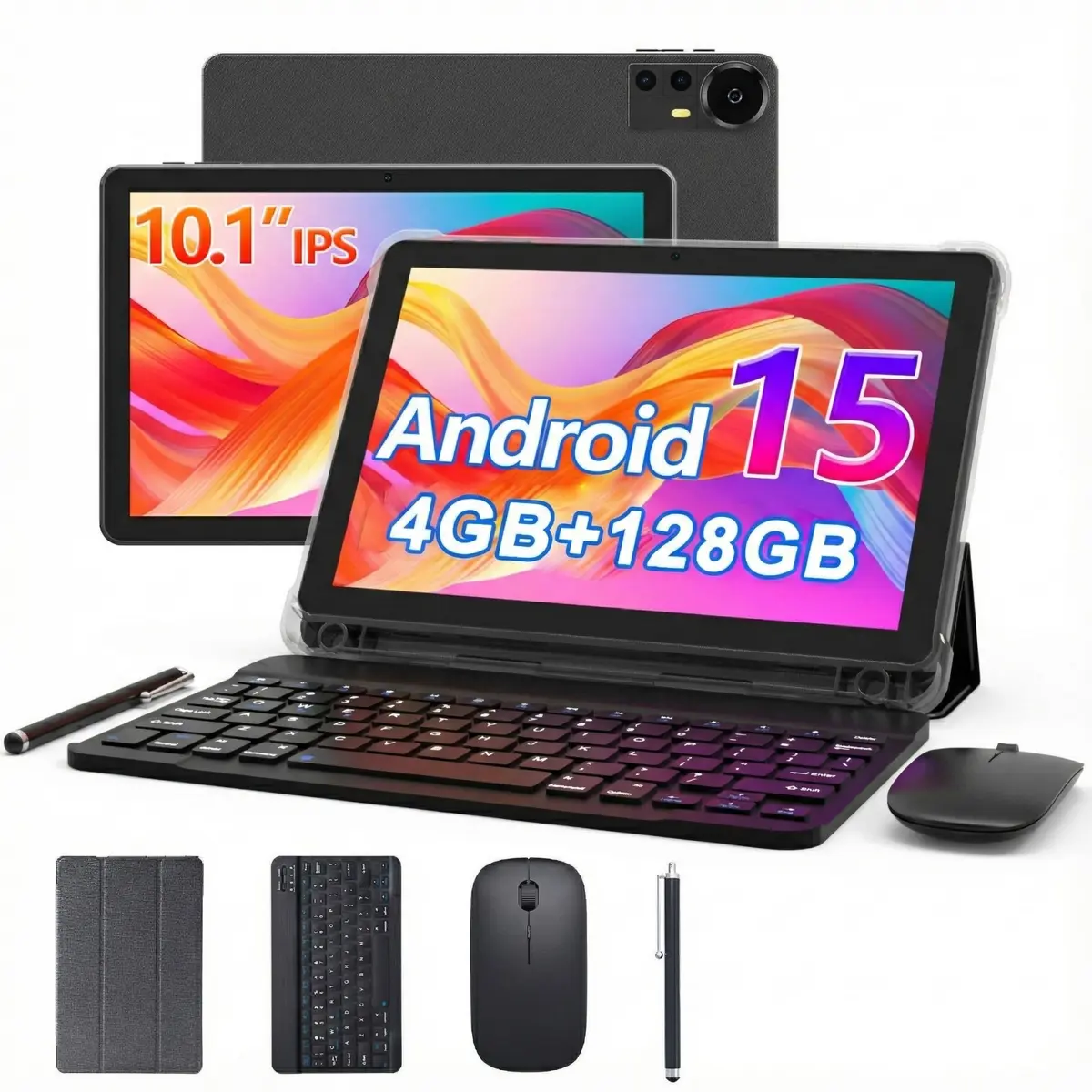
The Extralink CP31 Tablet 10.1 Inch Android 15.0 128GB WiFi Black 2MP and 8MP Cameras is a versatile mobile device designed to handle daily multimedia consumption, web browsing, reading, and remote communication. Featuring a 10.1-inch HD display with multi-touch support and a 16:10 aspect ratio, it delivers clear visuals and vivid colors for your everyday digital needs. Powered by Android 15.0 with full GMS certification, the device provides intuitive operation and access to improved security features and the Google Play Store. Equipped with 128GB of internal storage, 4GB of RAM, and a reliable 4-core processor, this black tablet ensures smooth switching between applications and dependable performance for work, study, and entertainment on the go. Fast and stable internet access is delivered via 2.4G and 5G Wi-Fi 6 connectivity, while the integrated 6000mAh battery supports extended hours of media playback, web browsing, and daily tasks.
Advantages
The Extralink CP31 combines robust hardware with a comprehensive set of accessories, including a keyboard, mouse, and stylus, effectively transforming the device into a functional 2-in-1 workstation for typing, sketching, and precise navigation. The high-capacity 6000mAh battery delivers long-lasting power for up to 9 hours of online video or 12 hours of web browsing, charged conveniently through a universal Type-C port. Built-in dual cameras, consisting of an 8MP rear camera with multiple shooting modes and a 2MP front camera, facilitate clear video calls and photo capture. Furthermore, the inclusion of eye-protection technology on the large display ensures comfortable viewing during extended periods of use.
Suitable for
- Students and pupils needing a portable device for note-taking, writing assignments, and browsing educational materials
- Remote workers handling emails, documents, and video conferences
- Multimedia enthusiasts enjoying movies, reading, and music on a large HD screen
- Families looking for an accessible device with entertainment and educational capabilities
- Travellers requiring compact connectivity and a durable battery on the move
When it may not be suitable
This tablet may not be suitable for professional graphic designers, video editors, or users running high-end, resource-intensive 3D video games that demand advanced discrete graphics processing units and higher performance thresholds. Additionally, users who specifically require cellular data connectivity will need to look for alternatives, as this model relies exclusively on wireless local area networks.
Key specifications
- 10.1-inch HD display with 1280x800 resolution and 16:10 aspect ratio
- Android 15.0 operating system with Google Play Store support
- 128GB internal storage capacity with 4GB RAM
- 4-core processor for daily multitasking
- 8MP rear camera and 2MP front camera
- 6000mAh rechargeable battery with Type-C charging
- 2.4G and 5G Wi-Fi 6 wireless connectivity
- Included accessories: keyboard, mouse, and stylus
How to use
To begin using the Extralink CP31 tablet, charge the device using a compatible Type-C charger and power it on by pressing the power button. Follow the on-screen setup wizard to configure your language, connect to your local Wi-Fi 6 network, and sign in to your Google account to access applications via the Google Play Store. For productivity tasks, attach the included keyboard or utilize the mouse and stylus for enhanced navigation and precise document editing or sketching. Adjust display settings, including eye-protection modes, to suit your lighting environment and ensure comfortable viewing during extended usage sessions.
What to consider before purchase
- Verify that a wireless local area network is available, as cellular mobile data is not supported
- Assess your storage and processing requirements to ensure the 128GB capacity and 4GB RAM meet your intended workload
- Consider whether the included accessories such as the keyboard and mouse align with your typing and navigation preferences
- Confirm compatibility with specific external peripherals or software applications you plan to use
For optimal battery longevity and device performance, avoid exposing the tablet to extreme temperatures, use certified Type-C charging cables, and regularly update the Android operating system and installed applications.