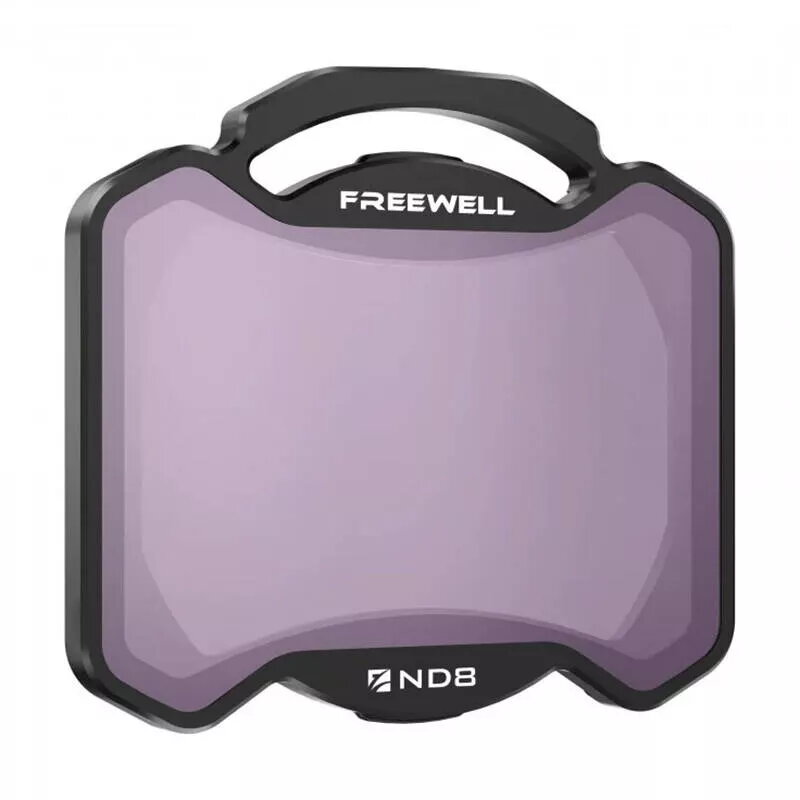
The Freewell ND8 filter is a precision-engineered accessory designed specifically for the DJI Avata 2 drone camera. By reducing the light entering the lens by 3 stops, this filter provides essential exposure control, allowing drone pilots to maintain optimal settings even in bright outdoor environments. It is crafted from high-quality optical glass and a durable aluminum alloy, ensuring both image clarity and long-lasting protection for your camera lens.
Advantages
This filter significantly improves aerial cinematography by enabling smoother motion blur and preventing overexposure in daylight conditions. Beyond its light-reduction capabilities, the filter acts as a protective layer against dust, water, and accidental scratches, preserving the integrity of the drone's camera lens. Its lightweight construction is specifically optimized for the DJI Avata 2, ensuring that it does not negatively impact flight performance or gimbal stability. Furthermore, the high-grade optical glass ensures that image quality remains sharp and color-accurate, while the aluminum frame provides a secure and reliable fit.
Suitable for
- Capturing cinematic aerial footage in bright daylight
- Achieving natural motion blur in drone videos
- Protecting the camera lens from dust, water, and scratches
- Professional drone cinematography and high-quality video production
When it may not be suitable
This filter is not intended for use in low-light conditions, such as during sunset, twilight, or night flights, as the 3-stop light reduction may result in underexposed footage. It is also not suitable for drones other than the DJI Avata 2 due to its specific mounting design.
Key specifications
- Filter Type: ND8 (3-stop light reduction)
- Compatibility: DJI Avata 2
- Material: High-quality optical glass and aluminum alloy
- Protective features: Water, dust, and scratch resistance
How to use
To use the Freewell ND8 filter, ensure your DJI Avata 2 is powered off. Carefully align the filter with the drone's camera lens housing and press it gently until it clicks or sits securely in place. Once installed, adjust your camera settings to account for the 3-stop reduction in light. After your flight, remove the filter by gently pulling it away from the lens and store it in the provided protective case to prevent damage.
What to consider before purchase
- Verify that your drone model is the DJI Avata 2
- Assess the lighting conditions of your typical filming locations
- Ensure the filter is clean before each flight for optimal image quality
Usage recommendations
Always store the filter in its protective case when not in use to maintain the optical coating and prevent scratches. Clean the glass surface only with a professional lens cloth to avoid damaging the specialized coatings.