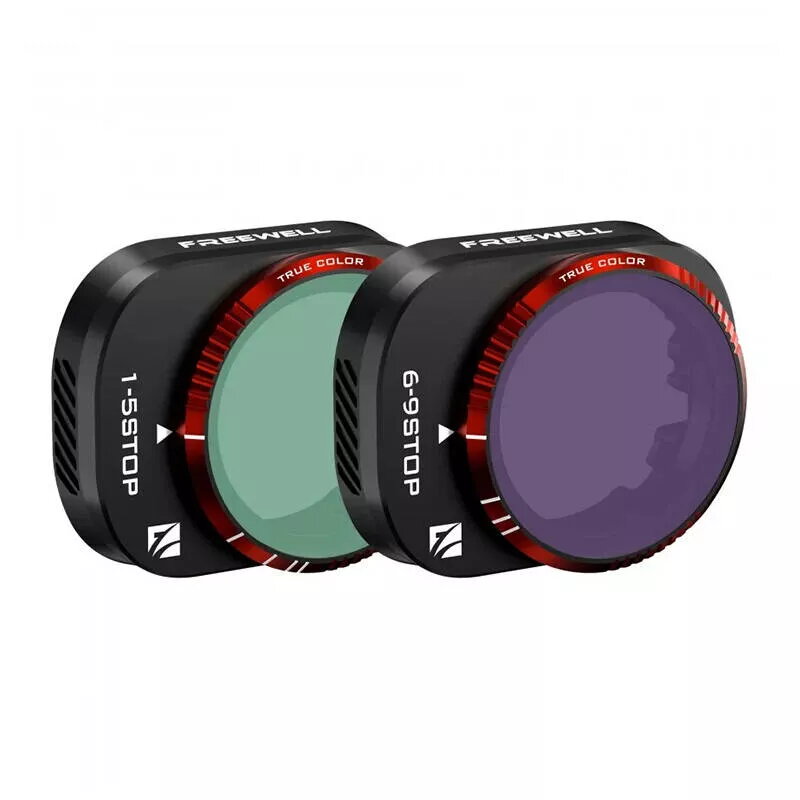
The Freewell VND 1-5 and 6-9 Stop Filter Set is a professional-grade optical solution specifically engineered for the DJI Mini 4 Pro drone. This set provides comprehensive light control, allowing pilots to adjust exposure settings across a wide range of lighting conditions, from bright daylight to challenging high-contrast environments. By utilizing variable neutral density technology, these filters enable the use of wider apertures and slower shutter speeds, which are essential for achieving natural motion blur and cinematic video quality in aerial footage.
Advantages
These filters feature advanced True Color technology, which ensures that the original color fidelity of your footage is maintained without the color shifts often associated with standard variable ND filters. The construction is exceptionally lightweight, ensuring that the drone's gimbal performance and flight dynamics remain unaffected during operation. Furthermore, the optical glass is treated with specialized coatings that provide resistance against dust, scratches, and oil, making them durable and easy to maintain in various outdoor environments.
Suitable for
- Capturing cinematic aerial footage with natural motion blur
- Filming in bright, direct sunlight where exposure control is limited
- Achieving a shallow depth of field for professional video aesthetics
- Maintaining consistent exposure settings during changing light conditions
When it may not be suitable
This filter set may not be necessary for users who primarily fly in low-light conditions, such as during dawn, dusk, or at night, as the neutral density effect will reduce light intake further than required. Additionally, users who prefer fully automated camera settings without manual exposure adjustments may find the process of manually rotating the filter ring less convenient.
Key specifications
- Compatibility: DJI Mini 4 Pro
- Filter range: 1-5 stops and 6-9 stops
- Optical technology: True Color
- Protective coatings: Dustproof, scratch-resistant, and oil-resistant
- Design: Lightweight construction for gimbal safety
How to use
To use the filters, carefully remove the existing lens cover from your DJI Mini 4 Pro camera. Align the Freewell filter with the lens housing and press it gently until it clicks securely into place. Once installed, you can adjust the light reduction level by rotating the outer ring of the filter. Use the 1-5 stop filter for moderate lighting and the 6-9 stop filter for extremely bright conditions. Always ensure the filter is clean before flight to maintain optimal image clarity.
What to consider before purchase
- Verify that your drone model is the DJI Mini 4 Pro
- Assess your typical lighting environments to ensure the 1-9 stop range meets your needs
- Consider the need for manual exposure adjustments during flight
Usage recommendations
For the best results, always calibrate your gimbal after installing the filter to ensure smooth movement. Clean the glass surface with a microfiber cloth before each flight to prevent flare and maintain image sharpness.