Dreame vacuums for fast and efficient cleaning!
In cart {{totalProductsCount}} item(s)
Your cart is empty
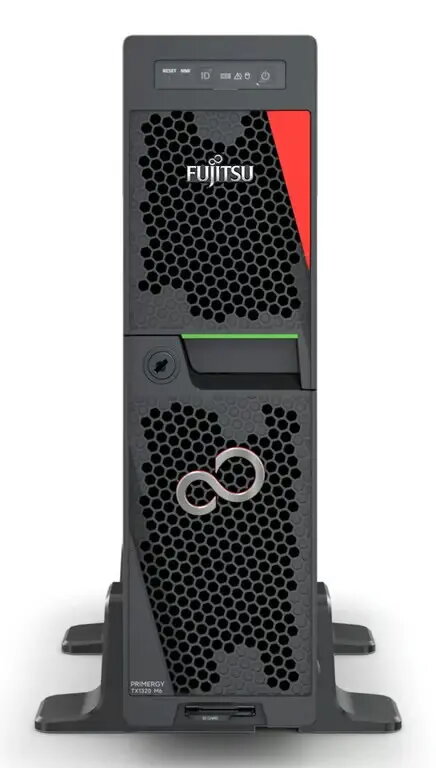
Fujitsu Primergy TX1320 M6 Server, Xeon 6333P, 32GB RAM, 500W PSU, iRMC Advanced Pack
The Fujitsu Primergy TX1320 M6 is a compact, high-performance tower server engineered to meet the demanding requirements of small and medium-sized businesses. This server combines robust computing power with a space-saving design, making it an ideal choice for office environments where floor space is at a premium. Powered by an Intel Xeon 6333P processor and equipped with 32GB of high-speed DDR5 memory, it delivers consistent performance for critical business operations and data-intensive tasks.
The primary advantage of this server lies in its exceptional balance of performance and energy efficiency. The inclusion of a 500W Titanium-rated power supply ensures minimal energy waste, reducing operational costs over time. Furthermore, the integrated iRMC Advanced Pack provides comprehensive remote management capabilities, allowing administrators to monitor and control the server from anywhere, which significantly simplifies maintenance and troubleshooting processes. Its SFF (Small Form Factor) design allows for flexible deployment without compromising on hardware expandability or reliability.
This server is designed for small to medium-sized business environments and may not be suitable for large-scale enterprise data centers requiring massive rack-mount density or high-performance computing clusters. It is also not intended for heavy-duty graphics rendering or high-frequency trading applications that require specialized hardware configurations beyond the standard tower architecture.
To set up the Fujitsu Primergy TX1320 M6, place the unit in a well-ventilated area to ensure optimal airflow. Connect the necessary peripherals and network cables to the rear ports. Upon initial power-up, access the iRMC interface via a web browser using the provided network credentials to configure the system settings and remote management parameters. Install your preferred operating system and configure the storage arrays according to your specific business requirements.
For optimal longevity and performance, ensure the server is kept in a dust-free environment with stable power supply conditions. Regularly update the iRMC firmware and system drivers to maintain security and operational efficiency.
{{highlightedFeature.featureTitle}}:
{{getProductFeatureValueById(product, highlightedFeature.featureId)}}
{{ productComparisonGenerationError }}