Dreame vacuums for fast and efficient cleaning!
In cart {{totalProductsCount}} item(s)
Your cart is empty
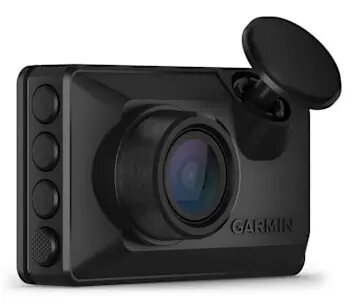
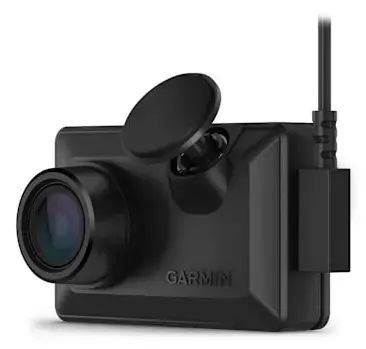
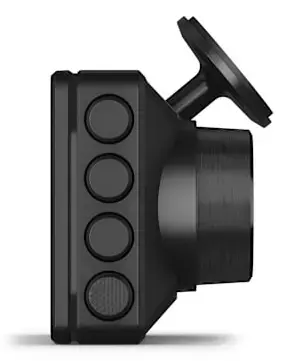
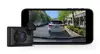
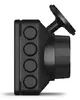
Garmin Dash Cam X110 Full HD Dash Camera with Wi-Fi, Bluetooth, and GPS
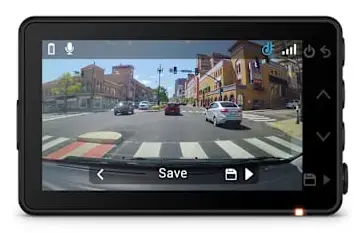
The Garmin Dash Cam X110 is a compact and reliable Full HD dash camera designed to provide comprehensive road coverage. Featuring a 1920 x 1080 resolution and a wide 140-degree viewing angle, it captures essential details clearly in various lighting conditions. The device includes a 2.41-inch TFT display for immediate playback and is equipped with built-in GPS, Wi-Fi, and Bluetooth for seamless connectivity and incident tracking.
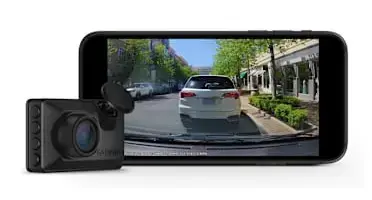
This dash camera offers significant benefits for vehicle safety, including a built-in Garmin Clarity polarizer that effectively reduces windshield glare for sharper footage. Its compact design ensures it does not obstruct the driver's view, while the voice control functionality allows for hands-free operation, enabling users to save clips or start audio recording without distraction. The device is built to withstand harsh automotive environments, including high heat and direct sunlight, ensuring long-term durability. Furthermore, the integration with the Garmin Drive app allows for easy video management and sharing, while the automatic incident detection provides peace of mind by recording and saving footage with precise GPS location, date, and time stamps.
This device may not be suitable for users who require multi-channel recording, such as simultaneous interior cabin or rear-facing views, as it is a single-camera system. Additionally, advanced features like live view and remote parking alerts require a paid subscription and a constant power connection, which may necessitate professional installation of a constant power cable in some vehicles.
To use the Garmin Dash Cam X110, mount the device securely to your windshield using the provided hardware. Connect the camera to your vehicle's power source using the included USB-C cable, ensuring the cable is routed neatly for a discreet installation. Once powered, follow the on-screen prompts to pair the device with the Garmin Drive app on your smartphone. The camera will automatically begin recording when the vehicle is powered on. You can use voice commands to trigger specific functions or review footage directly on the built-in display.
For optimal performance, ensure the camera lens is kept clean and the windshield area is free of obstructions. Regularly check your saved footage via the Garmin Drive app to ensure the memory card is functioning correctly and that important clips are backed up.
{{highlightedFeature.featureTitle}}:
{{getProductFeatureValueById(product, highlightedFeature.featureId)}}
{{ productComparisonGenerationError }}