Save time and money with our discounts!
In cart {{totalProductsCount}} item(s)
Your cart is empty
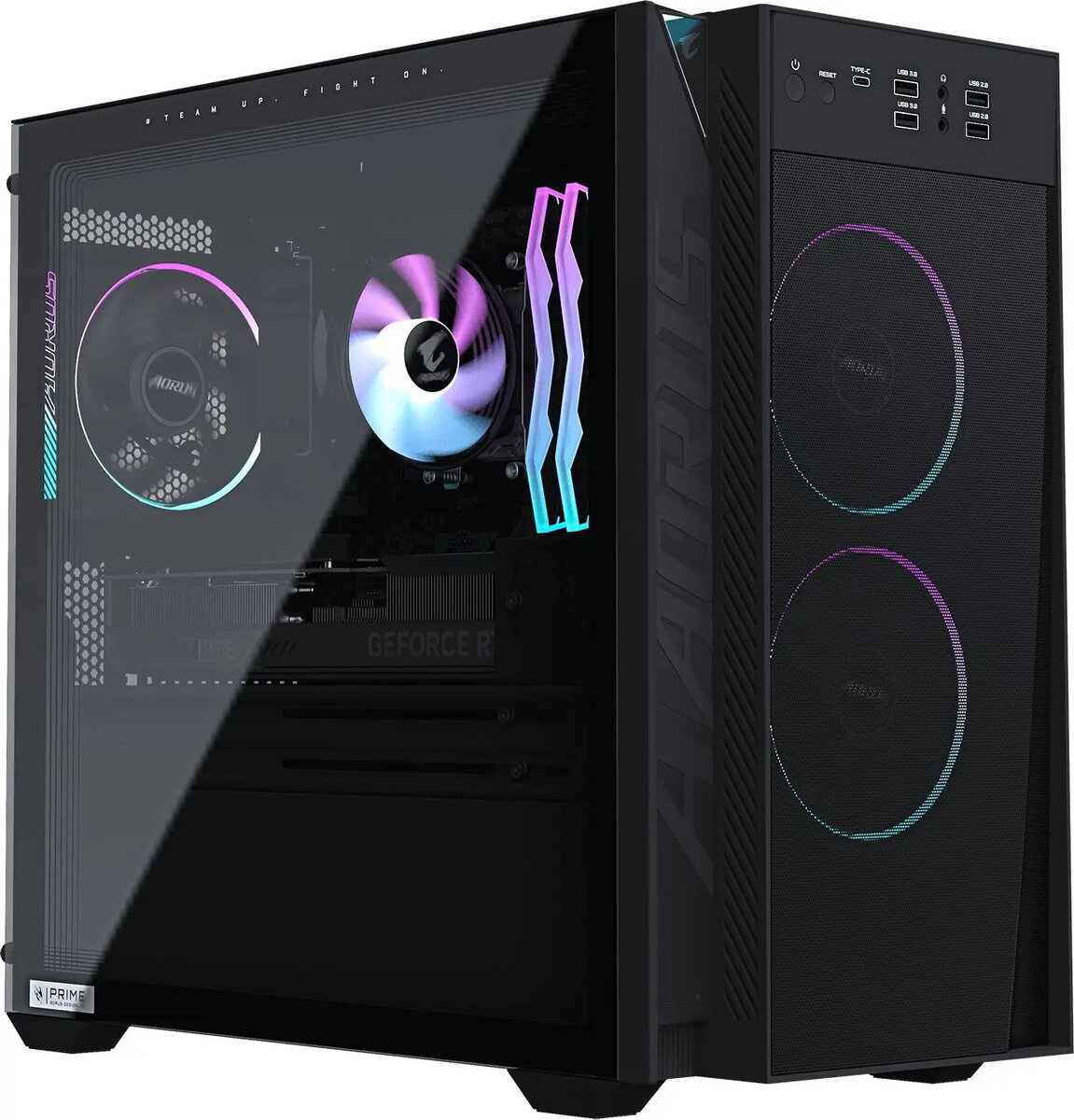
GIGABYTE Aorus Prime 3 AP351 Desktop PC, AMD Ryzen 7 9700X, 32GB RAM, NVIDIA GeForce RTX 5070, 1TB SSD, Windows 11 Home
The GIGABYTE Aorus Prime 3 AP351 is a high-performance desktop PC engineered to meet the rigorous demands of modern gaming and professional creative workflows. Built with a focus on power and reliability, this system integrates advanced hardware components to ensure smooth operation, high frame rates, and efficient multitasking capabilities for users who require consistent performance from their computing equipment.
This desktop computer leverages the processing power of the AMD Ryzen 7 9700X, providing a robust foundation for complex calculations and high-speed data processing. The inclusion of the NVIDIA GeForce RTX 5070 graphics card ensures exceptional visual fidelity and rendering capabilities, making it an ideal choice for graphically intensive applications. With 32GB of RAM, the system handles multiple demanding tasks simultaneously without performance degradation. Furthermore, the 1TB M.2 PCIe SSD provides ample storage space while significantly reducing system boot times and application loading speeds, ensuring a responsive user experience.
This system may not be the optimal choice for users seeking a compact or portable computing solution, as its desktop form factor requires a dedicated workspace. Additionally, it may exceed the performance requirements for basic office tasks, web browsing, or media consumption, making it a less cost-effective option for those specific use cases.
To begin using the GIGABYTE Aorus Prime 3 AP351, connect the power cable to a grounded outlet and attach your monitor, keyboard, and mouse to the appropriate ports on the rear or front panels. Once connected, press the power button to initiate the system. Follow the on-screen instructions provided by the Windows 11 Home setup wizard to configure your user account, network settings, and regional preferences. Ensure the system is placed in a well-ventilated area to allow for proper airflow during operation.
To maintain optimal performance and longevity, keep the system's ventilation paths clear of dust and obstructions. Regularly update your graphics drivers and operating system through the official manufacturer channels to ensure compatibility with the latest software and games.
{{highlightedFeature.featureTitle}}:
{{getProductFeatureValueById(product, highlightedFeature.featureId)}}
{{ productComparisonGenerationError }}