Leave your address - as soon as the price of the product goes down, you'll know about it right away
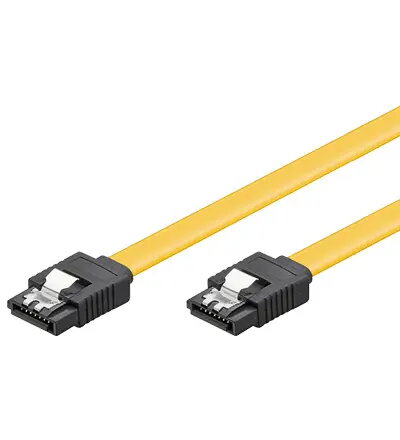
SATA cable GOOBAY SATA 600-070 0.7 m, SATA I, male-to-male, yellow
In cart {{totalProductsCount}} item(s)
Your cart is empty
SATA cable GOOBAY SATA 600-070 0.7 m, SATA I, male-to-male, yellow
Leave your address - as soon as the price of the product goes down, you'll know about it right away
SATA cable GOOBAY SATA 600-070 0.7 m, SATA I, male-to-male, yellow
GOOBAY SATA 600-070 is a 0.7 m SATA I male-to-male data cable in yellow, intended for internal connections between storage devices and motherboard SATA ports. The cable follows the SATA physical form factor with L-shaped connectors and is compatible with standard SATA signal levels used for reliable data transfer and device communication. Its 0.7 m length suits typical desktop PC layouts where short, neat internal cabling is preferred.
The cable provides a compact and flexible connection for HDD and SSD devices, featuring L-type male connectors that reduce strain at the port and simplify insertion. Its yellow insulation makes cable routing and identification inside the chassis easier. The design supports standard SATA transmission characteristics for stable communication between storage devices and the host controller.
Power off the computer and disconnect it from mains before installation. Align each L-shaped SATA connector with the corresponding motherboard and drive SATA ports and insert gently until seated; connectors are keyed to ensure correct orientation. Route the cable to avoid sharp bends and contact with moving parts such as cooling fans. After installing, reconnect power and verify that the drive is detected in the BIOS/UEFI or operating system.
For reliable operation, use this cable for internal desktop connections and avoid external exposure or frequent flexing. Keep cable length appropriate to reduce signal reflections and ensure secure seating of connectors. If using multiple drives, manage cables to maintain airflow within the chassis.
{{highlightedFeature.featureTitle}}:
{{getProductFeatureValueById(product, highlightedFeature.featureId)}}