Filters you can trust. Pure water every day.
In cart {{totalProductsCount}} item(s)
Your cart is empty
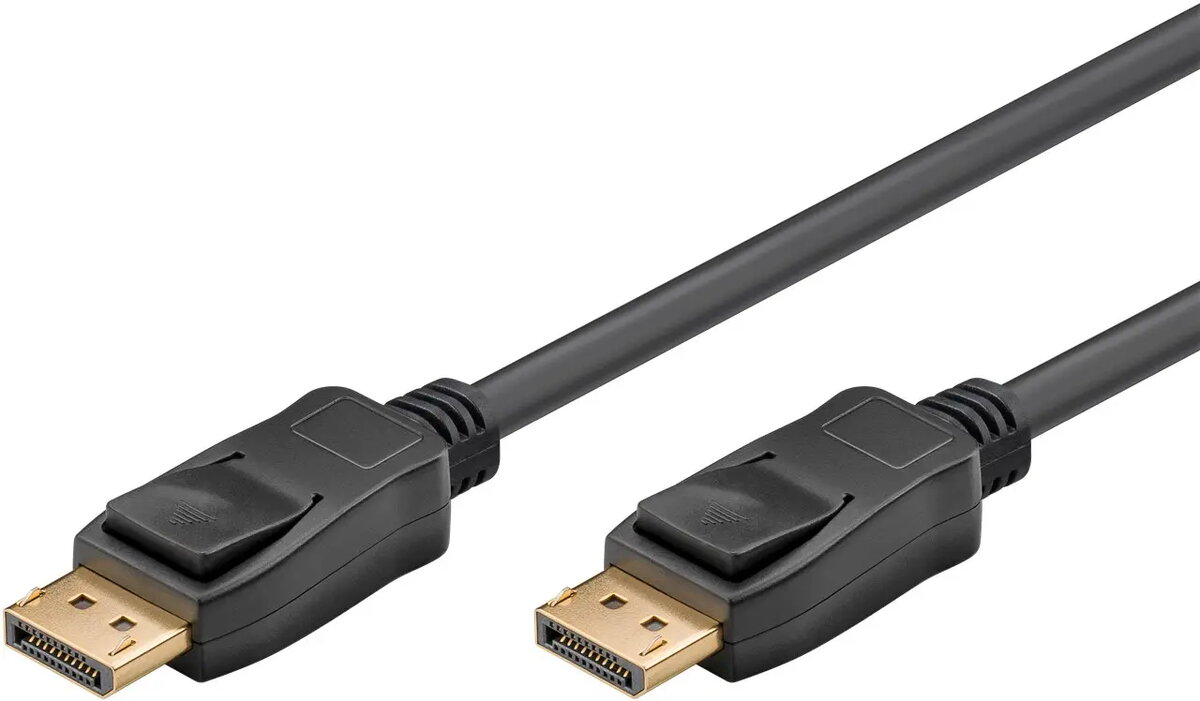
DisplayPort cable GOOBAY 74777, 1 m, DisplayPort to DisplayPort, Black, VESA certified
GOOBAY 74777 is a 1 m DisplayPort-to-DisplayPort cable in black that implements the DisplayPort 1.4 standard and is VESA certified. The cable is designed to transmit high-resolution video and multi-channel audio between PCs, laptops, graphics cards, monitors and projectors. With a bandwidth supporting up to 32.4 Gbit/s and Display Stream Compression (DSC) it enables resolutions up to 8K @ 60 Hz and high refresh rates for smooth image playback. The connector design omits pin 20 to avoid short-circuit damage and the product meets CE compliance requirements.
The cable provides high-bandwidth signal transmission that supports up to 8K resolution and high refresh rates, reducing artefacts such as screen tearing when combined with adaptive sync technologies. Official VESA certification confirms that the cable meets the DisplayPort standard and supports key features including HDCP 2.2, Dynamic HDR and up to 32 audio channels. Backwards compatibility with DisplayPort 1.3 and 1.2 and support for G-Sync and FreeSync make the cable suitable for a wide range of displays and graphics cards.
Connect one end of the GOOBAY 74777 DisplayPort cable to the DisplayPort output on your computer, laptop or graphics card and the other end to the DisplayPort input on the monitor or projector. Ensure both devices are powered off or set to standby during connection if recommended by the device manufacturers. After connection, power on the devices and configure display settings in the operating system or graphics driver to select the desired resolution, refresh rate and color settings. If using adaptive sync (G-Sync or FreeSync), enable the corresponding option in the monitor OSD and the graphics driver.
For optimal performance use the cable with devices that support DisplayPort 1.4 features; check graphics card and monitor specifications for supported resolutions and refresh rates. To maintain signal quality, avoid excessive bending and tight kinks in the cable and ensure connectors are fully seated. Because pin 20 is not connected, do not expect power delivery over the cable; use dedicated power or USB connections where device power is required.
{{highlightedFeature.featureTitle}}:
{{getProductFeatureValueById(product, highlightedFeature.featureId)}}
{{ productComparisonGenerationError }}