Leave your address - as soon as the price of the product goes down, you'll know about it right away
Adapter GOOBAY USB-C to USB-C with 3.5 mm AUX jack, cable length 0.15 m
In cart {{totalProductsCount}} item(s)
Your cart is empty
Adapter GOOBAY USB-C to USB-C with 3.5 mm AUX jack, cable length 0.15 m
Leave your address - as soon as the price of the product goes down, you'll know about it right away
Adapter GOOBAY USB-C to USB-C with 3.5 mm AUX jack, cable length 0.15 m
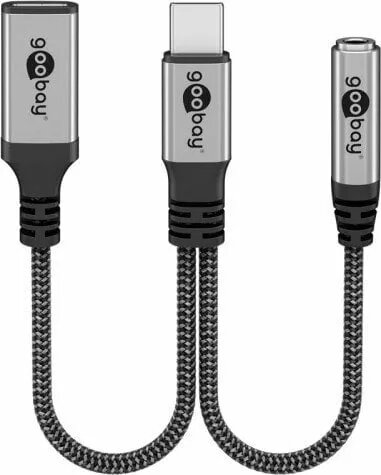
The GOOBAY USB-C to USB-C adapter with integrated 3.5 mm AUX jack and a 0.15 m cable provides analogue audio output from USB-C devices that lack a dedicated headphone socket. This compact adapter converts a USB-C connection into a standard 3.5 mm audio jack while maintaining a direct USB-C plug on the cable, enabling connection to headphones, portable speakers or car audio systems that require an AUX input.
This adapter offers a space-saving design with a short, flexible cable for reduced clutter and easy portability. The built-in 3.5 mm jack supports standard analogue headphones and line-in audio devices without additional converters. Its plug-and-play operation requires no separate drivers when used with devices that support USB-C audio output, and the cable-mounted design reduces strain on the device port compared to rigid plugs.
Insert the USB-C plug into the host device's USB-C port and connect headphones or an AUX cable to the 3.5 mm socket. If the host device supports audio over USB-C, audio playback and microphone functions (if supported by the headset and device) will be available immediately without installing software. For in-car use, connect the adapter to your phone and plug the AUX cable into the car stereo's AUX input, then select the appropriate input on the stereo.
Use with devices that explicitly support audio over USB-C. Avoid applying excessive bending force near the cable ends and disconnect by holding the plug to prolong connector life. For reliable hands-free operation, test headset microphone compatibility with your device before extended use.
{{highlightedFeature.featureTitle}}:
{{getProductFeatureValueById(product, highlightedFeature.featureId)}}