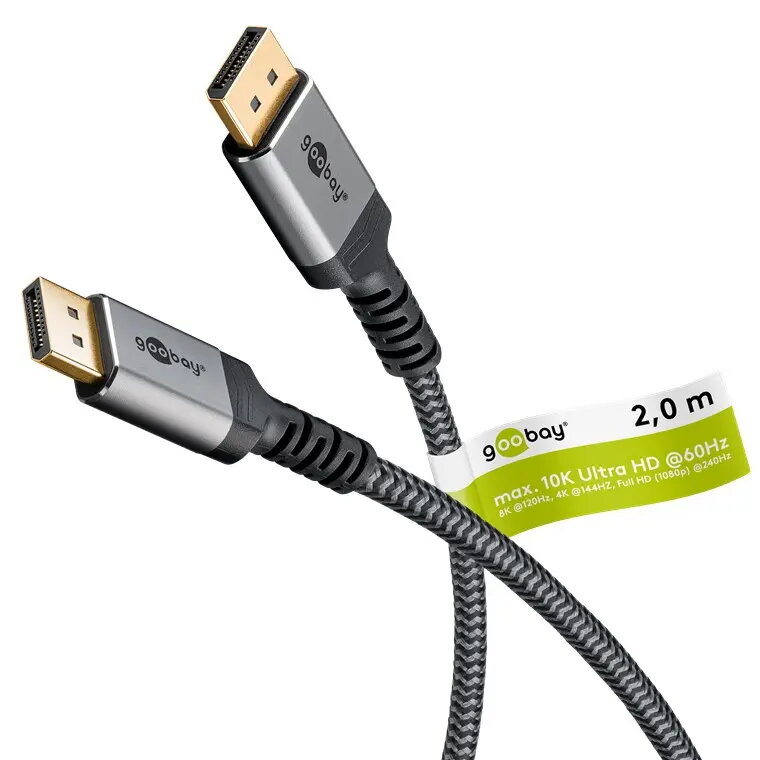
-
Cable type:
Type of cable e.g. electicity cable, optical cable.
-
Round cable
-
Plug and Play:
Indicates whether this product supports is "plug and play". Plug and play is hardware or software that, after being installed ("plugged in"), can immediately be used ("played with"), as opposed to hardware or software which requires configuration.
-
Yes
-
Channels quantity:
The number of channels the device has. There can be an individual input or output for each channel.
-
32 channels
-
Dolby technologies:
-
DTS-HD Master Audio
-
Maximum refresh rate:
-
240 Hz
-
Data transfer rate:
Rate at which data can be transferred. Usually expressed in units per second. May vary with network configurations.
-
54 Gbit/s
-
HDCP:
High-bandwidth Digital Content Protection (HDCP) is a form of digital copy protection to prevent copying of digital audio and video content as it travels across connections.
-
Yes
-
Cable material:
The material e.g. copper, steel from which the cable is made.
-
Copper
-
Supported video modes:
The video modes that can be displayed by the device.
-
4320p, 1080p
-
Supported graphics resolutions:
The graphic resolutions that can be displayed by the device. The graphic resolution describes the width and height dimensions of a display, such as a computer monitor, measured in pixels.
-
1920 x 1080 (HD 1080), 3840 x 2160, 7680 x 4320
-
Product colour:
The colour e.g. red, blue, green, black, white.
-
Black
-
Connector 2 form factor:
-
Straight
-
Connector 1 form factor:
-
Straight
-
Display Stream Compression (DSC):
-
Yes
-
HDCP version:
-
2.2
-
Maximum resolution:
The maximum number of pixels that can be displayed in the image. It is usually quoted as width × height,: for example, "1024 × 768" means the width is 1024 pixels and the height is 768 pixels.
-
7680 x 4320
-
DisplayPort version:
-
2.1
-
Connector contacts plating:
What the connector contacts are covered with (layer on top).
-
Gold
-
Connector 1 gender:
The gender of the first connector of the product. Each half of a pair of mating connectors is assigned the designation male or female, the part bearing one or which fits into another being called male.
-
Male
-
Connector 1:
This is the first connector in the device.
-
DisplayPort
-
Cable length:
How long the cable is.
-
2 m
-
Connector 2 gender:
The gender of the second connector of the product. Each half of a pair of mating connectors is assigned the designation male or female, the indented one or the one fitting around the other being called female.
-
Male
-
Connector 2:
This is the second connector in the device.
-
DisplayPort