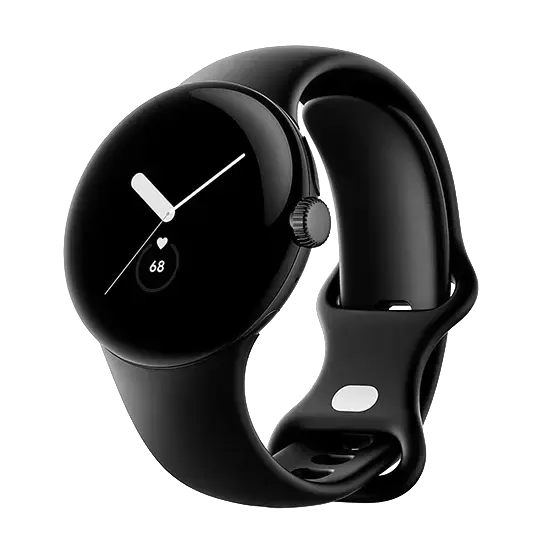
The Google Pixel Watch LTE 41mm Matte Black Case with Sport Band Obsidian is an advanced smartwatch designed to keep you connected, active, and organized throughout your day. Featuring a sleek matte black case paired with a comfortable obsidian sport band, this device combines modern aesthetics with reliable daily functionality. With built-in LTE connectivity, you can receive calls, read texts, and stream music directly from your wrist without needing your phone nearby. It integrates comprehensive health and fitness tracking powered by Fitbit, alongside the convenience of Google services to help you manage your schedule effortlessly.
Advantages
This smartwatch delivers seamless mobile connectivity through its built-in LTE feature, allowing true independence from your smartphone during workouts or daily errands. The integration of advanced health monitoring provides accurate insights into your daily physical activity, heart rate, and sleep patterns. Its minimalist design ensures a comfortable fit for continuous wear, whether you are at the office, running, or sleeping. Access to essential Google services directly on your wrist simplifies daily tasks, making communication and navigation straightforward and efficient.
Suitable for
- Tracking daily physical activity, workouts, and fitness goals
- Receiving smartphone notifications, calls, and messages on the go
- Monitoring health metrics including heart rate and sleep quality
- Using built-in Google services for daily organization and navigation
When it may not be suitable
This device may not be suitable for users who require multi-day battery life on a single charge, as frequent daily use and LTE connectivity typically require daily recharging. Additionally, individuals seeking a rugged, heavy-duty tactical watch for extreme outdoor survival activities might find the refined 41mm aesthetic and form factor less appropriate for harsh environments.
Key specifications
- 41mm matte black case design
- Sport band in obsidian color
- Built-in LTE mobile connectivity
- Comprehensive health and fitness tracking
- Integrated Google services
How to use
To begin using the Google Pixel Watch LTE, power on the device and pair it with a compatible smartphone using the dedicated app. Follow the on-screen setup instructions to configure your Google account, notifications, and mobile carrier settings for LTE activation. Wear the watch snugly on your wrist for accurate heart rate and health tracking. Navigate through the interface using the touchscreen and side crown to access apps, check your daily activity progress, or view incoming messages.
What to consider before purchase
- Compatibility with your existing smartphone operating system
- Battery endurance relative to your daily usage habits and LTE activation
- Wrist size and fit of the 41mm case with the included sport band
- Availability of supported mobile carriers for the LTE functionality
For optimal performance and battery longevity, ensure the device software is regularly updated and adjust display brightness settings according to your environment.