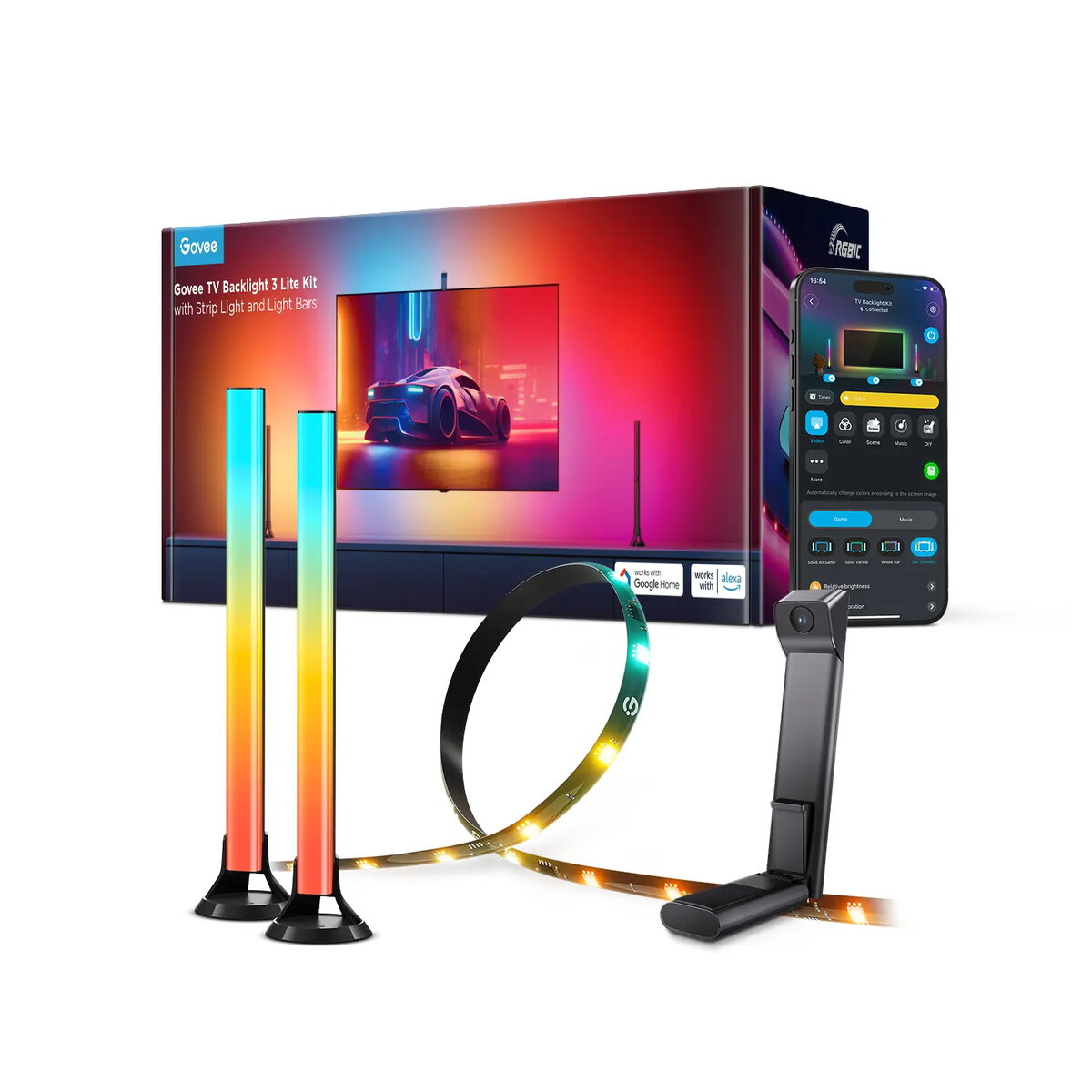
The Govee Backlight Kit 2 is a smart multicolour backlighting solution designed to enhance TV and room ambience. The kit combines an RGBICW LED strip, two smart light bars, and a Fish‑Eye Correction camera to deliver synchronized video and audio reactive lighting that adapts to onscreen content. With Wi‑Fi and Bluetooth connectivity and app and voice control support, this 48 W system is intended for immersive home entertainment and gaming setups.
Advantages
The kit uses 4‑in‑1 light beads including a warm white chip for richer, more natural tones and higher LED density for vivid visuals. The Fish‑Eye Correction camera improves color matching across the TV surface while a gravitational hanging design simplifies installation on ultra‑thin displays. Built‑in video and audio syncing creates dynamic ambient lighting that follows both picture and sound, and the Govee Home app plus Alexa and Google Assistant compatibility allow convenient app and voice control and extensive colour customization.
Suitable for
- Bias lighting behind TVs to reduce eye strain and improve perceived contrast
- Home cinema and gaming setups seeking immersive, reactive lighting
- Mood and ambient lighting for living rooms or media rooms
When it may not be suitable
This kit is designed for users who want dynamic, app‑controlled backlighting and a moderate power draw (48 W). It may not be suitable for very small displays where the physical strip and light bars cannot be mounted, or for setups that require purely static single‑colour lighting without syncing features.
Key specifications
- Power rating: 48 W total
- Lighting type: RGBICW (multicolour with independent color zones and warm white)
- Included components: LED backlight strip (~3.6 m), two smart light bars (~38 cm each), Fish‑Eye Correction camera, controller
- Connectivity: Wi‑Fi and Bluetooth for app control
- Control options: Govee Home app, voice control via Alexa and Google Assistant
How to use
Mount the LED strip and light bars around the TV using the adhesive backing, position the Fish‑Eye Correction camera at the top of the screen using the gravitational hanging design, and connect the controller to power. Install the Govee Home app on an Android or iOS device, pair the kit via Wi‑Fi or Bluetooth, then calibrate the camera and select video or audio sync modes. Use the app or voice commands to choose colours, scenes, DIY effects, or to enable automatic syncing with on‑screen content.
What to consider before purchase
- Ensure your TV has enough space and a suitable edge for mounting the strip and light bars
- Confirm Wi‑Fi or Bluetooth capability and smartphone compatibility (Android/iOS) for full control
- Check that you want multicolour, reactive lighting rather than a simple static backlight
Usage recommendations
For best color accuracy and syncing performance, position the Fish‑Eye Correction camera centrally at the top edge of the display and avoid obstructing its view. Use the Govee Home app to fine‑tune warm white and RGB settings for natural tones when watching movies, and enable audio sync for music and games.