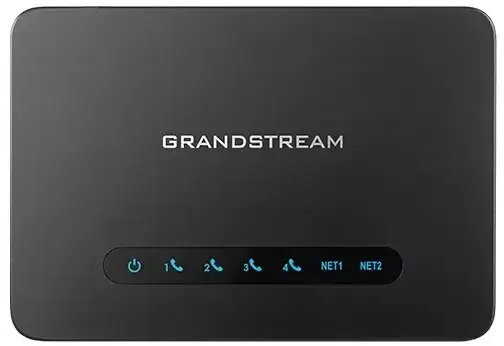
The Grandstream VoIP gateway with integrated Gigabit NAT is a robust networking solution designed to bridge traditional telephony systems with modern digital networks. By providing reliable voice-over-IP connectivity, this device ensures that both business and home environments can benefit from high-quality communication. It features advanced traffic management and high-speed data routing capabilities, making it an essential component for maintaining stable and efficient network performance.
Advantages
This gateway offers seamless integration into existing network infrastructures, allowing for a smooth transition to VoIP services without compromising connection quality. The built-in Gigabit NAT functionality ensures that data traffic is handled efficiently, reducing latency and preventing bottlenecks during high-demand periods. Its design focuses on stability and ease of configuration, which simplifies the setup process for administrators and home users alike. Furthermore, the device supports secure communication protocols, providing peace of mind regarding data integrity and network safety.
Suitable for
- Small to medium-sized business office networks
- Home office setups requiring reliable VoIP connectivity
- Integrating analog telephone systems into digital IP networks
- Managing high-speed internet traffic for voice and data services
When it may not be suitable
This device may not be the ideal choice for large-scale enterprise environments that require high-density port configurations or specialized carrier-grade features. Additionally, users who do not have a basic understanding of network configuration might find the initial setup process challenging without technical support.
Key specifications
- Integrated Gigabit NAT router
- High-speed data routing capabilities
- Support for standard VoIP protocols
- Optimized traffic management for voice services
- Compact and durable hardware design
How to use
To begin using the gateway, connect your internet source to the WAN port and your local network devices or analog phones to the designated LAN and FXS ports. Access the web-based configuration interface through a standard browser by entering the device's default IP address. From there, input your VoIP service provider credentials and configure the network settings to match your specific requirements. Once saved, the device will automatically manage the routing of voice and data traffic across your network.
What to consider before purchase
- Compatibility with your current VoIP service provider
- Number of analog devices you intend to connect
- Available space in your network rack or desk area
- Your network's bandwidth requirements
Usage recommendations
For optimal performance, ensure that the gateway is placed in a well-ventilated area and connected to a stable power source. Regularly check for firmware updates through the manufacturer's portal to maintain security and feature compatibility.