Leave your address - as soon as the price of the product goes down, you'll know about it right away
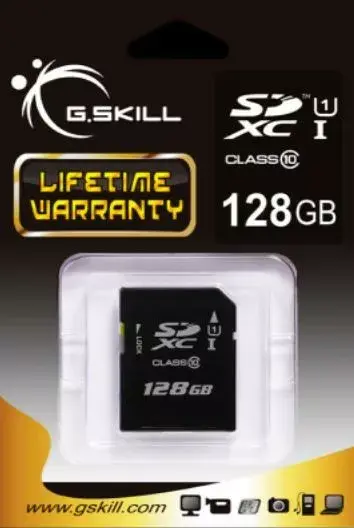
Flash Memory G.SKILL 128GB SDXC Class 10 UHS-I FF-SDXC128GN-U1
In cart {{totalProductsCount}} item(s)
Your cart is empty
Flash Memory G.SKILL 128GB SDXC Class 10 UHS-I FF-SDXC128GN-U1
Leave your address - as soon as the price of the product goes down, you'll know about it right away
Flash Memory G.SKILL 128GB SDXC Class 10 UHS-I FF-SDXC128GN-U1
The G.SKILL 128GB SDXC Class 10 UHS-I FF-SDXC128GN-U1 is a high-capacity SDXC memory card designed for devices that require reliable storage and steady read/write performance. With 128GB of capacity and Class 10 UHS-I speed class, this flash memory supports recording high-resolution still images and full HD video, while providing ample space for large photo libraries, video clips, and other media files. Its form factor matches standard SD card slots used in cameras, camcorders, laptops, and card readers.
This SDXC card delivers a balance of capacity and sustained performance suitable for continuous shooting and video capture. The Class 10 UHS-I specification ensures consistent transfer rates for recording and playback, while the 128GB capacity reduces the need for frequent storage management. The card’s compatibility with SDXC hosts and common device formats makes it a practical choice for a wide range of consumer and prosumer equipment.
Insert the SDXC card into the SD card slot of your compatible device or into an external card reader connected to a computer. Format the card in the device before first use to ensure file system compatibility and optimal performance. Use the device’s file management tools or an operating system’s file explorer to copy, move, or delete files. When recording video or shooting burst images, monitor available capacity and file sizes to avoid interruptions.
For reliable operation, format the card in the host device and avoid removing the card while data is being written. Keep backup copies of important files on separate storage media. Use the card within the supported temperature and humidity ranges of your devices and consult the device manual for any compatibility notes related to SDXC and UHS-I cards.
{{highlightedFeature.featureTitle}}:
{{getProductFeatureValueById(product, highlightedFeature.featureId)}}