

Dreame vacuums for fast and efficient cleaning!
In cart {{totalProductsCount}} item(s)
Your cart is empty
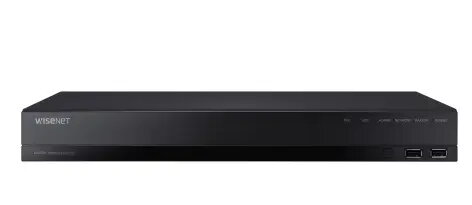
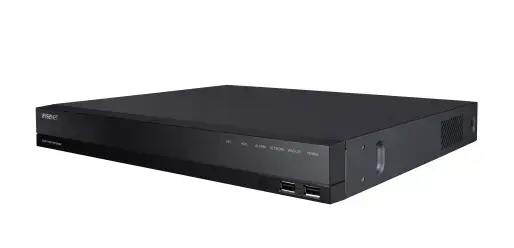
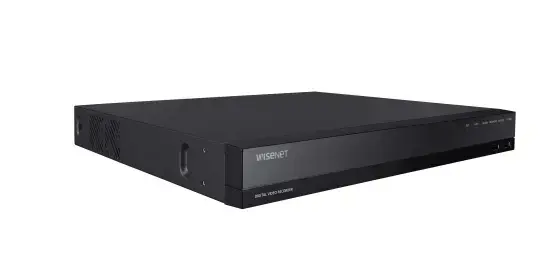
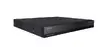
Hanwha Wisenet HRX-1634 16-Channel Digital Video Recorder, 4K Resolution
The Hanwha Wisenet HRX-1634 is a professional 16-channel pentabrid digital video recorder designed for high-definition surveillance systems. It supports a wide range of camera technologies, including AHD, HDTVI, HDCVI, CVBS, and IP, allowing for flexible integration into existing security setups. With a maximum resolution of 3840 x 2160 pixels and efficient H.265, H.264, and M-JPEG compression, this device ensures high-quality video recording while optimizing storage space.
This digital video recorder offers significant versatility by supporting up to 18 channels in total, combining analog and network inputs. The inclusion of coaxial control and smart search functionality for network cameras simplifies system management and incident investigation. Dual monitor support via HDMI and VGA outputs allows for enhanced monitoring capabilities, while the P2P service with QR code connectivity ensures quick and easy remote access for users.
This device may not be suitable for large-scale enterprise installations requiring more than 18 camera channels or advanced AI-based video analytics beyond standard motion detection. It is also not intended for outdoor use without a protective, climate-controlled enclosure.
To set up the Hanwha Wisenet HRX-1634, connect your analog or network cameras to the appropriate input ports on the rear panel. Connect a monitor using the HDMI or VGA output and attach the device to your network via the Gigabit Ethernet port. Install the required SATA hard drives internally to enable recording. Once powered on using the 12V DC supply, follow the on-screen interface to configure recording schedules, motion detection zones, and network settings. You can use the P2P QR code feature to link the recorder to your mobile device for remote viewing.
For optimal performance and data security, it is recommended to use surveillance-grade hard drives and keep the firmware updated to the latest version provided by the manufacturer.
{{highlightedFeature.featureTitle}}:
{{getProductFeatureValueById(product, highlightedFeature.featureId)}}
{{ productComparisonGenerationError }}