Dreame vacuums for fast and efficient cleaning!
In cart {{totalProductsCount}} item(s)
Your cart is empty
Digital Video Recorder Hikvision DS-7104HQHI-K1(C)(S) 4-channel, 1080p, SATA HDD up to 6 TB, Fast Ethernet, 12 V DC, white
Hikvision DS-7104HQHI-K1(C)(S) is a compact 4-channel digital video recorder designed for local and networked surveillance. It supports up to 1920×1080 (1080p) recording resolution and offers flexible compression options including H.264, H.264+, H.265 and H.265+. The recorder accepts one SATA hard drive up to 6 TB for continuous or scheduled local storage, provides two USB 2.0 ports for backup and peripheral connection, and includes a Fast Ethernet port for remote access and integration with network systems and Hik-Connect. The unit operates from a 12 V DC supply and has a typical power consumption of 8 W. The white enclosure and compact form factor fit small offices, retail points and residential installations.
The recorder combines multi-codec support and 1080p input to balance image quality and storage efficiency. H.265 and H.265+ support reduces bandwidth and storage requirements while maintaining viewing detail. Integrated network protocols such as TCP/IP, DHCP, DDNS and ONVIF enable interoperability with third-party cameras and network equipment, and Hik-Connect support allows remote monitoring via mobile apps and web clients. Physical features include two USB ports for easy export of footage and a SATA interface for a single internal hard drive up to 6 TB, enabling convenient local archiving.
Install the Hikvision DS-7104HQHI-K1(C)(S) in a ventilated, dust-free location near a network connection and the CCTV cameras. Mount and connect a compatible SATA hard drive (up to 6 TB) following manufacturer instructions and secure the recorder cover. Connect cameras to the analogue inputs, attach the network cable to the Fast Ethernet port, and connect power to the 12 V DC input. Use the on-screen menu or web interface to configure recording schedules, motion detection, compression settings and network parameters such as DHCP or static IP, DDNS, and ONVIF settings for camera discovery. Export footage via one of the USB 2.0 ports or via the network when required.
For reliable continuous recording, use a surveillance-grade SATA hard drive and configure overwrite settings or scheduled backups. When remote access is required, ensure the recorder firmware is up to date, secure passwords are set, and network ports or Hik-Connect are configured according to your network security policy.
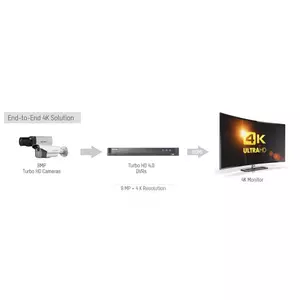
Sharp, precise video can make all the difference in critical surveillance situations. With ultra-HD resolution up to 4K (8 megapixels), these cameras deliver wider coverage and far greater detail than typical analog 2 MP models, helping security staff identify individuals, objects and movements quickly and confidently. A complete 4K solution—from front-end cameras to DVR and HDMI monitors—reduces blind spots and improves overall situational awareness.

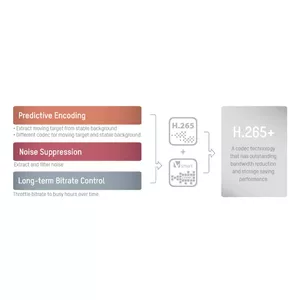
Hikvision’s H.265+ is an advanced compression algorithm that dramatically reduces bitrate and storage needs while preserving high image quality. Compared with H.264, H.265+ typically cuts bitrates by around 75%, freeing bandwidth and lowering storage costs. The upgraded H.265 Pro and combined H.265 Pro+ further reduce file sizes (H.265 Pro typically halves file size vs H.265), delivering even greater efficiency for long-term recording and remote streaming.

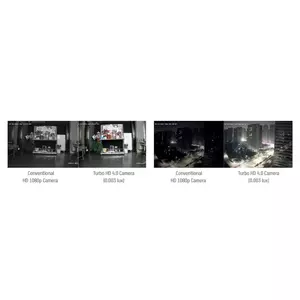
Ultra-low illumination cameras bring high-definition images to life at night and in challenging lighting. Paired with features like 120 dB WDR, these cameras reveal details in shadows and high-contrast scenes that ordinary cameras miss—so you see what truly matters after dark.

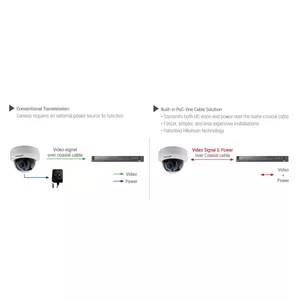
Power-over-coax (PoC) simplifies system deployment by delivering DC power and video over a single coaxial cable. The Turbo HD 4.0 solution embeds PoC in the DVR and front-end cameras, reducing wiring complexity, saving installation time and lowering labor and material costs—making it ideal for straightforward, cost-effective installations.
{{highlightedFeature.featureTitle}}:
{{getProductFeatureValueById(product, highlightedFeature.featureId)}}
{{ productComparisonGenerationError }}