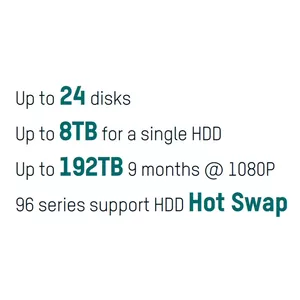
Hard Drive StorageThe Hard Drive Health Detection function here enables users to clearly see how many storage units are operating normally.
 RAID
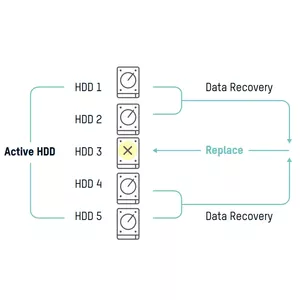
RAIDThe RAID function ensures that data stored on functioning hard drives can still be played back. Hikvision NVRs
support RAID 0, 1, 5, 6, 10.
 Dual Stream Recording
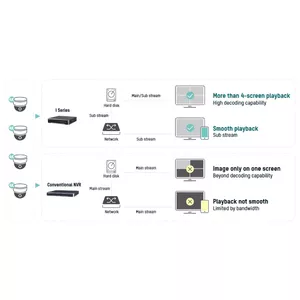
Dual-stream recording ensures high-quality streaming for local playback and lower-quality streaming for remote playback to allow for different network conditions.
 Channel Zero
With the channel-zero function, users can view up to 16 cameras connected to an NVR but only use one channel’s worth of bandwidth. This function helps to ensure fluid video for remote users.
 Multiple Stream Types
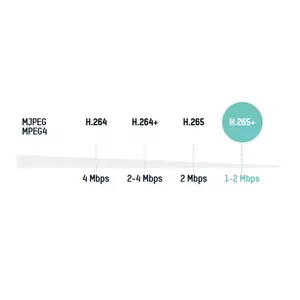
Hikvision NVRs automatically adapt to multiple code streams types, making them compatible with several kinds of cameras. Taking 1080p cameras for example, as below.
 Multi-Video Output
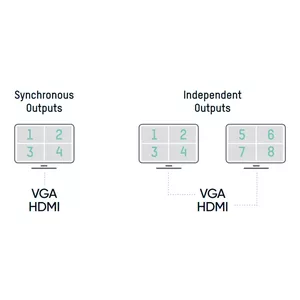
Synchronous Outputs: The same channel displays at multiple locations simultaneously Independent Outputs: Multiple outputs can display various channels independently, enabling users to view multiple channels at the same time and save their time.
 Dual Systems
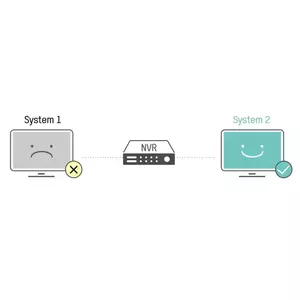
Our NVRs have two copies of the OS system in the flash memory, so if one of them fails, the redundant firmware will operate in its place.
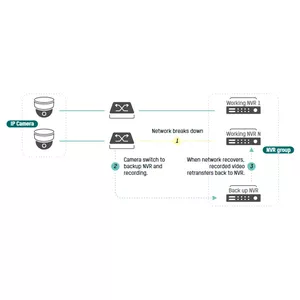
 N+1 Hot Spare
When NVR X breaks down, the standby NVR will take over for it to keep the system operating continuously. When the network recovers, recorded video transfers back to NVR X (the standby NVR can only take over one offline device at a time) .*n≤16
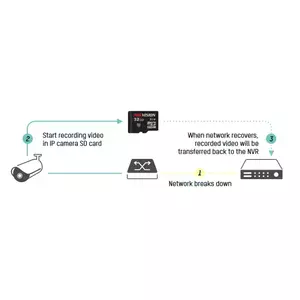
 Automatic Network Replenishment
If the network goes down, video recording will move to the on-board SD card in the IP camera. Upon network recovery, recorded video will return back to the NVR.
 New GUI
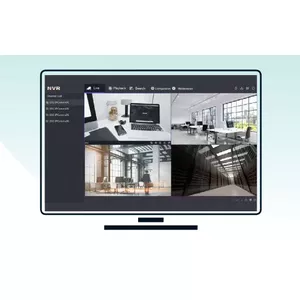
The newly released GUI features a more concise design.
There are 5 modules for quick access
There are 2 modes for more efficient operation.
The easy mode shows frequently used configurations
The expert mode displays all configurations provided to professional users.
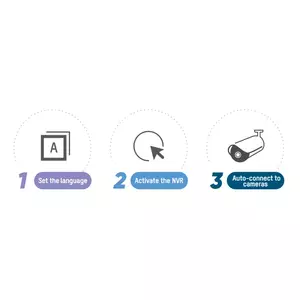
 Auto Connection
Three steps get users up and running with live view with no need to configure your IP.
*Available for non-PoE models
 Easy Playback
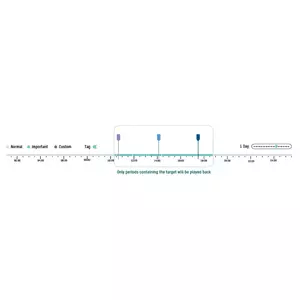
Hikvision NVRs support several smart playback modes:
- Smart Mode: Skip static images and play back periods containing the target event.
- Sub-Period Mode: Cut an extended time period into several short periods. Play back any short time period in
several different channels at the same time.
 No Web Plugin Required
- No web plugin required for live viewing or configuration
- Up to 8 MP IP camera access for 2 MP live view or playback
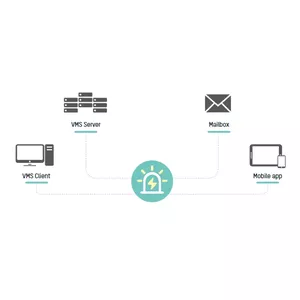
 Multi-Device Access
Users can manage an NVR through various channels and the alarm information will be pushed to each one.
 Multilevel Permissions
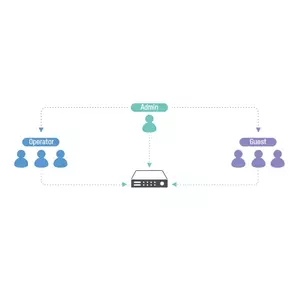
Each user can be assigned any access level. Management of multiple users can be employed to ensure device and information security. The default user “Admin” is the administrator. This user has the highest privilege set and can decide the other two levels
of user authorization.
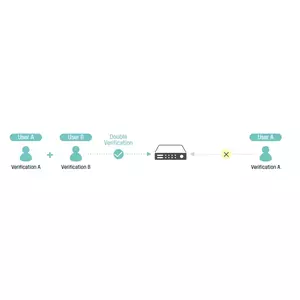
 Double Verification Permission for Non-Admin Users
After double verification is enabled in the channel, a non-admin user must be verified by an authorized user to be granted permission. Only admin has the authorization to set double verification.
 Human and Vehicle Classification
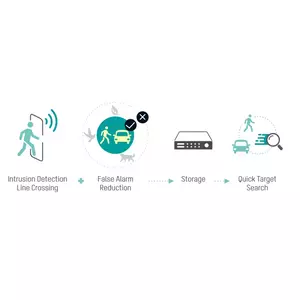
Based on a deep learning algorithm, the DeepinMind Series & AcuSense Series support video analysis for human and vehicle recognition to reduce false alarms.
- Intrusion detection and line crossing for perimeter protection
- Efficient alarms of humans and vehicles
- Quick target search
 Facial Recognition
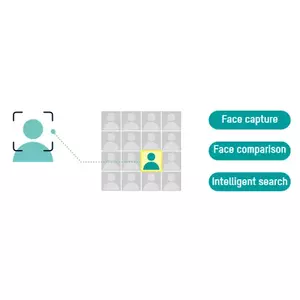
Based on a deep learning algorithm, the DeepinMind NVR/NVS supports powerful face capture, modeling and comparison.