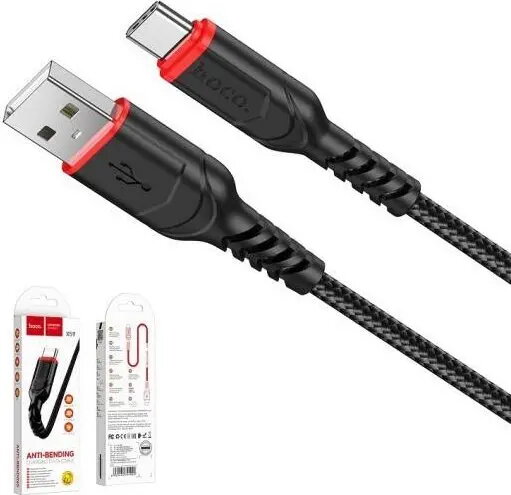
HOCO USB-A to USB-C Cable, 1 m in black is a standard data and charging cable that connects USB-A hosts to USB-C devices. The cable has a USB-A plug on one end and a reversible USB-C plug on the other, offering straightforward compatibility with smartphones, tablets, power banks and other USB-C peripherals. With a one-metre length it balances reach and convenience for everyday charging and data syncing.
Advantages
This HOCO cable supports both charging and data transfer over a reliable copper conductor core and insulated jacket. The USB-C connector is reversible for easy plugging, while the USB-A connector fits standard USB ports on chargers, laptops and car adapters. The 1 m length reduces clutter while providing sufficient mobility for desktop and bedside use. The black exterior provides a neutral, durable finish suitable for repeated daily use.
Suitable for
- Charging smartphones, tablets and power banks from USB-A chargers or power sources
- Transferring files and syncing data between a computer with USB-A ports and USB-C devices
- Replacing worn or lost USB-A to USB-C cables for everyday devices
- Using with car chargers, desktop chargers and portable battery packs that have USB-A outputs
Key specifications
- Connector types: USB-A (male) to USB-C (male)
- Cable length: 1 metre
- Colour: Black
- Primary functions: Data transfer and charging
- Compatibility: Devices with USB-C ports and hosts with USB-A ports
How to use
Insert the USB-A plug into a compatible host such as a laptop, desktop, wall charger or car adapter. Insert the USB-C plug into the device you want to charge or sync. Confirm that the host provides appropriate power output for the device before charging. When transferring data, ensure the device is unlocked and set to the correct USB mode (e.g., file transfer) if required by the operating system. Disconnect by pulling the plug, not the cable, to preserve connector and cable integrity.
Usage recommendations
For safe and reliable operation, use the cable with chargers and devices that match the device manufacturer’s recommended power specifications. Avoid exposing the cable to excessive bending, heat or liquids, and store it coiled loosely when not in use to extend its service life.