Leave your address - as soon as the price of the product goes down, you'll know about it right away
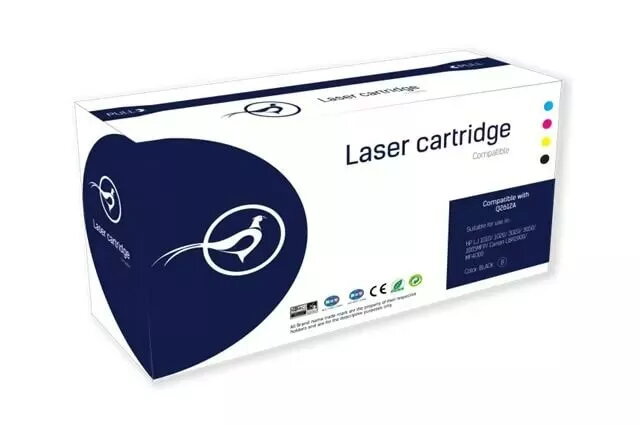
HP 106A (W1106A) Black Laser Toner Cartridge, 1000 Pages
In cart {{totalProductsCount}} item(s)
Your cart is empty
HP 106A (W1106A) Black Laser Toner Cartridge, 1000 Pages
Leave your address - as soon as the price of the product goes down, you'll know about it right away
HP 106A (W1106A) Black Laser Toner Cartridge, 1000 Pages
The HP 106A (W1106A) black laser toner cartridge is a high-quality printing consumable designed to deliver consistent and reliable performance for your laser printer. Engineered to meet strict quality standards, this cartridge ensures that every document produced features sharp text and professional clarity. It is an essential component for maintaining the longevity and efficiency of your printing hardware, providing a seamless experience from the first page to the last.
Using an original HP toner cartridge provides significant benefits for your printing workflow. The primary advantage is the reliability of the output, as the toner is specifically formulated to work in harmony with the printer's internal components, preventing smudging and ensuring uniform coverage. This consistency reduces the need for reprints and maintenance, saving time and resources. Furthermore, the installation process is straightforward and user-friendly, allowing for quick replacements that minimize downtime in busy home or office environments.
This toner cartridge is not designed for high-volume commercial printing environments where thousands of pages are produced daily, as its yield is optimized for moderate usage. It is also not compatible with inkjet printers or laser printers from other manufacturers, so it should only be used with the specific HP models for which it was designed.
To install the cartridge, first open the printer's access door and remove the empty cartridge by pulling it out gently. Take the new HP 106A cartridge out of its packaging and remove any protective clips or tape. Shake the cartridge gently from side to side to distribute the toner evenly inside. Insert the cartridge into the printer slot, ensuring it clicks firmly into place. Close the printer door and wait for the device to initialize before starting your print job.
For the best results, always store the toner cartridge in its original packaging until you are ready to use it. If print quality begins to fade, gently removing and shaking the cartridge can sometimes redistribute the remaining toner to extend the life of the unit slightly.
{{highlightedFeature.featureTitle}}:
{{getProductFeatureValueById(product, highlightedFeature.featureId)}}