
Leave your address - as soon as the price of the product goes down, you'll know about it right away
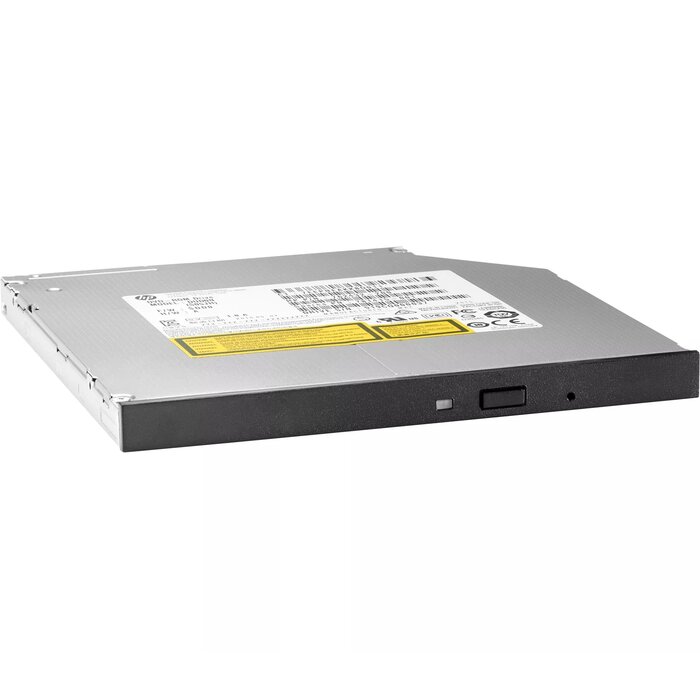
HP Z2 SFF DVD-Writer 9.5mm Slim ODD optical disc drive
In cart {{totalProductsCount}} item(s)
Your cart is empty
HP Z2 SFF DVD-Writer 9.5mm Slim ODD optical disc drive
Leave your address - as soon as the price of the product goes down, you'll know about it right away
HP Z2 SFF DVD-Writer 9.5mm Slim ODD optical disc drive
The HP Z2 SFF DVD-Writer 9.5mm Slim ODD optical disc drive is a slim internal DVD writer designed for small form factor desktop systems. It supports standard DVD and CD read/write formats and fits a 9.5mm slim optical bay, providing a compact solution for reading discs, creating backups, installing software from optical media, and accessing archived data. The drive is intended for integration into compatible HP Z2 small form factor workstations and similar compact PC chassis that accept slim ODD modules.
The drive’s 9.5mm slim profile optimizes space in compact systems while maintaining full DVD/CD read and write capability. Its internal SATA interface and typical slim mounting design simplify installation into supported chassis. The HP Z2 SFF DVD-Writer offers reliable optical media compatibility for archival, software deployment, and media playback tasks without occupying a full-height bay.
Install the drive into a compatible 9.5mm slim optical bay following the system or chassis manufacturer’s instructions. Connect the drive using the internal SATA data and power connectors provided by the host system. After physical installation, verify that the operating system recognizes the drive and install any necessary drivers if prompted. Insert appropriate CD or DVD media for reading or writing; use standard disc-burning or media playback software to create discs or access content.
Use high-quality, compatible CD/DVD media and verify system compatibility with slim 9.5mm optical drives before installation. Handle discs by the edges to avoid fingerprints and store media in protective cases when not in use. For reliable long-term archives, finalize discs after burning and store them in a cool, dry environment.
{{highlightedFeature.featureTitle}}:
{{getProductFeatureValueById(product, highlightedFeature.featureId)}}
