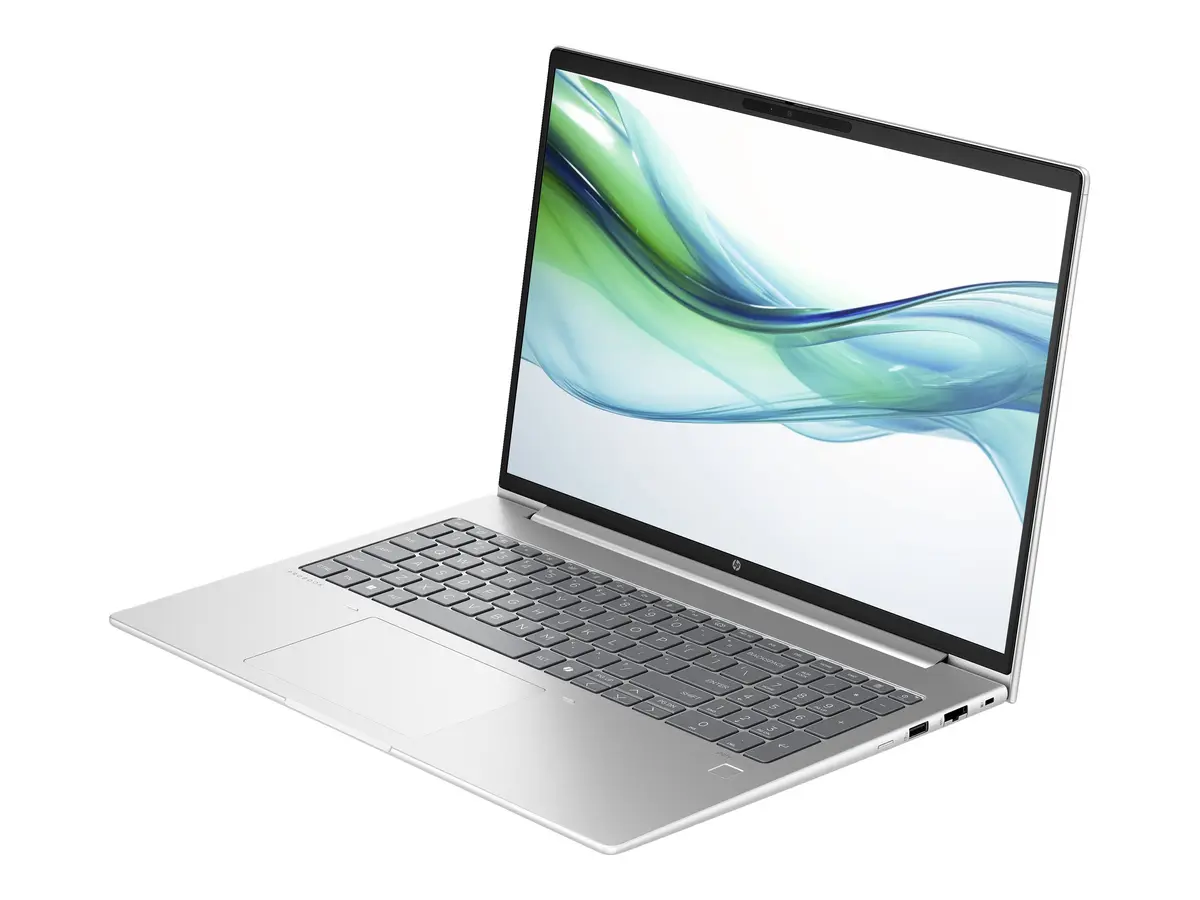
This product page focuses on the Laptop HP ProBook 460 G11 16" WUXGA IPS Ultra 5 125U 8GB 256GB SSD DOS, which is compared against several closely related alternative configurations within the same business laptop family. All evaluated devices share the core HP ProBook 460 G11 platform with 16-inch WUXGA displays and Intel Core Ultra processors, while differing primarily in RAM capacity, storage space, pre-installed operating systems, and in one case, a higher-tier processor.
⚙️ The table below compares the key specifications of the devices, including processor models, RAM amounts, SSD capacities, operating systems, and their practical implications for everyday usage.
| Specification | HP ProBook 460 G11 (8GB / 256GB / DOS) | HP ProBook 460 G11 (16GB / 512GB / Win 11 Pro) | HP ProBook 460 G11 (D05D3ES#ABD) | HP ProBook 460 G11 (16GB / 512GB / FreeDOS / AA0V6ES) | HP ProBook 460 G11 (16GB / 512GB / FreeDOS / D05D2ES) | HP ProBook 460 G11 (Ultra 7 / 16GB / 512GB) | Practical significance |
|---|
| Processor | Intel Core Ultra 5 125U | Intel Core Ultra 5 125U | Intel Core Ultra 5 125U | Intel Core Ultra 5 125U | Intel Core Ultra 5 125U | Intel Core Ultra 7 155U | Most configurations share identical processing power for office tasks, whereas the Ultra 7 model provides higher performance headroom for demanding workloads. |
| RAM | 8 GB | 16 GB | Not specified | 16 GB DDR5 | 16 GB DDR5 | 16 GB DDR5 | The 8GB configuration handles standard document tasks well, while 16GB variants offer smoother multitasking with multiple applications open. |
| Storage | 256 GB SSD | 512GB SSD | Not specified | 512 GB SSD | 512 GB SSD | 512 GB SSD | The 512GB storage options provide significantly more room for files, applications, and documents without requiring immediate upgrades. |
| Operating system | DOS | Windows 11 Pro | Not specified | FreeDOS | FreeDOS | Not specified (DE QWERTZ) | The Windows 11 Pro version is ready for deployment out of the box, whereas DOS and FreeDOS models require the user to install an operating system separately. |
◎ The table below evaluates which product variant is most suitable for different user needs and usage scenarios.
| Use case | Recommended product | Why |
|---|
| Standard office work and budget-conscious setup | HP ProBook 460 G11 (8GB / 256GB / DOS) | Ideal for users who want a dependable 16-inch business laptop and prefer to install their own operating system and software. |
| Professional multitasking with out-of-the-box readiness | HP ProBook 460 G11 (16GB / 512GB / Win 11 Pro) | Suited for professionals who require extra RAM, larger storage, and Windows 11 Pro pre-installed for immediate deployment. |
The main HP ProBook 460 G11 laptop with 8GB RAM and 256GB SSD serves as a solid, cost-effective entry point into the ProBook series for users who plan to install their own operating system. If your workflow involves heavier multitasking, larger file storage, or requires a pre-installed Windows environment, choosing one of the 16GB RAM and 512GB SSD alternatives will be more practical.