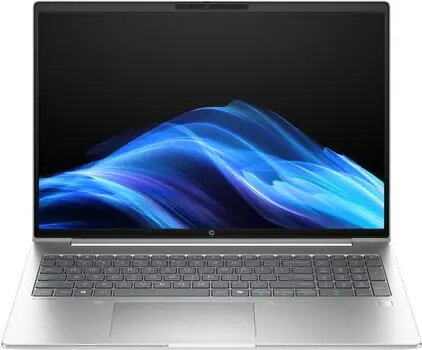
The HP ProBook 4 G1i 16" Intel Core Ultra 5 225U 24GB 512GB/SSD W11P laptop is compared against several similar business-class alternatives. All these models share a professional focus, high reliability, pre-installed Windows 11 Pro operating system (in most versions), and a fast 512GB solid-state drive. The main differences lie in screen size (14 or 16 inches), processor model (Intel Core Ultra 5 or Core Ultra 7), RAM capacity (16 or 24GB), and minor wireless connectivity standards.
⚙️ The table below compares the key characteristics of these models: screen size, processor performance, RAM capacity, operating system type, and the practical significance of these differences for everyday work.
| Parameter | HP ProBook 4 G1i (Core Ultra 5, 24GB, 16") | HP ProBook 4 G1i (Core Ultra 7, 24GB, 16") | HP ProBook 4 G1i (Core Ultra 7, 14") | HP ProBook 4 G1i (Core Ultra 5, 16GB, FreeDOS, 14") | HP ProBook 4 G1i (Core Ultra 5, 24GB, 16" C51M1ET) | HP ProBook 4 G1i (Core Ultra 5, 16GB, 16" AD2R5ET) | Practical conclusion |
|---|
| Display | 16" WUXGA | 16" WUXGA | 14" WUXGA | 14" WUXGA IPS | 16.0" WUXGA IPS | 16" WUXGA | The 16-inch models offer a larger workspace for spreadsheets and multiple windows, whereas the 14-inch versions are more compact and portable. |
| Processor | Intel Core Ultra 5 225U | Intel Core Ultra 7 255U | Intel Core Ultra 7 255U | Intel Core Ultra 5 225U | Intel Core Ultra 5 225U | Intel Core Ultra 5 225U | Core Ultra 7 processors deliver higher computing power for demanding workloads, while Core Ultra 5 is optimal for everyday office tasks. |
| RAM | 24 GB | 24 GB | 24 GB | 16 GB RAM | 24 GB DDR5 | 16 GB DDR5-SDRAM | Configurations with 24GB of RAM handle multitasking and heavy applications more smoothly compared to the 16GB versions. |
| Storage | 512GB SSD | 512GB SSD | 512GB SSD | 512GB SSD | 512 GB NVMe SSD | 512 GB SSD | All compared laptops feature fast solid-state drives of identical capacity for file storage and quick system booting. |
| Operating System | Windows 11 Pro | Windows 11 Pro | Windows 11 Pro | FreeDOS | Windows 11 Pro | Windows 11 Pro | Most models come with ready-to-use Windows 11 Pro, except for one FreeDOS version that requires manual OS installation. |
◎ The suitability table below evaluates which specific modification best matches various use cases and user needs.
| Use case | Recommended product | Why |
|---|
| Multitasking and comfortable spreadsheet work on a large screen | HP ProBook 4 G1i (Core Ultra 5, 24GB, 16") | Combines a spacious 16-inch display with 24GB of RAM for stable performance across multiple open tabs and applications. |
| Maximum computing power for demanding applications | HP ProBook 4 G1i (Core Ultra 7 255U, 16") | Equipped with a more powerful Intel Core Ultra 7 processor paired with a large screen and 24GB RAM for intensive workflows. |
| Enhanced mobility and frequent travel | HP ProBook 4 G1i (Core Ultra 7, 14") | The smaller 14-inch screen reduces dimensions and weight, making it easier to carry while retaining high processor performance. |
| Independent operating system selection and deployment | HP ProBook 4 G1i (Core Ultra 5, 16GB, FreeDOS, 14") | Delivered without a pre-installed OS, allowing flexible software configuration according to corporate standards. |
The HP ProBook 4 G1i laptop with an Intel Core Ultra 5 processor, 24GB of RAM, and a 16-inch screen is optimally balanced for daily professional tasks, document handling, and reliable multitasking. Choose this model if you need a spacious screen and sufficient memory headroom without paying extra for a higher-end Core Ultra 7 processor. If maximum mobility is your priority, consider the 14-inch versions, while peak computing workloads are best handled by the Core Ultra 7 configurations.