
Dreame vacuums for fast and efficient cleaning!
In cart {{totalProductsCount}} item(s)
Your cart is empty
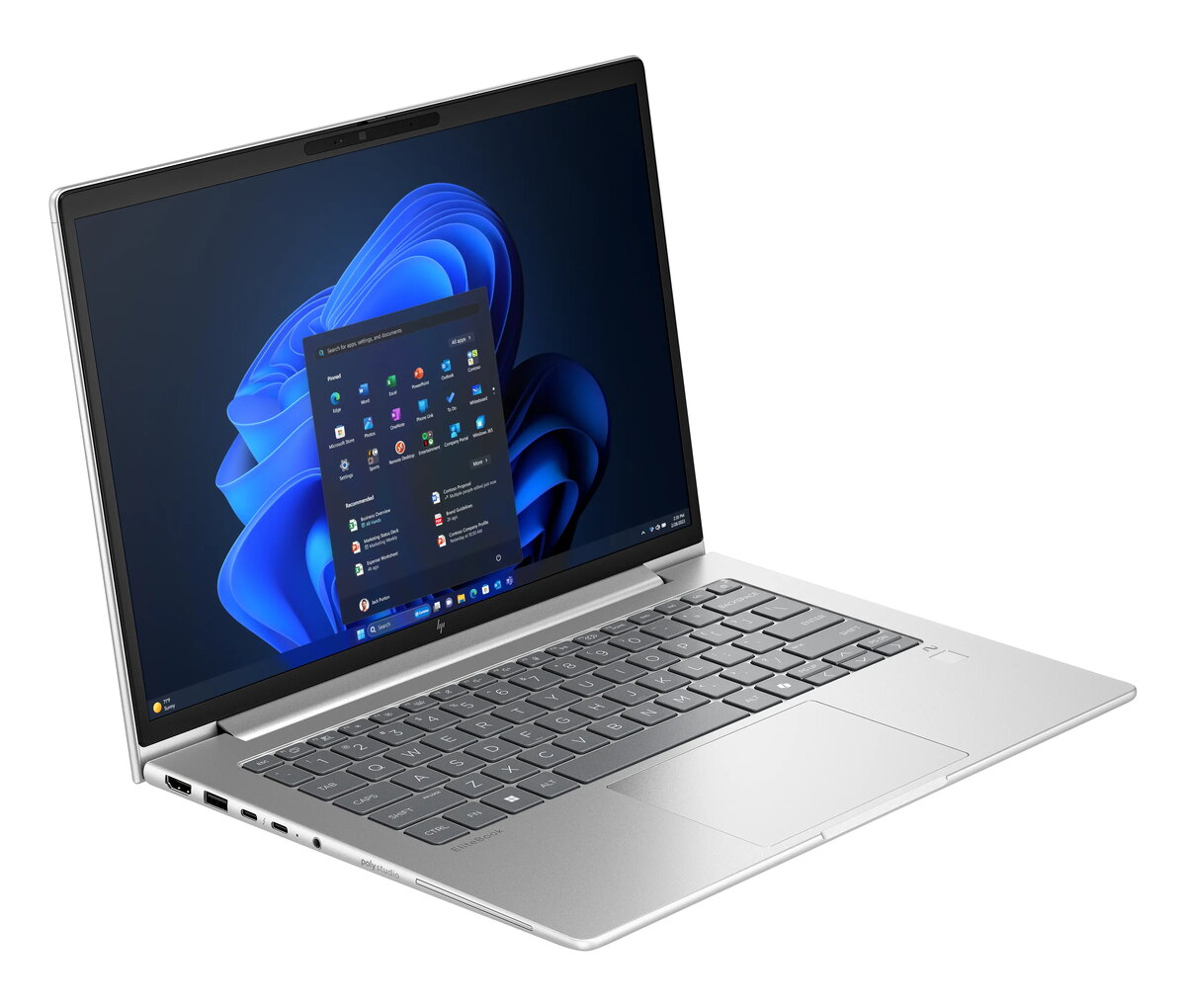
HP EliteBook 6 G1a Laptop, 14" WUXGA, AMD Ryzen AI 5 340, 16GB RAM, 512GB SSD, Windows 11 Pro, Silver
The HP EliteBook 6 G1a is a professional-grade laptop designed to meet the demands of modern business environments. Featuring a compact 14-inch WUXGA display with a resolution of 1920 x 1200 pixels, this device offers a clear and expansive workspace for productivity. Powered by the AMD Ryzen AI 5 340 processor and equipped with 16GB of high-speed DDR5 RAM, it ensures smooth multitasking and efficient performance for daily office applications. The sleek silver clamshell design combines durability with a professional aesthetic, making it an ideal companion for mobile professionals.
This laptop excels in providing a reliable computing experience through its integration of modern hardware components. The inclusion of an AMD Radeon 840M graphics card ensures capable visual processing for standard business tasks and multimedia presentations. With a 512GB SSD, users benefit from fast boot times and quick access to stored files. The device supports advanced connectivity options, including Wi-Fi 7 and Bluetooth 5.4, ensuring stable and high-speed network access. Furthermore, the pre-installed Windows 11 Pro operating system provides enhanced security and management features essential for corporate use.
This laptop may not be suitable for users requiring high-end dedicated graphics for intensive 3D rendering, professional video editing, or demanding gaming. Additionally, those who require extensive internal storage capacity for large media libraries may find the 512GB SSD limiting without the use of external storage solutions.
To begin using the HP EliteBook 6 G1a, connect the provided power adapter to charge the battery fully before the first session. Power on the device using the dedicated button and follow the on-screen prompts to configure your Windows 11 Pro settings, including user accounts and network connections. Once set up, you can install your preferred business software and connect peripherals via the available ports to customize your workspace.
For optimal performance and battery longevity, it is recommended to keep the system firmware updated via the manufacturer's support tools and to utilize the power management settings within Windows 11 Pro to balance performance and energy consumption during mobile use.
{{highlightedFeature.featureTitle}}:
{{getProductFeatureValueById(product, highlightedFeature.featureId)}}
{{ productComparisonGenerationError }}
