
JBL speakers and headphones for pure and deep sound!
In cart {{totalProductsCount}} item(s)
Your cart is empty
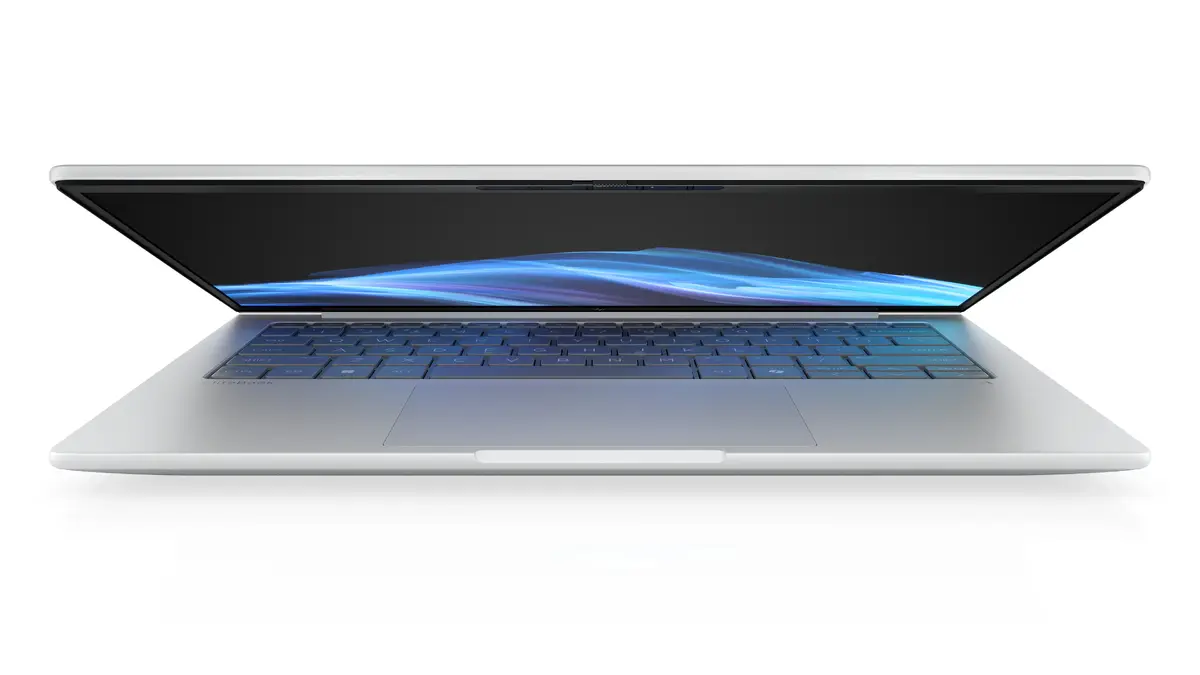
HP EliteBook 8 G1i 14 Laptop, Intel Core Ultra 5 228V, 32GB LPDDR5x, 512GB SSD, 14-inch WUXGA, Intel Arc Graphics, Windows 11 Pro, Silver
The HP EliteBook 8 G1i 14 is a professional-grade laptop engineered for high-performance business environments. Featuring the Intel Core Ultra 5 228V processor and 32GB of LPDDR5x memory, this device provides the speed and efficiency required for demanding multitasking and complex office applications. Its sleek silver chassis houses a 14-inch WUXGA display, offering clear visuals for presentations and document management, while the integrated Intel Arc Graphics ensure smooth performance for professional creative tasks.
This laptop stands out due to its robust build quality and advanced internal components that facilitate seamless productivity. The inclusion of 32GB of high-speed RAM allows for intensive multitasking without performance degradation, while the 512GB SSD ensures rapid boot times and quick access to files. The device is optimized for modern professional workflows, providing a reliable and secure computing experience with Windows 11 Pro, making it a dependable tool for both office-based and remote work.
This laptop is not designed for high-end gaming or intensive 3D rendering, as it relies on integrated graphics rather than a dedicated GPU. Additionally, users who require massive local storage for large media libraries may find the 512GB SSD capacity limiting without the use of external storage solutions.
To begin using the HP EliteBook 8 G1i 14, connect the provided power adapter to charge the 62Wh battery fully. Upon powering on, follow the on-screen Windows 11 Pro setup instructions to configure your user account, network settings, and security features such as the fingerprint reader. Once initialized, you can install your preferred business software and connect peripherals via the available ports to customize your workspace.
To maintain optimal performance and battery longevity, keep the system software updated through the manufacturer's support tools and avoid exposing the device to extreme temperatures. Using a protective sleeve during transport is recommended to preserve the silver finish of the chassis.
{{highlightedFeature.featureTitle}}:
{{getProductFeatureValueById(product, highlightedFeature.featureId)}}
{{ productComparisonGenerationError }}
