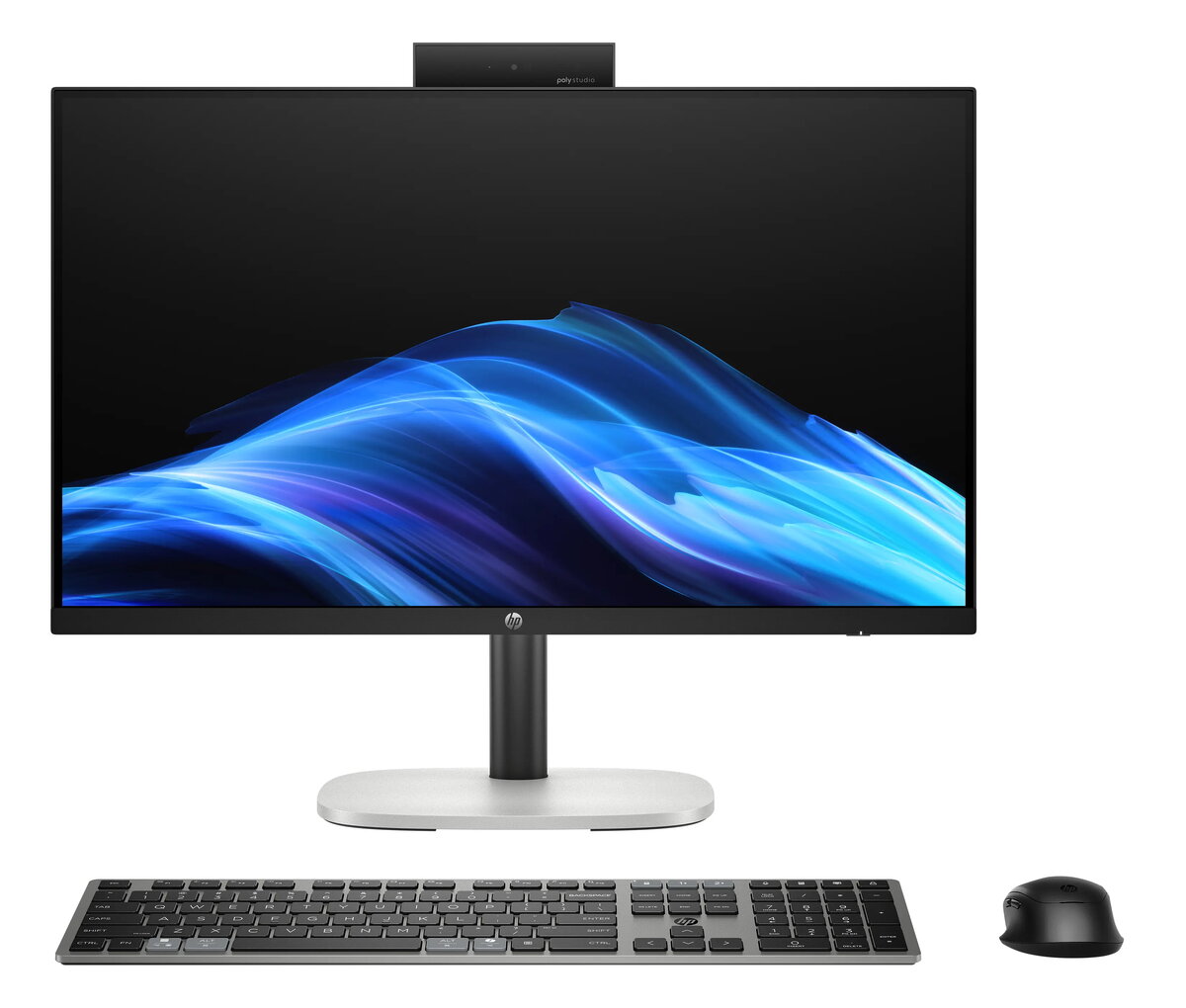
The HP ProStudio 4 G1i AIO All-In-One 24 combines a 23.8-inch Full HD non-touch display with an Intel Ultra 5-225T processor, 16GB of RAM and a 512GB solid-state drive. Built as a compact desktop solution, this AIO integrates display, compute and storage into a single chassis with an anti-glare panel and Windows 11 Pro preinstalled. The design supports adjustable height and onboard Wi‑Fi connectivity, providing a space-saving setup for workstations where desk footprint and cable clutter are concerns.
Advantages
This all-in-one system delivers a balance of performance and practicality: a responsive Intel Ultra 5‑225T CPU paired with 16GB RAM supports everyday multitasking and productivity applications, while the 512GB SSD offers fast boot and application load times. The 23.8" Full HD anti-glare display reduces reflections in brighter environments, and the height-adjustable stand helps position the screen for ergonomic viewing. Windows 11 Pro provides business-oriented features such as improved security and remote management capabilities.
Suitable for
- Office productivity tasks (documents, spreadsheets, email, web conferencing)
- Home office and remote work setups
- Front-desk and reception stations where compact footprint is needed
- General multimedia consumption (video streaming, web browsing)
- Educational environments requiring managed Windows workstations
When it may not be suitable
This AIO is not targeted at high-end gaming or heavy content-creation workflows that require discrete graphics or workstation-class CPUs. Users who need a touch-sensitive display or multiple internal storage drives may find the non-touch, single-SSD configuration limiting. For extensive 3D rendering, large-scale video editing or GPU-accelerated tasks, a system with a dedicated graphics card and higher thermal headroom would be more appropriate.
Key specifications
- Display: 23.8-inch Full HD (1920×1080) non-touch, anti-glare
- Processor: Intel Ultra 5-225T
- Memory: 16GB RAM
- Storage: 512GB solid-state drive (SSD)
- Operating system: Windows 11 Pro
- Ergonomics: height-adjustable stand
- Connectivity: integrated Wi‑Fi
- Form factor: All‑in‑One desktop
How to use
Place the AIO on a stable desk surface and adjust the height to align the top third of the display with eye level for ergonomic viewing. Connect power and, if required, any wired peripherals such as an external keyboard or headset. Use the built-in Wi‑Fi to join a network and follow the Windows 11 Pro initial setup prompts to configure user accounts, security settings and Windows updates. Install required productivity applications from trusted sources and configure backup options to protect data on the 512GB SSD.
What to consider before purchase
- Intended workloads—verify this configuration meets performance needs for your applications
- Storage capacity—512GB SSD may require external or cloud backup for large archives
- Display requirements—non-touch, anti-glare panel is not suitable for touch-based workflows
- Peripheral needs—package may not include a mouse; confirm included accessories
- Upgradeability—AIO form factor limits internal expansion compared with towers
Usage recommendations
For office and home use, keep the system updated with Windows updates and periodic SSD health checks. Pair with an external keyboard and ergonomic mouse for long sessions, and use network or cloud backup for important files. Position the display to minimize glare and use built‑in power settings to balance performance and energy consumption.