
Hurry and order now – up to 50% off!
In cart {{totalProductsCount}} item(s)
Your cart is empty
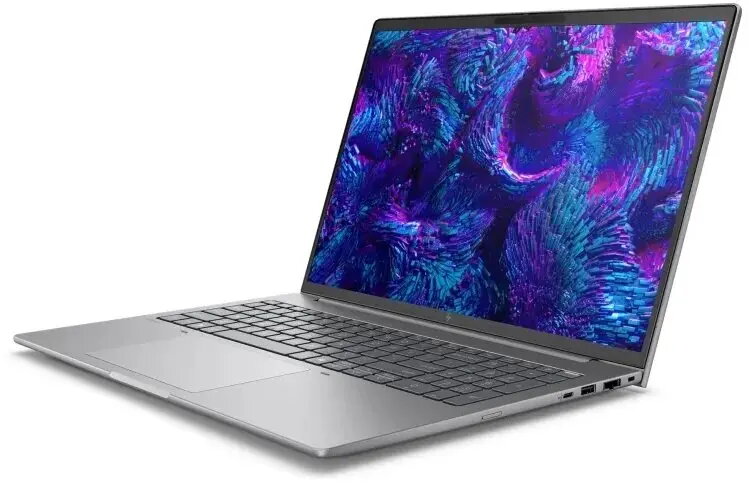
Laptop HP ZBook 8 G1i 16" Intel Core Ultra 7 32GB RAM 1TB SSD Arc Graphics 140T Win 11 Pro
The HP ZBook 8 G1i is a mobile workstation built for professional workloads. It is equipped with an Intel Core Ultra 7 processor with boost frequencies up to 5.1 GHz, 32 GB of system memory and a 1 TB NVMe SSD for responsive application loading and large file storage. The 16" IPS display with 1920 x 1200 resolution delivers ample screen real estate and accurate viewing angles, while Arc Graphics 140T provides dedicated GPU performance for rendering, visualization and GPU-accelerated tasks. Built-in Ethernet, Wi-Fi 7 and Bluetooth ensure reliable wired and wireless connectivity for office networks and remote work.
The combination of a high-frequency Intel Core Ultra 7 processor, a large 32 GB RAM capacity and fast NVMe storage enables smooth multitasking and quick project turnaround. The 16‑inch IPS panel with 1920 x 1200 resolution balances sharpness and usability for design and data work. Arc Graphics 140T offloads graphical workloads from the CPU for improved performance in content creation, CAD and GPU-accelerated applications. Modern connectivity options including Ethernet and Wi‑Fi 7 provide stable network access, while Bluetooth supports a range of peripherals.
Power on the workstation and let the operating system complete initial setup and driver configuration. Use system settings to confirm display resolution and power profiles appropriate for performance or battery life. Install required professional applications and verify that GPU acceleration is enabled where supported. Connect to Ethernet or configure the Wi‑Fi 7 network and pair Bluetooth peripherals as needed. Regularly update system drivers and Windows updates to maintain compatibility and performance.
For sustained high-performance workloads, use an active cooling environment and select a high-performance power profile. Keep the NVMe drive with sufficient free space for virtual memory and scratch files, and schedule regular backups. When using graphics-intensive software, enable GPU acceleration in application settings to leverage the Arc Graphics 140T.
{{highlightedFeature.featureTitle}}:
{{getProductFeatureValueById(product, highlightedFeature.featureId)}}
{{ productComparisonGenerationError }}
