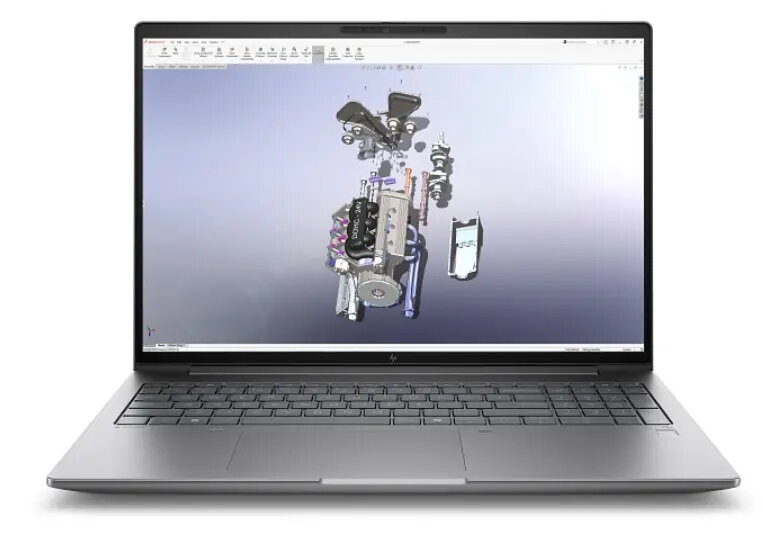
The HP ZBook X G1 i U7-255H is a 16-inch mobile workstation designed for professional workloads. It features a WUXGA (1920 x 1200) IPS anti-glare display with 400 nits brightness and 100% sRGB coverage, an Intel Core Ultra 7 255H processor with up to 5.1 GHz turbo, 32 GB DDR5 memory, a 1 TB PCIe Gen4 NVMe SSD, and an NVIDIA RTX PRO 1000 Blackwell GPU. The system runs Windows 11 Pro and includes a 5MP IR webcam, dual stereo speakers, backlit keyboard with numeric keypad, fingerprint reader and multiple modern connectivity options including Thunderbolt 4 and Wi‑Fi 7.
Advantages
The laptop combines a high-resolution, color-accurate display with a powerful multi‑core processor and professional-class GPU, delivering sustained performance for compute- and graphics-intensive applications. Fast DDR5 memory and a PCIe Gen4 NVMe SSD provide quick data access and responsive multitasking. A robust set of ports, enterprise wireless, biometric login and a 3‑year on‑site warranty support professional deployment and secure workflows.
Suitable for
- 3D modelling and rendering
- CAD and engineering applications
- Content creation and video editing
- Data analysis and scientific computing
- Professional remote and on-site work requiring durable, serviceable hardware
When it may not be suitable
This ZBook is optimized for professional workloads that benefit from a discrete workstation GPU and high-performance CPU. It may be more than needed for basic office tasks, casual web browsing or simple multimedia playback where a mainstream ultrabook would be more cost-effective and lighter. The weight starting from 2.04 kg and a thicker chassis reflect its workstation class rather than ultraportable design.
Key specifications
- Display: 16" WUXGA (1920 x 1200), IPS, anti-glare, 400 nits, 100% sRGB
- Processor: Intel Core Ultra 7 255H, up to 5.1 GHz, 16 cores / 16 threads
- Memory: 32 GB DDR5-5600 MT/s (1 x 32 GB), 2 slots (1 free)
- Storage: 1 TB PCIe Gen4 NVMe M.2 SSD
- Graphics: NVIDIA RTX PRO 1000 (Blackwell)
- Webcam: 5 MP IR camera
- Audio: Dual stereo speakers
- Keyboard: Backlit with numeric keypad
- Biometrics: Fingerprint reader
- Wireless: Intel Wi‑Fi 7 (2x2) and Bluetooth 5.4
- Battery: 83 Wh Li‑ion polymer (6‑cell)
- Power adapter: 150 W
- Dimensions: 359 x 251 x 23 mm
- Weight: from 2.04 kg
- Color: Gray
- Warranty: 3 years on‑site service
How to use
Set up the HP ZBook X by installing Windows updates and graphics drivers from HP or NVIDIA to ensure optimal performance and stability. Use the Thunderbolt 4 ports for high-speed external displays or storage, and configure power profiles in Windows for balanced or high-performance operation depending on workload. For GPU-intensive tasks, connect to external power and select maximum performance in power settings to avoid thermal throttling. Use the fingerprint reader and Windows Hello with the IR camera for fast, secure sign-in.
What to consider before purchase
- Assess whether a workstation GPU and high-core-count CPU are necessary for your software and workflows.
- Consider the laptop weight and dimensions if frequent travel or long battery-only sessions are important.
- Check compatibility of professional applications and drivers with the NVIDIA RTX PRO series and Intel Core Ultra platform.
- Verify required port types (Thunderbolt 4, HDMI 2.1, USB-A, SD card) for your peripherals and monitors.
Usage recommendations
For best results in 3D rendering, CAD and content creation, keep the system connected to AC power during heavy workloads, ensure latest GPU drivers are installed, and use external high-refresh or color-calibrated monitors via Thunderbolt 4 or HDMI where needed.