
Filters you can trust. Pure water every day.
In cart {{totalProductsCount}} item(s)
Your cart is empty
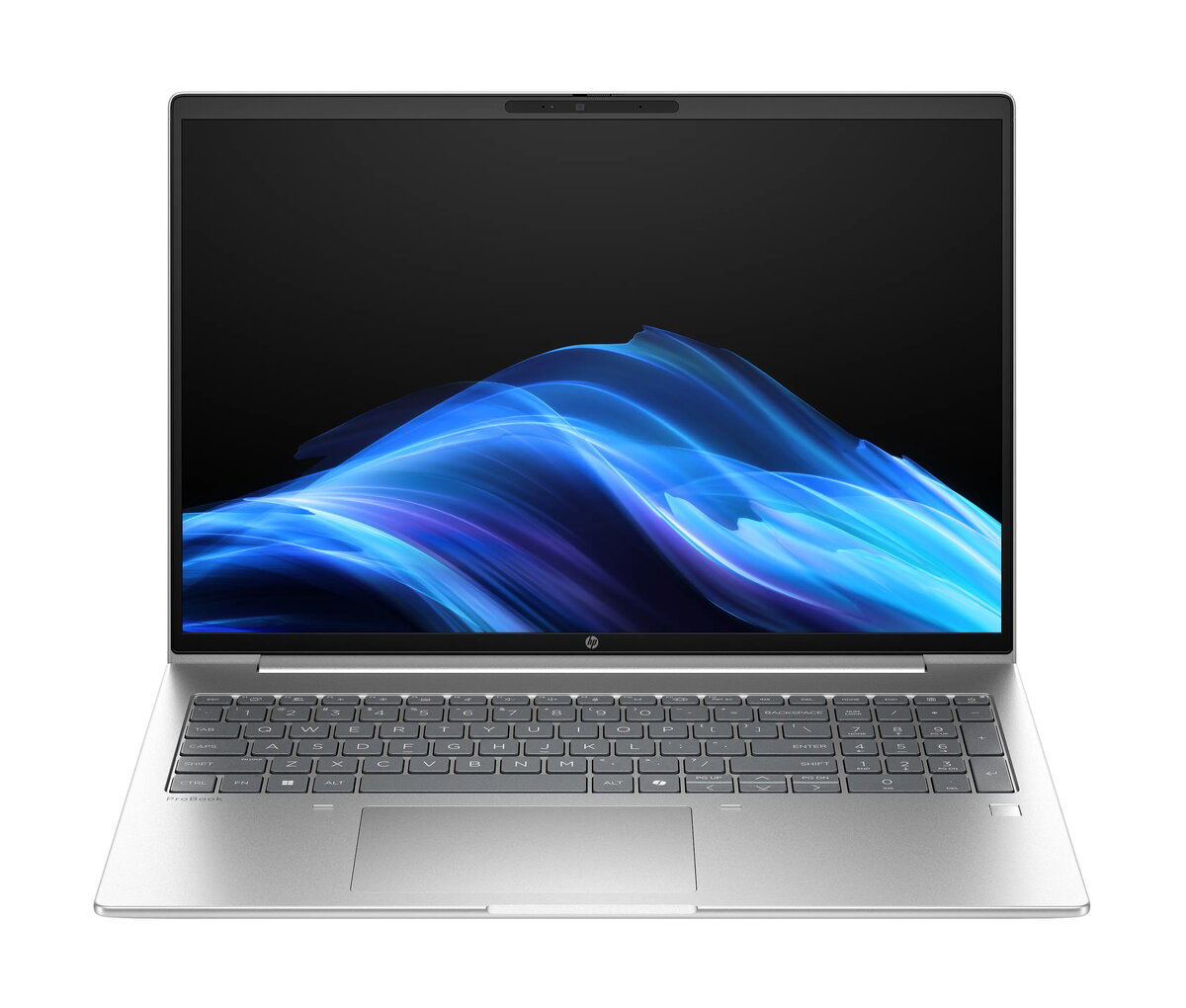
Laptop HP ProBook 4 PB4G1a16AI R7-250 — 16" WUXGA, AMD Ryzen 7 250 3.3 GHz, 24 GB DDR5, 512 GB SSD, AMD Radeon 780M, Windows 11 Pro, Silver
HP ProBook 4 PB4G1a16AI R7-250 is a 16" clamshell laptop with a 1920×1200 WUXGA IPS display and a silver finish. It is powered by an AMD Ryzen 7 250 processor (3.3 GHz, 8 cores) and integrated AMD Radeon 780M graphics. The configuration includes 24 GB of DDR5 memory and a 512 GB SSD, with Windows 11 Pro preinstalled. With a weight of approximately 1.75 kg, this ProBook is intended for professional and everyday productivity tasks where screen area, responsiveness and responsiveness to multitasking are required.
The combination of an 8-core AMD Ryzen 7 250 processor and 24 GB DDR5 RAM delivers smooth multitasking and responsive application performance for office software, spreadsheets and web conferencing. The 16" WUXGA IPS display provides a 1920×1200 resolution that offers extra vertical space compared with 16:9 panels, improving document and spreadsheet viewing. A 512 GB SSD ensures fast system boot and application load times while the integrated AMD Radeon 780M graphics supports video playback and light graphical workloads without a discrete GPU. Built-in connectivity options including Wi‑Fi 7 and Bluetooth 5.4 enable modern wireless networking, and Windows 11 Pro provides business-class security and management features.
Power on the laptop using the dedicated power button and allow Windows 11 Pro to complete initial setup if required. Use the built-in Wi‑Fi 7 or Ethernet connection to join a network and sign into a Microsoft account or corporate domain for access to email and managed resources. Install required business applications from Microsoft Store or enterprise deployment tools, and use available system settings to configure performance and battery profiles. For document work and web conferencing, position the laptop on a stable surface at comfortable viewing distance; connect peripherals such as an external mouse, headset or external monitor via available ports if needed.
For best performance in multitasking scenarios, keep the system firmware and Windows updates current and store large project files on the internal SSD or a trusted external drive. When using the laptop on battery, select a balanced or power‑saving profile to extend runtime; for sustained high-performance workloads, use the 65 W adapter and a stable power source. Regularly back up important data and enable Windows 11 Pro security features such as BitLocker and Windows Update for Business where appropriate.
{{highlightedFeature.featureTitle}}:
{{getProductFeatureValueById(product, highlightedFeature.featureId)}}
{{ productComparisonGenerationError }}
