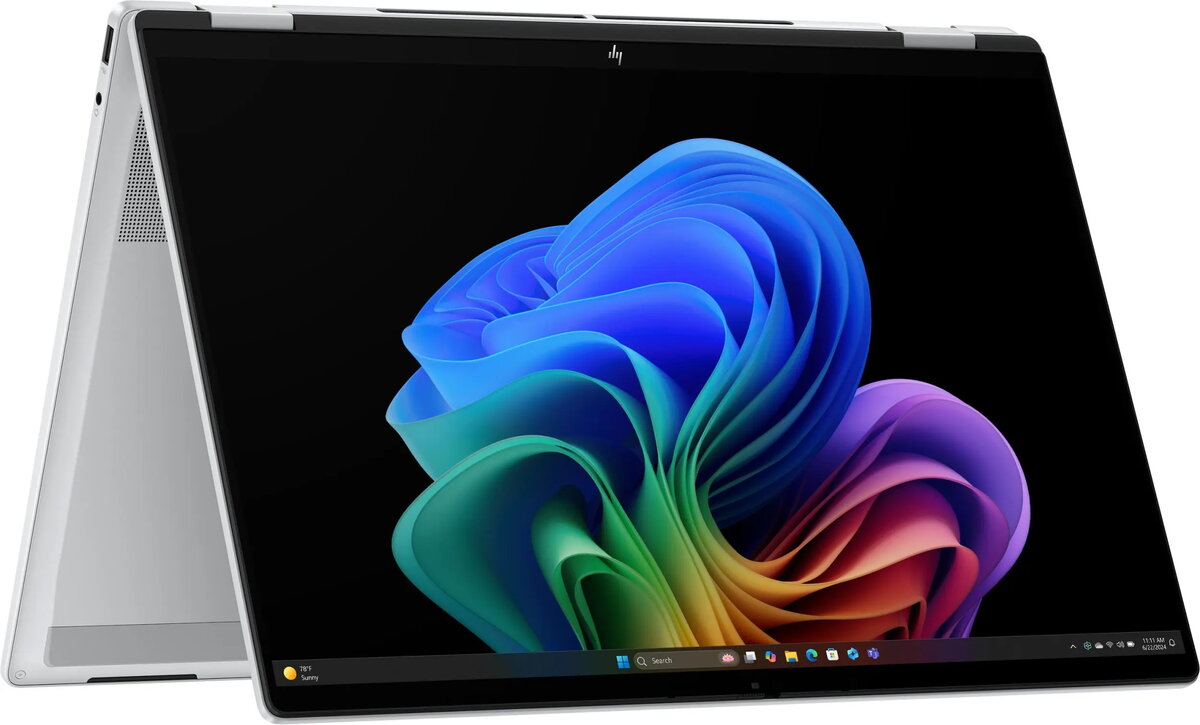
The 2-in-1 HP OmniBook X Flip NG AI 16-as0003nw is a convertible laptop with a 16" 3K OLED touchscreen designed for flexible use as a laptop or tablet. It features a high-resolution 3K OLED panel with 120 Hz refresh, 300 nits typical brightness and anti-glare coating, a responsive touch surface, and a 68 Wh battery. Configured with 32 GB of LPDDR5X RAM and a 1 TB SSD, the system runs Windows 11 Home on the Ultra 7 258V platform and is offered in Glacier Silver finish. The device integrates an Intel Arc graphics option, a 5 MP front camera with IR for secure sign-in, and a compact convertible hinge for pen and touch interaction.
Advantages
The combination of a 3K OLED touchscreen and 120 Hz refresh provides sharp, smooth visuals suitable for detailed content work and media playback. Large, fast memory and storage—32 GB LPDDR5X and a 1 TB solid-state drive—support multitasking and quick file access. The convertible design enables both laptop productivity and tablet-style interaction, while a 68 Wh battery balances runtime with portability. Windows 11 Home and the Ultra 7 258V platform offer a modern OS experience and platform-level optimizations for performance and connectivity.
Suitable for
- Multitasking and productivity with multiple applications and browser tabs open
- Content creation tasks such as photo editing, graphic work, and layout design
- Media consumption including high-resolution video streaming and image viewing
- Note-taking, sketching, and on-screen annotation using touch or pen input
- Portable presentations and client demonstrations requiring a convertible form factor
When it may not be suitable
This model may not be the best choice for users who require sustained extreme gaming performance or workstation-class compute for heavy 3D rendering, as it targets a balance of portability, display quality and general performance rather than dedicated high-end GPU workloads. It may also be larger and heavier than ultraportable sub-14" laptops for users prioritizing minimal weight and the smallest footprint.
Key specifications
- Display: 16-inch 3K OLED touchscreen, 120 Hz refresh rate, ~300 nits typical brightness, anti-glare surface
- Memory: 32 GB LPDDR5X RAM
- Storage: 1 TB solid-state drive (SSD)
- Operating system: Windows 11 Home
- Processor platform: Ultra 7 258V platform
- Graphics: Integrated/Arc graphics option suitable for general multimedia and light creative work
- Camera: 5 MP front camera with IR support for Windows Hello
- Battery: 68 Wh capacity
- Form factor: 2-in-1 convertible with touch and pen capability
- Color: Glacier Silver
How to use
Use the device in laptop mode for keyboard-centric tasks and productivity applications, and rotate to tablet mode for touch-friendly apps, reading or drawing. The touchscreen supports direct manipulation of content; if a compatible pen is available, use it for precise annotation or sketching. Keep the system updated through Windows Update for security and driver improvements. Connect external displays, storage, or input devices via available ports and configured adapters when additional workspace or peripherals are required.
What to consider before purchase
- Confirm that a 16" convertible size and Glacier Silver finish meet your portability and aesthetic preferences
- Verify that 32 GB RAM and 1 TB SSD capacity align with your multitasking and storage needs
- Assess whether the integrated/Arc graphics meet requirements for any GPU-intensive software you plan to run
- Check battery life expectations for your typical usage patterns and whether 68 Wh is sufficient
- Ensure compatibility with any required docking stations, input devices or professional software
Usage recommendations
For best display results, enable OLED-friendly settings in Windows and calibrate color profiles when performing color-critical work. When using the device in tablet mode for extended periods, consider a protective sleeve and avoid prolonged screen-on times at maximum brightness to conserve battery and reduce burn-in risk.