
Save time and money with our discounts!
In cart {{totalProductsCount}} item(s)
Your cart is empty
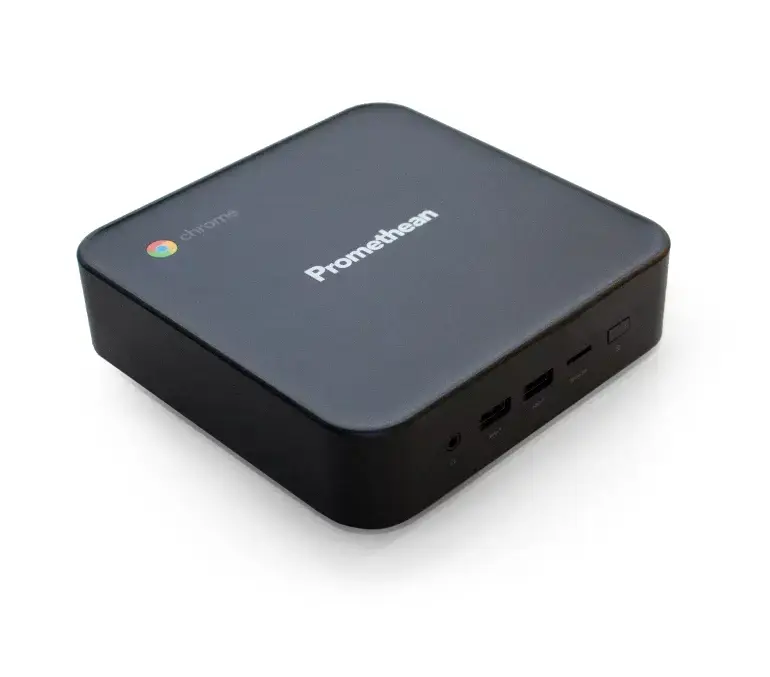
Promethean Chromebox Mini PC, Intel Celeron 5205U, 4GB DDR4 RAM, 128GB SSD, ChromeOS, Black
The Promethean Chromebox is a compact and efficient mini PC designed to provide a seamless computing experience. Powered by an Intel Celeron 5205U processor and equipped with 4GB of DDR4 RAM, this device offers reliable performance for daily digital tasks. With its 128GB SSD, it ensures quick boot times and responsive operation, all managed by the intuitive and secure ChromeOS. Its small form factor makes it an ideal solution for environments where space is at a premium, such as classrooms or professional workstations.
This mini PC stands out due to its integration with the Google ecosystem, offering full access to Google Mobile Services and the Google Play Store. The device is specifically engineered for reliability and security, featuring automatic updates that keep the system protected without manual intervention. Its compact design allows for easy mounting or placement in tight spaces, while the inclusion of Wi-Fi 6 and Bluetooth 5.0 ensures high-speed connectivity for modern networking requirements.
This device is not intended for resource-intensive tasks such as professional video editing, 3D rendering, or high-end gaming, as the hardware configuration is optimized for lightweight computing and web-based applications. Additionally, users requiring specialized software that is only compatible with Windows or macOS will find the ChromeOS platform restrictive.
To begin using the Promethean Chromebox, connect the device to a monitor or interactive display using a compatible video cable. Connect a keyboard and mouse via the available USB ports or Bluetooth. Upon powering on the device, follow the on-screen instructions to connect to your local network and sign in with your Google account. Once configured, you can access the Google Play Store to download educational or productivity applications tailored to your needs.
Usage recommendations: For the best experience, keep the device connected to a stable internet connection to ensure that automatic security updates are installed promptly. If using in a classroom setting, utilize the device in conjunction with an interactive panel to maximize its educational potential.
{{highlightedFeature.featureTitle}}:
{{getProductFeatureValueById(product, highlightedFeature.featureId)}}
{{ productComparisonGenerationError }}
