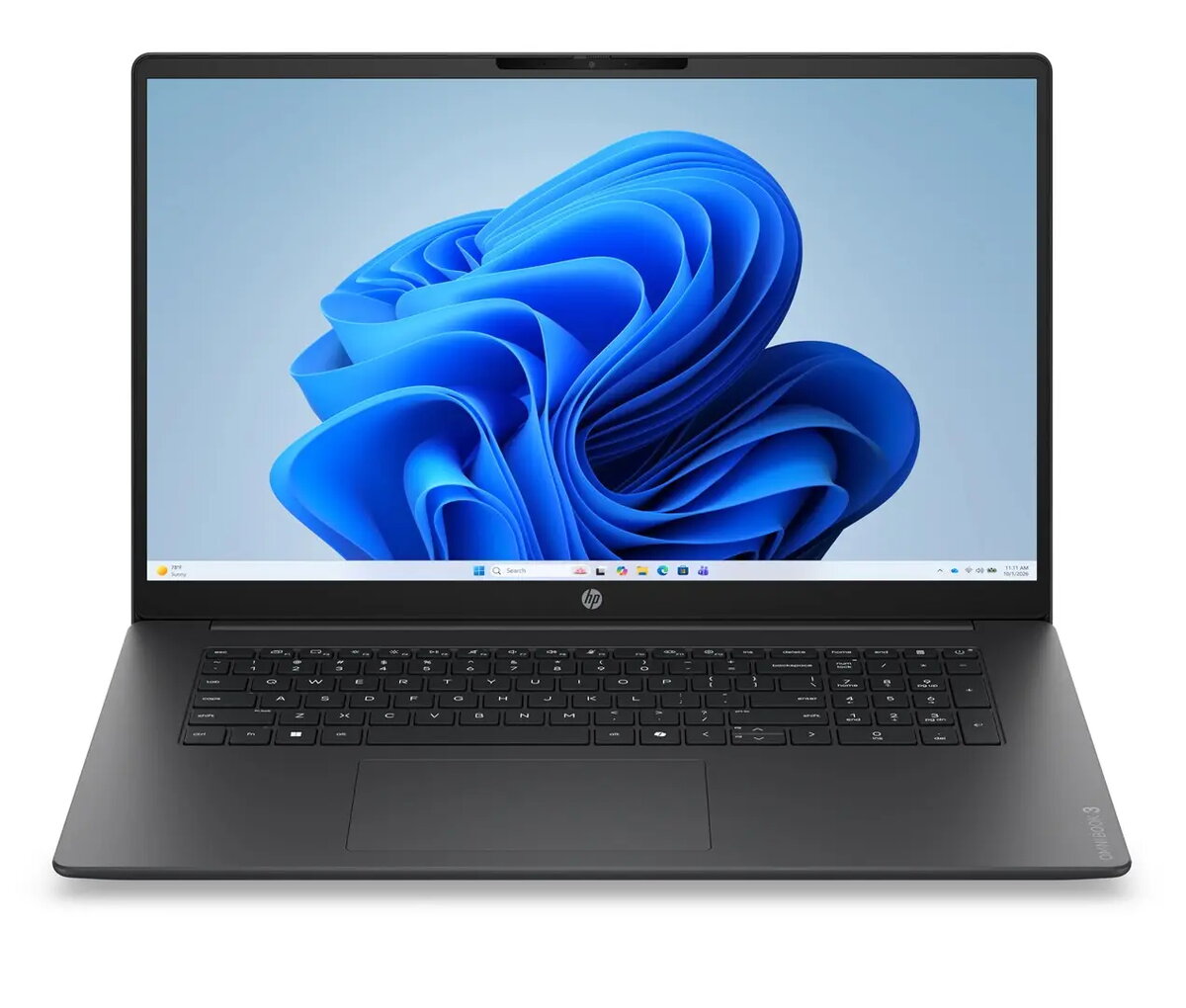
The HP OmniBook 3 laptop is compared with several alternative models from HP and Lenovo, including the HP OmniBook 3 17-dp0006nwx, HP OmniBook 3 AI 17-dn0000nw, Lenovo ThinkPad E16 Gen 3 (32GB/1TB), Lenovo ThinkPad L14 G7, and Lenovo ThinkPad E16 Gen 3 (16GB/512GB). All selected products belong to the general-purpose laptop category for daily computing and multimedia. The primary differences lie in display size and resolution, processor and graphics performance, memory and storage capacities, and the preinstalled operating system.
⚙️ The specification comparison below covers display parameters, processors, graphics, memory configurations, storage, and operating systems to help you evaluate the technical capabilities of each model.
| Parameter | HP OmniBook 3 | HP OmniBook 3 17-dp0006nwx | HP OmniBook 3 AI 17-dn0000nw | Lenovo ThinkPad E16 Gen 3 (32GB/1TB) | Lenovo ThinkPad L14 G7 | Lenovo ThinkPad E16 Gen 3 (16GB/512GB) | Practical conclusion |
|---|
| Display | 17.3" FHD IPS | 17.3" FHD IPS | 17.3" FHD IPS | 16" WUXGA | 14" IPS WUXGA | 16" WUXGA | HP provides a larger 17.3-inch display for media consumption, whereas Lenovo focuses on more compact 14-inch and 16-inch form factors. |
| Processor & Graphics | AMD Ryzen 7 250, Radeon 780M | AMD Ryzen 5, Radeon 610M | AMD Ryzen 7 250 | AMD Ryzen 7 250, Radeon 780M | AMD Ryzen AI 7 445, Radeon 840M | AMD Ryzen 7 250, Radeon 780M | Models featuring Ryzen 7 250 and Radeon 780M offer robust performance for demanding tasks compared to the entry-level Ryzen 5 in the base HP version. |
| Memory & Storage | 24GB / 512GB SSD | 8GB / 256GB SSD | 24GB / 512GB SSD | 32GB / 1000GB SSD | 24GB / 512GB SSD | 16GB / 512GB SSD | Configurations range from basic 8GB/256GB storage in the entry HP model to advanced 32GB/1TB capacities in high-end Lenovo alternatives. |
| Operating System | Windows 11 Home | No OS | Windows 11 | Windows 11 Pro | Windows 11 Pro | Windows 11 Pro | Most alternatives include Windows 11 Pro for professional environments, while the main HP model runs Windows 11 Home, and one competitor lacks an OS. |
◎ The suitability table below evaluates which product matches specific user needs and use cases.
| Use case | Recommended product | Why |
|---|
| Daily home multimedia and general computing | HP OmniBook 3 | Offers a balanced combination of a Ryzen 7 processor, 24GB RAM, and a spacious 17.3-inch screen running Windows 11 Home for home users. |
| Basic office tasks on a budget | HP OmniBook 3 17-dp0006nwx | Suitable for basic tasks if a large display is preferred and you plan to install your own operating system. |
| Intensive professional multitasking and large storage | Lenovo ThinkPad E16 Gen 3 (32GB/1TB) | Delivers the highest RAM capacity (32GB) and a 1TB SSD paired with Windows 11 Pro for demanding workflows. |
| Mobile professional productivity | Lenovo ThinkPad L14 G7 | Features a compact 14-inch form factor, professional security features, and Windows 11 Pro, ideal for frequent travel. |
HP OmniBook 3 stands out among the alternatives by offering a large 17.3-inch display, a capable AMD Ryzen 7 250 processor, and 24GB of RAM, making it an excellent choice for home multimedia and daily productivity. A buyer should prefer this model if they need a spacious screen and a ready-to-use system with Windows 11 Home without requiring advanced professional configurations.