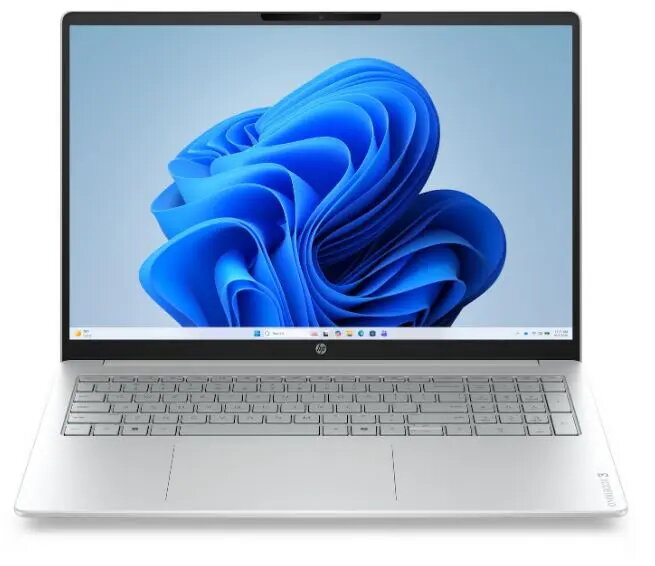
The HP OmniBook 3 16-by0051ng is a 16" laptop equipped with an AMD Ryzen 5 processor, a 2K (2560×1600 or similar high-density) display, 16 GB of RAM and a 512 GB solid-state drive, running Windows 11 Home. Designed for everyday productivity and multimedia, this model combines a high-resolution screen with responsive storage and sufficient memory for multitasking, study, office tasks and content playback.
Advantages
The 16" 2K display delivers sharper text and clearer images compared with standard Full HD panels, improving readability and visual detail for documents, spreadsheets and videos. The AMD Ryzen 5 processor provides balanced performance for common applications while keeping power consumption manageable. A 512 GB SSD ensures faster system boot and application load times than mechanical drives, and 16 GB of RAM supports multiple browser tabs, office applications and light content creation work without frequent slowdowns.
Suitable for
- Office productivity: word processing, spreadsheets, email and video calls
- Study and remote learning: research, document editing and presentation creation
- Multimedia consumption: streaming video, photo viewing and basic editing
- Everyday multitasking: multiple apps and browser tabs open simultaneously
When it may not be suitable
This laptop is not aimed at high-end gaming or heavy GPU-accelerated workloads; users who require sustained 3D rendering, professional video editing with large timelines, or the latest AAA gaming performance should consider systems with dedicated high-performance graphics. Also, if extreme portability with very long battery life or an ultra-compact form factor is the priority, smaller or specifically mobile-focused models may be more appropriate.
Key specifications
- Display: 16-inch, high-resolution 2K panel
- Processor: AMD Ryzen 5 (mobile class)
- Memory: 16 GB RAM
- Storage: 512 GB solid-state drive (SSD)
- Operating system: Windows 11 Home
How to use
Unpack the laptop and connect the supplied power adapter for initial charging. Follow the Windows 11 out-of-box setup to create or sign in to a Microsoft account, configure Wi‑Fi and install system updates. Use the 2K display settings in Windows to select the recommended scaling and resolution for clear text and interface elements. Store large media files on the internal SSD or an external drive, and use cloud storage for backups. For better performance, keep the system updated and periodically check storage health using built-in Windows tools.
What to consider before purchase
- Confirm the exact display resolution and panel type if precise color accuracy or professional photo/video work is needed
- Check available ports and wireless connectivity to ensure compatibility with peripherals (external drives, monitors, docking stations)
- Evaluate battery life expectations based on intended use (video playback and heavy workloads reduce run time)
- Consider whether a dedicated GPU or larger SSD is required for your specific tasks
Usage recommendations
For balanced everyday performance, keep background apps to a minimum, enable Windows power-saving modes when on battery, and use an external SSD or cloud service for large media libraries. Adjust display scaling for comfortable reading on the 16" 2K panel and update drivers regularly to maintain stability and responsiveness.