
JBL speakers and headphones for pure and deep sound!
In cart {{totalProductsCount}} item(s)
Your cart is empty
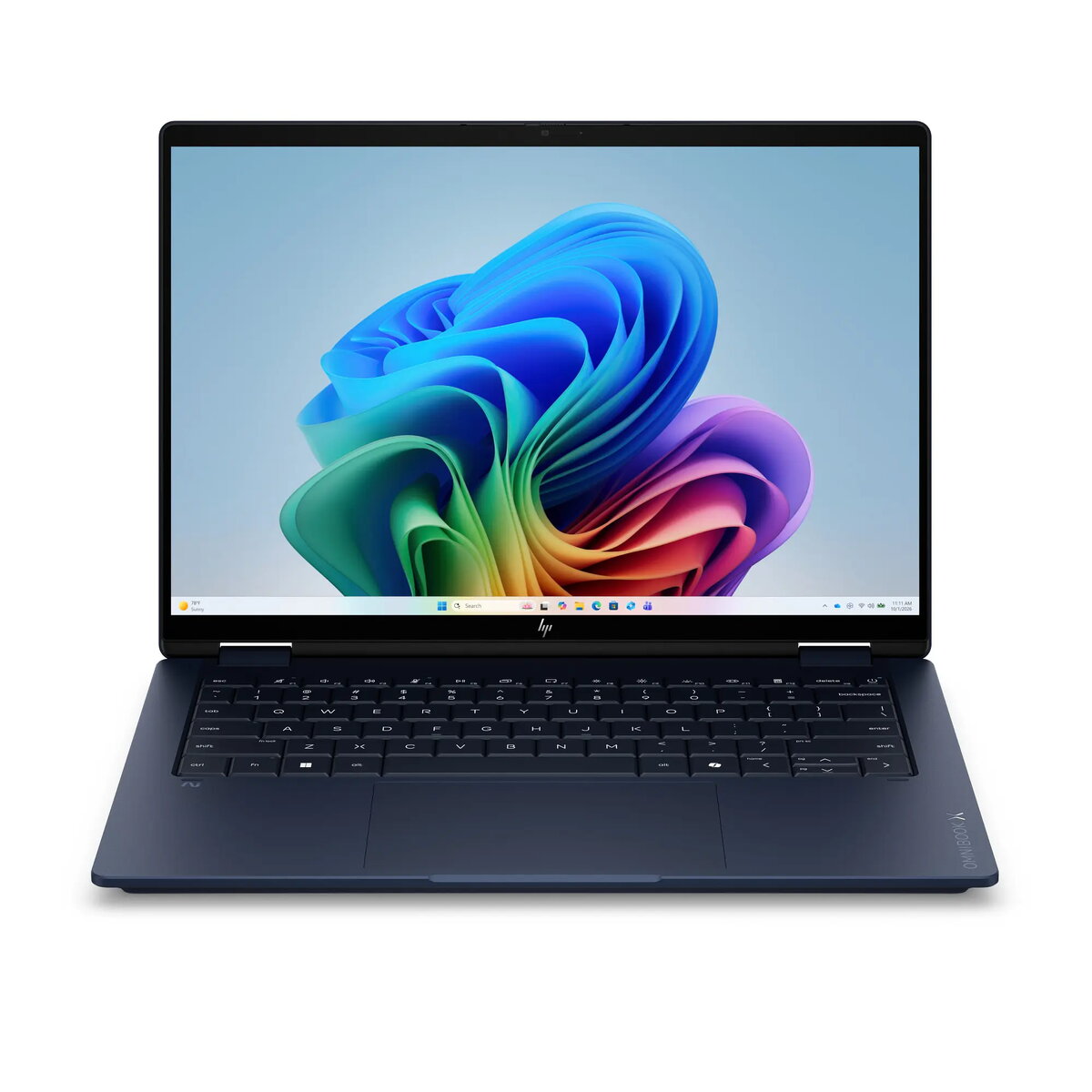
HP OmniBook X Flip 14-kc0005nn Laptop, Ryzen AI 7 450, 32GB LPDDR5X, 512GB SSD, AMD Radeon 860M, 14.0-inch 2K Touch Display, Windows 11 Home
The HP OmniBook X Flip 14-kc0005nn is a sophisticated, high-performance laptop engineered for professionals and creators who require power and portability. Equipped with the advanced AMD Ryzen AI 7 450 processor, this device integrates a dedicated NPU to accelerate artificial intelligence workloads, ensuring efficient multitasking and responsiveness. The sleek Atmospheric Blue chassis houses 32GB of high-speed LPDDR5X memory and a 512GB PCIe Gen4 SSD, providing ample storage and rapid data access for demanding applications.
This laptop excels in delivering a premium visual experience through its 14.0-inch 2K Brightview touch display, which features a brightness of 400 nits for clear visibility in various lighting conditions. The inclusion of AMD Radeon 860M graphics ensures smooth performance for creative tasks and media consumption. Its lightweight and durable design makes it an ideal companion for mobile professionals, while the pre-installed Windows 11 Home operating system offers a modern, intuitive interface optimized for productivity.
This device is not designed for high-end gaming or heavy 3D rendering, as the integrated graphics are optimized for efficiency rather than extreme gaming performance. Additionally, users requiring massive local storage for large video archives may find the 512GB SSD capacity limiting without external storage solutions.
To begin using your HP OmniBook X Flip, connect the device to a power source and follow the on-screen instructions to complete the Windows 11 setup. The touchscreen interface allows for intuitive navigation, enabling you to interact with applications directly on the display. Utilize the integrated AI capabilities by running compatible software that leverages the NPU for faster processing. Keep the laptop updated via the system settings to ensure optimal performance and security.
For the best experience, keep the device firmware and drivers updated through the HP Support Assistant. To maintain battery health, avoid exposing the laptop to extreme temperatures and use the original power adapter provided with the unit.
{{highlightedFeature.featureTitle}}:
{{getProductFeatureValueById(product, highlightedFeature.featureId)}}
{{ productComparisonGenerationError }}
