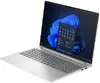
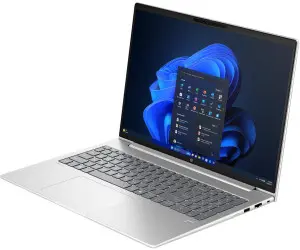
This page focuses on the HP ProBook 4 G1i 16-inch Laptop, Intel Core Ultra 7 255H, 24GB RAM, 1TB SSD, Windows 11 Pro, which is compared with five alternative configurations from the same ProBook 4 G1i lineup. All reviewed models share a common platform, a 16-inch WUXGA display, SSD storage, and target professional use, yet they differ in RAM capacity, processor model, storage size, and pre-installed operating system.
⚙️ The table below compares key characteristics including the processor, RAM capacity, storage size, and operating system version to help evaluate the technical differences between the models.
| Parameter | HP ProBook 4 G1i (24GB / 1TB / Win 11 Pro) | HP ProBook 4 G1i (32GB / 1TB / Win 11 Pro) | HP ProBook 4 G1i (32GB / 1TB / FreeDOS) | HP ProBook 4 G1i (16GB / 1TB / Win 11 Pro) | HP ProBook 4 G1i (24GB / 512GB / Win 11 Pro) | HP ProBook 4 G1i (24GB / 512GB / Win 11 Pro, Ultra 5) | Practical significance |
|---|
| Screen size and type | 16-inch WUXGA | 16-inch WUXGA IPS (400 nits) | 16-inch WUXGA IPS (400 nits) | 16-inch WUXGA IPS (400 nits) | 16-inch WUXGA | 16-inch WUXGA | Identical screen workspace across all lineup models. |
| Processor | Intel Core Ultra 7 255H | Intel Core Ultra 7 255H | Intel Core Ultra 7 255H | Intel Core Ultra 7 255H | Intel Core Ultra 7 255U | Intel Core Ultra 5 225U | H-series processors offer higher performance for demanding tasks, while U-series models are optimized for energy efficiency. |
| RAM | 24 GB | 32 GB | 32 GB | 16 GB | 24 GB | 24 GB | Higher RAM capacity ensures better multitasking performance. |
| SSD storage | 1 TB | 1 TB | 1 TB | 1 TB | 512 GB | 512 GB | 1 TB capacity is suitable for storing large files and professional databases. |
| Operating system | Windows 11 Pro | Windows 11 Pro | FreeDOS | Windows 11 Pro | Windows 11 Pro | Windows 11 Pro | The FreeDOS version requires manual OS installation, while others are ready to use out of the box. |
◎ The table below evaluates how well different configurations match specific usage scenarios, performance requirements, and user needs.
| Use case | Recommended product | Why |
|---|
| Professional multitasking and business tasks with moderate data loads | HP ProBook 4 G1i (24GB RAM, 1TB SSD, Win 11 Pro) | An optimal balance of high-performance H-series processor, sufficient memory, and ample storage with a pre-installed OS. |
| Maximum resource requirements and heavy applications | HP ProBook 4 G1i (32GB RAM, 1TB SSD) | The maximum RAM capacity among the available options for resource-intensive tasks. |
| Cost savings through self-installation of the OS | HP ProBook 4 G1i (32GB RAM, 1TB SSD, FreeDOS) | Suitable for users who need high hardware potential but prefer to install their own operating system. |
| Basic office tasks and mobility | HP ProBook 4 G1i (Intel Core Ultra 5, 24GB / 512GB) | An energy-efficient processor and smaller storage for everyday office workflows. |
The HP ProBook 4 G1i (24GB RAM, 1TB SSD, Win 11 Pro) is a well-balanced choice for users who require the strong computing power of an H-series processor and plenty of storage without paying extra for the maximum 32 GB memory tier. This option is ideal for everyday office and remote work right out of the box. Choose alternatives only if you specifically need higher memory capacity, a smaller storage footprint for savings, or a model without a pre-installed operating system.