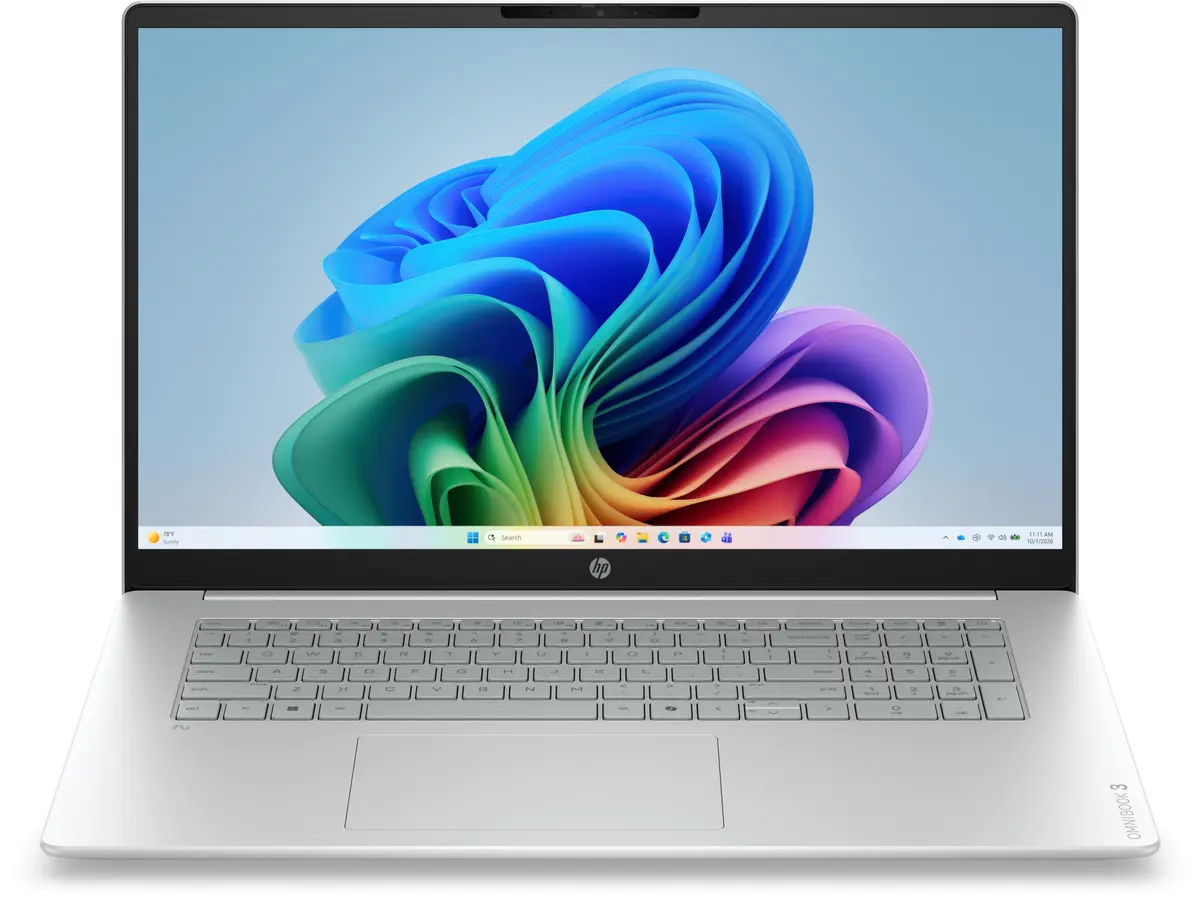
The HP OmniBook 3 Laptop AMD Ryzen AI 7 445 17.3" FHD 16GB RAM 512GB SSD Windows 11 Home Silver is a modern and reliable computing solution designed to meet the demands of everyday multitasking, productivity, and modern applications. Featuring a spacious 17.3-inch Full HD IPS display with anti-glare technology and micro-edge bezels, this laptop provides an expansive and clear visual workspace. Powered by the efficient AMD Ryzen AI 7 processor and fast DDR5 system memory, it delivers smooth performance for various computing tasks. The integrated AMD Radeon graphics and dedicated neural processing unit enhance overall responsiveness, making it a capable device for both work and personal entertainment.
Built with connectivity and user convenience in mind, the HP OmniBook 3 incorporates advanced wireless standards including Wi-Fi 7 and Bluetooth, ensuring fast and stable network connections. The inclusion of versatile USB Type-C and USB Type-A ports, alongside an HDMI output, allows for seamless connection of external displays and peripherals. Its full-size keyboard with a numeric keypad and responsive HP Imagepad ensure comfortable daily typing and navigation. Furthermore, integrated security features such as a camera privacy shutter and a microphone mute button help protect user privacy during video calls and daily use.
Advantages
The HP OmniBook 3 stands out through its balanced combination of processing power and modern hardware features. The inclusion of an advanced processor with built-in artificial intelligence acceleration allows the system to handle demanding workloads efficiently while optimizing energy consumption. The large 17.3-inch display offers ample screen real estate, reducing the need for constant scrolling and improving productivity when working with multiple windows side by side. Fast data access is guaranteed by the responsive PCIe NVMe solid-state drive, which ensures quick system boots and rapid file transfers.
Ergonomics and connectivity are additional strong points of this device. The generous selection of modern ports, including USB-C with Power Delivery and DisplayPort capabilities, expands usage possibilities without requiring constant adapters. The high-resolution infrared camera supports clear video communication, while the robust battery capacity ensures extended unplugged operation for mobile users. Additionally, the integration of recycled materials in selected components reflects a mindful approach to manufacturing without compromising structural integrity or daily usability.
Suitable for
- Office tasks and document editing
- Web browsing and multimedia streaming
- Remote learning and online video conferences
- Light content creation and photo viewing
When it may not be suitable
This laptop may not be ideal for advanced professional gaming or heavy 3D rendering tasks due to the limitations of integrated graphics hardware. Users requiring specialized workstation-level performance for intensive engineering simulations or professional video production might need a more powerful dedicated graphics solution.
Key specifications
- 17.3-inch Full HD IPS anti-glare display with 1920 x 1080 resolution
- AMD Ryzen AI 7 processor with 6 cores and 12 threads
- 16 GB DDR5 system memory
- 512 GB PCIe Gen4 NVMe M.2 solid-state drive
- Integrated AMD Radeon graphics
- Windows 11 Home operating system
- Wi-Fi 7 and Bluetooth wireless connectivity
- Full-size keyboard with numeric keypad and HP Imagepad
- FHD IR webcam with dual microphones
- 68 Wh lithium-ion polymer battery
How to use
To begin using the HP OmniBook 3, connect the device to a compatible power source using a suitable USB-C power adapter, as a charger may need to be sourced separately depending on the specific retail package. Follow the initial on-screen setup instructions provided by Windows 11 Home to configure your user profile, connect to your wireless network, and complete security settings. Position the laptop on a stable, flat surface to ensure proper ventilation around the base during operation. Utilize the available USB and HDMI ports to connect external monitors, mice, or storage drives as needed for your workflow.
What to consider before purchase
- Verify whether a compatible 65W power adapter is included with your specific purchase offer, as some configurations are supplied without a charger
- Assess your display size preferences, noting that the 17.3-inch form factor provides an extensive workspace but results in a larger physical footprint
- Check compatibility with your existing software applications and peripheral devices
- Review the terms of the included manufacturer warranty and regional service limitations
Usage recommendations: To maintain optimal battery health and system performance, keep the operating system and drivers updated via HP Support Assistant. Ensure the ventilation openings remain unobstructed during use, and clean the screen gently with a dry microfibre cloth without using harsh chemical cleaners.