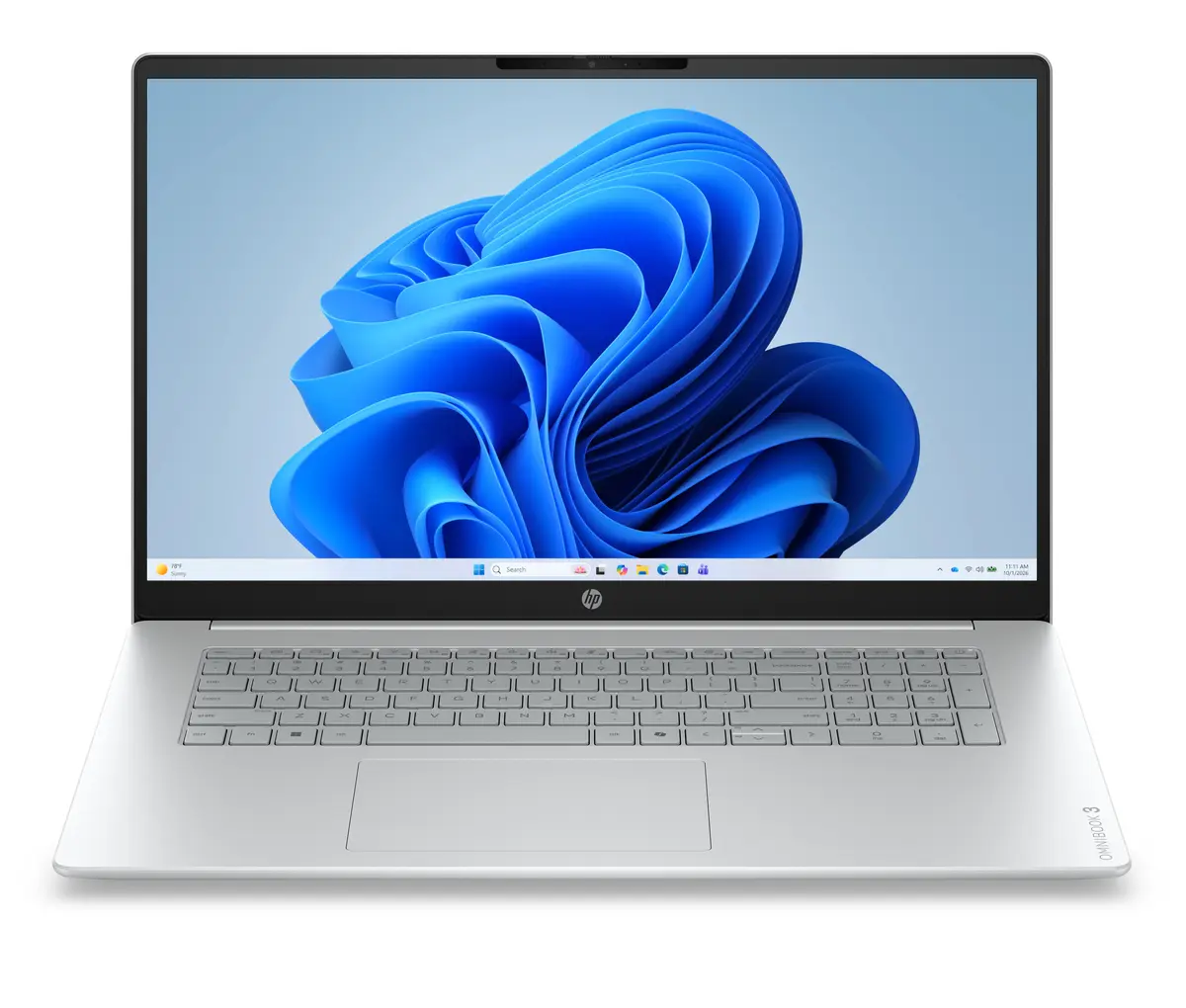
The HP OmniBook 3 17-dp0007nnx laptop is compared against several alternative HP OmniBook 3 series devices, including variants with the same Ryzen 5 processor paired with different memory capacities, as well as versions featuring AMD Ryzen 7, AMD Ryzen AI 7, and Intel Core 5 processors across various form factors. All of these devices are designed for reliable everyday productivity, multitasking, and media consumption, but they differ in processor performance, graphics capabilities, RAM amount and type, storage capacity, and display specifications.
⚙️ Below is a comparison of key technical characteristics, including processor, RAM capacity and type, storage size, display diagonal, resolution and type, operating system, and practical conclusions for each model.
| Comparison parameter | HP OmniBook 3 17-dp0007nnx | HP OmniBook 3 17-dp0008nnx | HP OmniBook 3 (Ryzen 7 250) | HP OmniBook 3 14-hu0009nyx | HP OmniBook 3 (Ryzen AI 7 445) | HP OmniBook 3 (Ryzen 5) | Practical conclusion |
|---|
| Processor | AMD Ryzen 5 | Ryzen 5 | AMD Ryzen 7 250 | Intel Core 5 120U | AMD Ryzen AI 7 445 | Ryzen 5 | Ryzen 5 models offer solid baseline performance, whereas Ryzen 7, Ryzen AI 7, and Intel Core 5 provide increased computing power for heavier workloads. |
| RAM | 24GB DDR5 RAM | 16GB LPDDR5 RAM | 24GB DDR5 RAM | 16GB DDR5 RAM | 16GB RAM | 16GB RAM | The 24GB DDR5 configuration provides better headroom for running multiple resource-intensive apps simultaneously compared to 16GB options. |
| Storage | 512GB SSD | 512GB SSD | 512GB SSD | 1TB SSD | 512GB SSD | 512GB SSD | The 1TB SSD model offers double the storage space for files, while the other configurations feature standard 512GB capacity. |
| Display | 17.3" FHD IPS 300 nits | 17.3" FHD IPS 300 nits | 17.3" FHD IPS | 14" 2K OLED 300 nits | 17.3" FHD 400 nits | 17.3" FHD 300 nits | Most devices feature spacious 17.3-inch screens for media, while the 14-inch OLED model focuses on maximum portability and vibrant colors. |
| Operating system | Windows 11 Home | Windows 11 Home | Windows 11 Home | Windows 11 Home | Windows 11 Pro | Windows 11 Home | The Ryzen AI 7 version comes with the professional OS edition, while the others use the home version. |
◎ Below is a suitability table to help determine which model best matches specific use cases and user needs.
| Use case | Recommended product | Why |
|---|
| Multitasking and everyday work with memory headroom | HP OmniBook 3 17-dp0007nnx | Offers a balanced combination of a Ryzen 5 processor and expanded RAM (24GB) for smooth day-to-day operation. |
| Professional tasks and higher screen brightness | HP OmniBook 3 (Ryzen AI 7 445) | Equipped with an advanced AI-ready processor, a brighter display (400 nits), and Windows 11 Pro. |
| Maximum portability and vibrant visual quality | HP OmniBook 3 14-hu0009nyx | Compact 14-inch OLED display and larger storage capacity (1TB) make it ideal for travel and media enjoyment. |
| Basic home office and media consumption | HP OmniBook 3 (Ryzen 5) / dp0008nnx | A sensible choice with 16GB memory for standard office tasks and video streaming without paying for extra specs. |
Recommendation: The HP OmniBook 3 17-dp0007nnx differs from alternatives by offering an increased amount of RAM (24GB) paired with a reliable Ryzen 5 processor and a large 17.3-inch display. It is best suited for users who need a capable laptop for running multiple apps concurrently and consuming media without stepping up to much more expensive professional processor configurations.