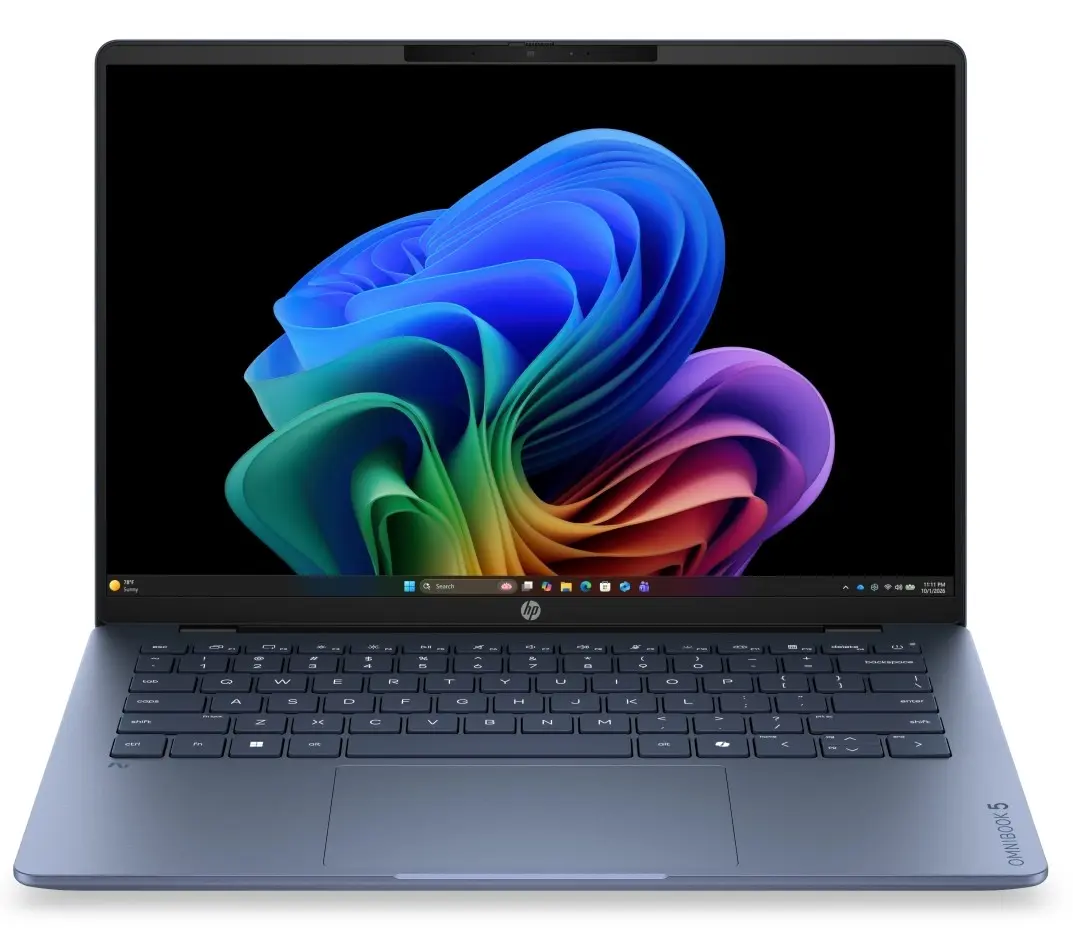
The HP Omnibook 5 14-hh0070ncx laptop is compared against several alternative devices in the HP Omnibook lineup, including the HP Omnibook X 14-kb0000ncx, HP Omnibook 5 14-hh0071ncx, HP Omnibook 5 (16-inch), HP Omnibook X 14-ka0071ncx, and HP Omnibook 5 14-km0070ncx. All these products are designed for everyday productivity and office tasks, sharing 16GB of RAM (except for one higher-end configuration) and a 512GB solid-state drive (aside from the 1TB option). The primary differences lie in the processors (Intel Core Ultra 5 or Ultra 7), display types (high-resolution 2880x1800 versus WUXGA, with touch support on X-series models), screen size (14 or 16 inches), operating system editions (Windows 11 Pro or Home), and color finishes.
⚙️ The specifications comparison table below contrasts the key parameters: screen size and type, processor model, RAM and storage capacity, operating system version, and color finish to highlight the technical differences between each model.
| Parameter | HP Omnibook 5 14-hh0070ncx | HP Omnibook X 14-kb0000ncx | HP Omnibook 5 14-hh0071ncx | HP Omnibook 5 (16") | HP Omnibook X 14-ka0071ncx | HP Omnibook 5 14-km0070ncx | Practical significance |
|---|
| Display | 14", 2880x1800 | 14", 2880x1800, touch | 14", 2880x1800 | 16", 2880x1800 | 14", 2880x1800, touch | 14", WUXGA, touch | Models featuring 2880x1800 resolution deliver higher visual clarity, while touchscreens offer convenient navigation. The 16-inch version provides a larger workspace. |
| Processor | Intel Core Ultra 5 | Intel Core Ultra 5 325 | Intel Ultra 7 | Intel Core Ultra 7 | Intel Core Ultra 7 356H | Intel Ultra 5 | Ultra 7 and 356H processors provide enhanced computing power for demanding applications and heavier multitasking compared to base Ultra 5 chips. |
| Memory & Storage | 16GB RAM, 512GB SSD | 16GB RAM, 512GB SSD | 16GB RAM, 512GB SSD | 16GB RAM, 512GB SSD | 24GB RAM, 1TB SSD | 16GB RAM, 512GB SSD | Most models offer standard configurations for office work, but the X 14-ka0071ncx provides expanded memory and storage headroom for intensive professional workloads. |
| OS & Color | Windows 11 Pro, blue | Windows 11 Home, silver | Windows 11 Pro, silver | Windows 11 Home, silver | Windows 11 Pro, silver | Windows 11 Pro, silver | Windows 11 Pro caters to business environments requiring advanced security features, and the blue finish gives the base model a distinct visual style. |
◎ The suitability and use cases table below evaluates which model is best tailored to different user requirements, ranging from standard office productivity to multimedia and mobile tasks.
| Use case | Recommended product | Why |
|---|
| Standard office work and business tasks | HP Omnibook 5 14-hh0070ncx | Offers the professional Windows 11 Pro operating system, balanced Ultra 5 performance, and a sharp screen suited for daily document management. |
| Touch-enabled navigation and multimedia | HP Omnibook X 14-kb0000ncx | Equipped with a high-resolution touch display, making it convenient for content consumption and interactive tasks on the go. |
| Maximum processing power | HP Omnibook 5 14-hh0071ncx | Powered by the Intel Ultra 7 processor to deliver faster speeds when running complex applications. |
| Expanded screen workspace | HP Omnibook 5 (16") | The 16-inch display offers more visual room for spreadsheets and media viewing. |
| Intensive professional workflows and heavy multitasking | HP Omnibook X 14-ka0071ncx | Features a larger 24GB RAM capacity and a spacious 1TB SSD for storing extensive project files. |
| Mobile productivity with touch support | HP Omnibook 5 14-km0070ncx | Combines a WUXGA touch display with Windows 11 Pro for efficient mobile computing. |
HP Omnibook 5 14-hh0070ncx is best suited for users who need a professional Windows 11 Pro environment and a sharp, compact display for daily office duties, whereas the alternative models are preferable if you require a touch screen, a more powerful Intel Ultra 7 processor, higher memory capacity, or a larger 16-inch screen.