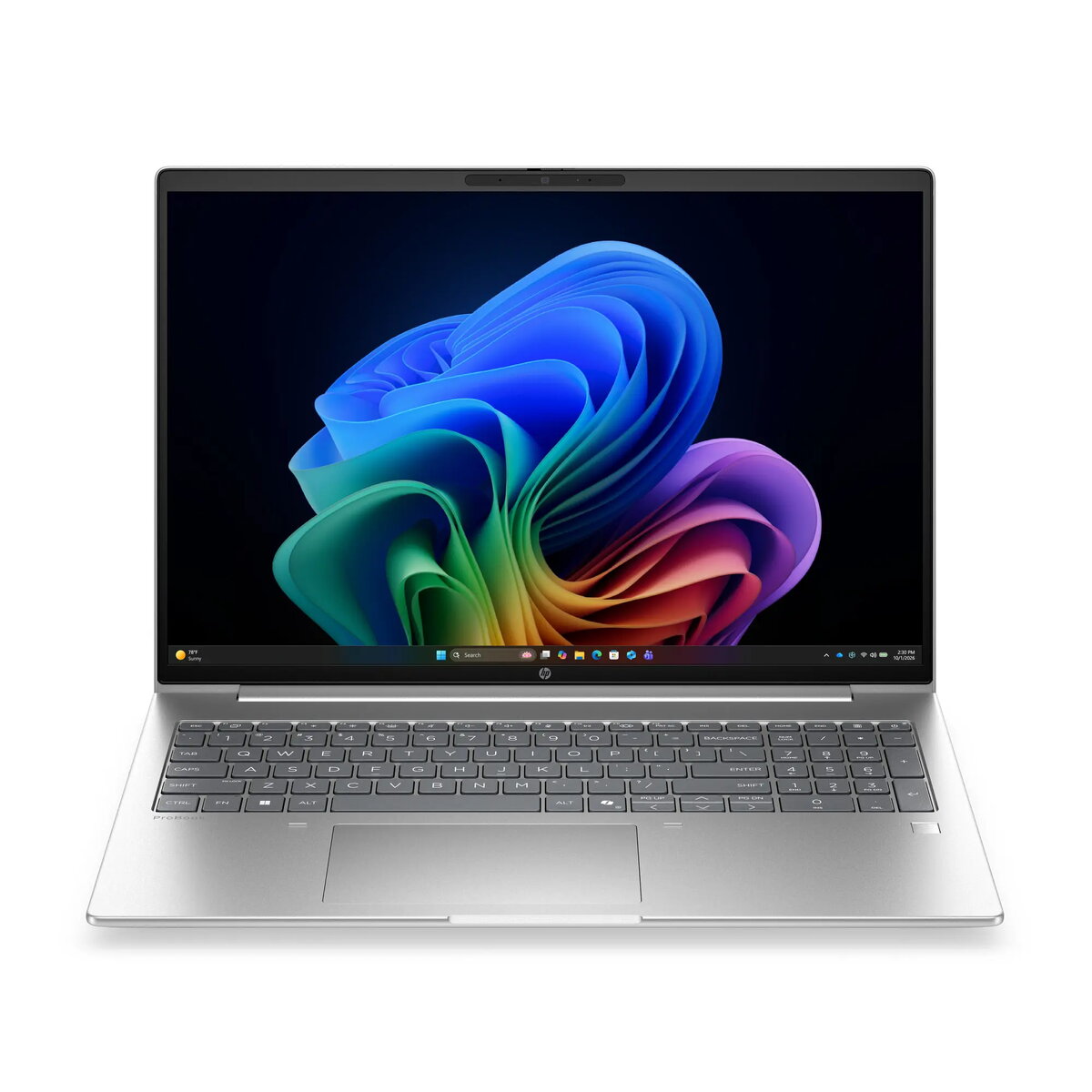
This product page focuses on the HP ProBook laptop with 16-inch WUXGA display, Intel processor, 16GB RAM, 512GB SSD, Windows 11 Pro, and Silver finish, which is compared against five alternative business laptops from the HP ProBook and HP 200 series. All compared devices share a 16-inch WUXGA display, 16GB of RAM, a 512GB solid-state drive, and a professional silver chassis designed for everyday business productivity. The primary differences among the models lie in the processor type (Intel or AMD), specific processor variants, and the pre-installed operating system (Windows 11 Pro versus various DOS versions), which directly impacts out-of-the-box readiness and computing performance.
⚙️ The table below compares essential display characteristics, memory capacity, processor types, graphics subsystems, and the operating system to illustrate the practical impact of these differences in daily use.
| Comparison parameter | HP ProBook (main model) | HP ProBook 4 G2i (Intel Core 7) | HP ProBook 4 G2i (DOS, Intel) | HP ProBook 4 G2i (Win 11 Pro) | HP ProBook (AMD Ryzen 5) | HP 200 G2i (Core 5, FreeDOS) | Practical conclusion |
|---|
| Screen size and resolution | 16 inches, WUXGA | 16 inches, WUXGA | 16 inches, WUXGA | 16 inches, WUXGA | 16 inches, WUXGA | 16 inches, WUXGA | All models offer identical screen estate and visual clarity for professional office tasks. |
| Memory and storage | 16GB RAM, 512GB SSD | 16GB RAM, 512GB SSD | 16GB RAM, 512GB SSD | 16GB RAM, 512GB SSD | 16GB RAM, 512GB SSD | 16GB RAM, 512GB SSD | Uniform memory and storage capacities ensure equally responsive multitasking and file handling across all options. |
| Processor and graphics | Intel, Intel graphics | Intel Core 7-350, Intel graphics | Intel, Intel graphics | Intel, Intel graphics | AMD Ryzen 5, AMD graphics | Intel Core 5-120U, Intel graphics | Processor selection dictates computing power: models featuring Intel Core 7 and Ryzen 5 provide higher performance for demanding workloads. |
| Operating system | Windows 11 Pro | Windows 11 Pro | DOS | Windows 11 Pro | DOS | FreeDOS | Windows 11 Pro models are ready for immediate deployment, whereas DOS versions require manual OS installation. |
◎ The table below evaluates how well each model fits different usage scenarios and buyer profiles to help you choose the most suitable device.
| Use case | Recommended product | Why |
|---|
| Ready-to-use office workstation | HP ProBook laptop with 16-inch WUXGA display, Intel processor, 16GB RAM, 512GB SSD, Windows 11 Pro, and Silver finish | Comes with pre-installed Windows 11 Pro and a balanced configuration for immediate productivity. |
| Maximum Intel processing power | HP ProBook 4 G2i Laptop with 16-inch WUXGA Display, Intel Core 7-350... | Equipped with a more powerful Intel Core 7 processor for heavier professional applications. |
| Custom software deployment and corporate setup | HP ProBook 4 G2i Laptop with 16-inch WUXGA display... (DOS) | Supplied without an operating system, allowing IT departments to deploy custom corporate system images. |
| Alternative AMD-based platform | HP ProBook laptop with 16-inch WUXGA display, AMD Ryzen 5 processor... | Offers an alternative AMD Ryzen 5 computing platform paired with DOS for flexible custom configuration. |
The main model HP ProBook laptop with 16-inch WUXGA display, Intel processor, 16GB RAM, 512GB SSD, Windows 11 Pro, and Silver finish differs from the DOS alternatives by including a pre-installed Windows 11 Pro operating system, and differs from other variations based on its specific Intel processor configuration. It is most suitable for business users who need a reliable 16-inch laptop for office tasks and everyday productivity without the hassle of installing an operating system themselves. Choose this model if you value standard Intel performance and licensed Windows 11 Pro readiness right out of the box.