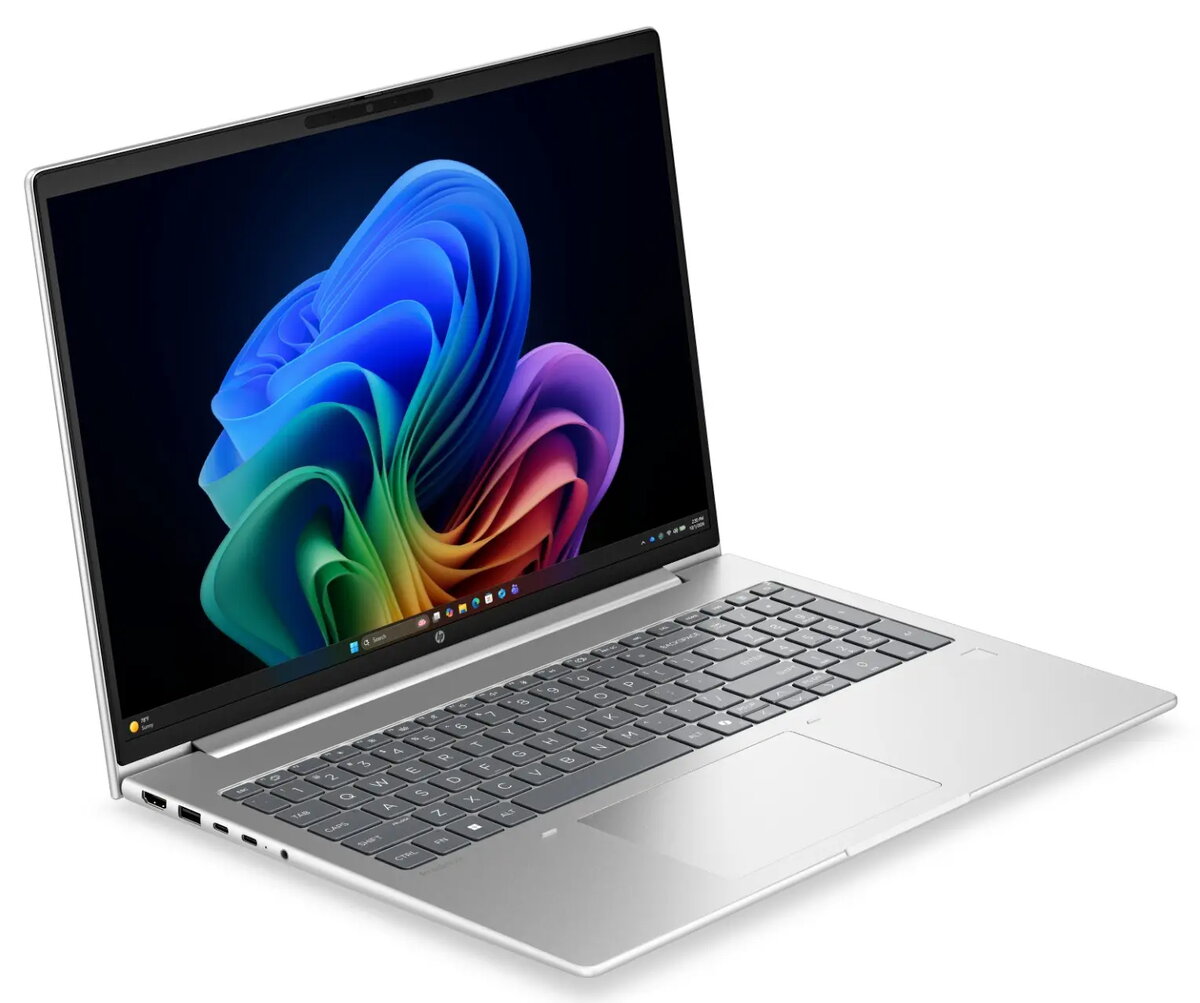
The HP ProBook 4 G2i laptop is compared with several alternative models from the same brand, including other configurations of the ProBook 4 G2i line, a general ProBook model, as well as more affordable or alternative options such as the HP 200 G2i and AMD Ryzen-based modifications. All reviewed devices share a 16-inch display with WUXGA resolution, 16GB of RAM, a fast 512GB solid-state drive, a silver chassis, and a focus on everyday business tasks and office productivity. Key differences lie in the pre-installed operating system, processor type, and graphics subsystem.
⚙️ The specifications comparison table below details the main technical parameters such as processor model, graphics adapter, operating system, and equipment of each device to highlight their hardware differences.
| Parameter | HP ProBook 4 G2i (Core 7, Win 11 Pro) | HP ProBook 4 G2i (DOS) | HP ProBook 4 G2i (Win 11 Pro) | HP ProBook (Intel, Win 11 Pro) | HP 200 G2i (FreeDOS) | HP ProBook (AMD Ryzen 5, DOS) | Practical significance |
|---|
| Display | 16" WUXGA | 16" WUXGA | 16" WUXGA | 16" WUXGA | 16" WUXGA | 16" WUXGA | All models provide an equally sharp and spacious workspace for documents and spreadsheets. |
| Memory and Storage | 16GB RAM, 512GB SSD | 16GB RAM, 512GB SSD | 16GB RAM, 512GB SSD | 16GB RAM, 512GB SSD | 16GB RAM, 512GB SSD | 16GB RAM, 512GB SSD | A uniform level of multitasking performance and fast system boot times across all options. |
| Processor | Intel Core 7-350 | Intel (integrated graphics) | Intel (integrated graphics) | Intel (integrated graphics) | Intel Core 5-120U | AMD Ryzen 5 | Differences in processor computing power affect the speed of processing demanding professional applications. |
| Operating System | Windows 11 Pro | DOS | Windows 11 Pro | Windows 11 Pro | FreeDOS | DOS | Models with Windows 11 Pro are ready for work right out of the box, while DOS/FreeDOS versions require manual OS installation. |
◎ The suitability table below evaluates how well different models match specific use cases, software requirements, and user preferences.
| Use case | Recommended product | Why |
|---|
| Ready-to-use office productivity | HP ProBook 4 G2i (Core 7, Win 11 Pro) | Comes with pre-installed Windows 11 Pro and a capable Intel Core 7 processor for efficient work right after purchase. |
| Custom OS deployment and flexibility | HP ProBook 4 G2i (DOS) or HP 200 G2i | Supplied without an operating system, allowing the user or IT department to deploy the required OS independently. |
| Professional tasks on an AMD platform | HP ProBook (AMD Ryzen 5, DOS) | Offers an alternative hardware platform based on an AMD processor for specific workflow preferences. |
The main difference of the HP ProBook 4 G2i with the Intel Core 7 processor and Windows 11 Pro compared to most alternatives is the presence of a modern operating system and a more powerful processor right out of the box. This laptop is most suitable for professionals and office workers who value maximum device readiness and high task execution speed without the need for manual software setup. Alternative versions with DOS or AMD processors are better chosen when there is a need for custom software environment configuration or a preference for a specific hardware platform.