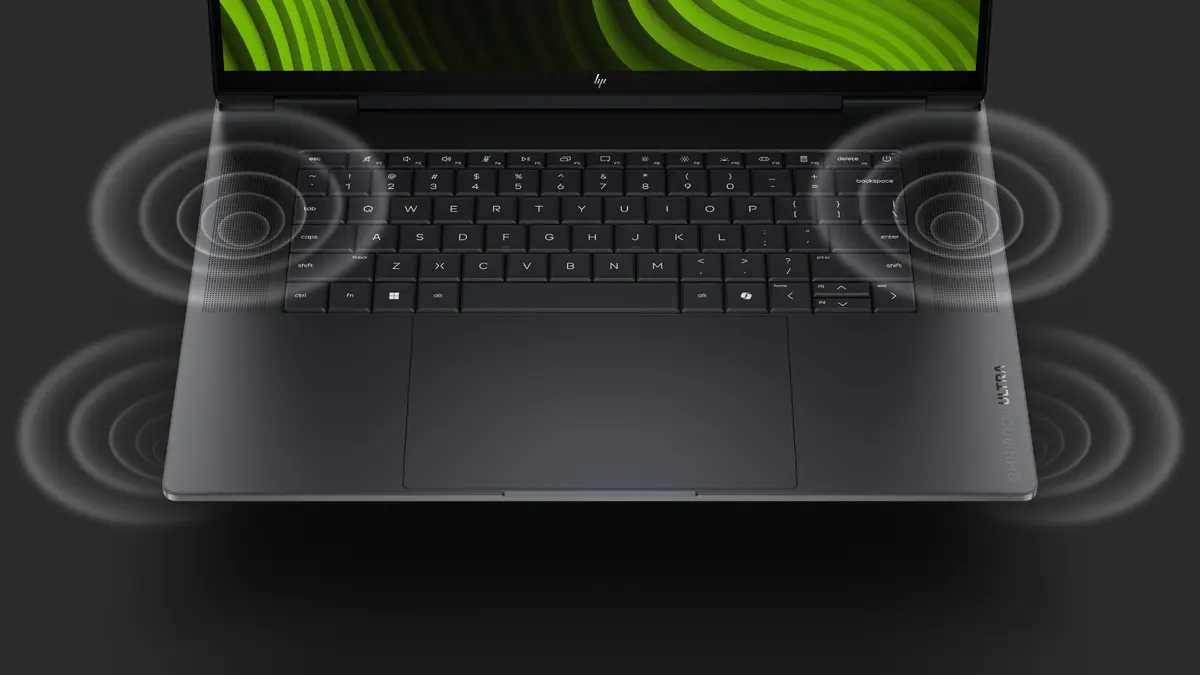
In this overview, the HP OmniBook Ultra 16-bk0194ng laptop is compared against three similar models from HP: the HP OmniBook Ultra 16-bk0197ng, the HP OmniBook Ultra 16-bk0195ng, and the HP OmniBook Ultra 14-kg0196ng. All of these devices are built for demanding professional workflows, content creation, and multimedia tasks, offering advanced processors, generous RAM capacity, and high-quality OLED displays. The main differences lie in screen size and type, RAM and SSD capacities, and the preinstalled operating system version.
⚙️ The specifications comparison covers key parameters such as display size and type, processor performance, RAM capacity, SSD storage size, and operating system version to clearly outline the technical distinctions between the models.
| Parameter | HP OmniBook Ultra 16-bk0194ng | HP OmniBook Ultra 16-bk0197ng | HP OmniBook Ultra 16-bk0195ng | HP OmniBook Ultra 14-kg0196ng | Practical significance |
|---|
| Display | 16.0" 2.8K OLED, 30-120Hz, 500 nits | 16.0" 2.8K OLED, 30-120Hz, 500 nits | 16.0" 2.8K OLED, 30-120Hz, 500 nits | 14.0" 2.8K OLED touch, 120Hz | The 16-series models provide an equally large and bright screen for visual work, whereas the 14-inch version is more compact and features touch input. |
| Processor | 20-core processor with NVIDIA graphics | NVIDIA RTX Spark N1X, 20 cores | NVIDIA RTX Spark N1X, 20 cores | Snapdragon X2 Elite | Models featuring 20-core processors and NVIDIA graphics target resource-heavy computations and professional software, while the Snapdragon X2 Elite focuses on energy efficiency and mobility. |
| RAM | 32 GB | 64 GB | 64 GB | 64 GB | The 32 GB configuration suits general multitasking and standard workloads, while 64 GB provides maximum headroom for heavy projects and intensive content creation. |
| SSD Storage | 2 TB | 1 TB | 1 TB | 2 TB | Two models offer an expanded 2 TB capacity for storing large files without external drives, while 1 TB is sufficient for standard professional libraries. |
| Operating System | Windows 11 | Windows 11 Pro | Windows 11 | Windows 11 Pro | Pro versions include advanced security and management tools designed for corporate environments. |
◎ The evaluation of use cases and user profiles below helps determine which model best fits your specific working and creative requirements.
| Use case | Recommended product | Why |
|---|
| Large media libraries and general professional work | HP OmniBook Ultra 16-bk0194ng | Combines 32 GB of memory with a spacious 2 TB drive, offering a balanced setup for file storage and smooth multitasking. |
| Maximum memory headroom and intensive projects | HP OmniBook Ultra 16-bk0197ng | Features 64 GB of RAM and Windows 11 Pro, making it optimal for heavy business workloads and demanding content creation. |
| Resource-intensive workflows with standard OS | HP OmniBook Ultra 16-bk0195ng | Delivers 64 GB of memory for heavy software running on standard Windows 11. |
| Frequent travel and mobile productivity | HP OmniBook Ultra 14-kg0196ng | A compact 14-inch form factor equipped with a balanced Snapdragon processor, touch display, and 2 TB of storage for on-the-go use. |
The HP OmniBook Ultra 16-bk0194ng differs from the alternatives by offering an optimal combination of 32 GB of RAM and a spacious 2 TB storage drive paired with a large 16-inch OLED screen. It is best suited for professionals and creative users who need substantial storage space and strong performance without paying extra for the redundant 64 GB of RAM found in higher-tier configurations.